
Allocating time off helps ensure employees have the correct leave entitlements. Here's how to create a new allocation:
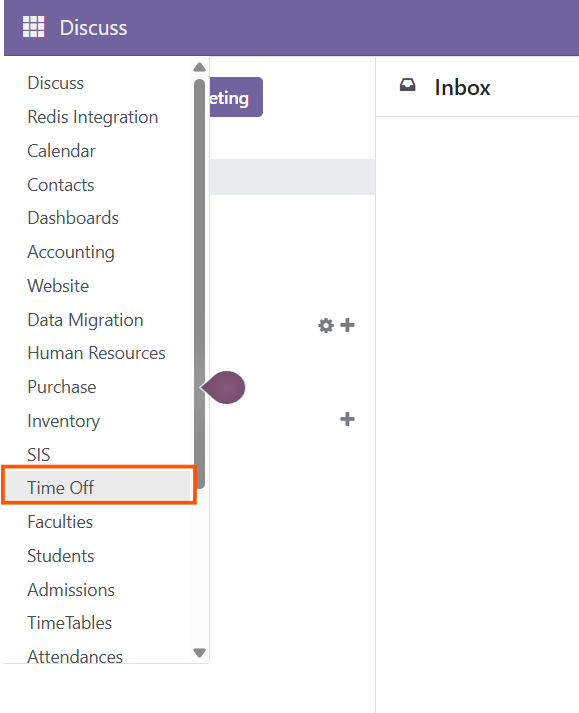
Open Time Off Module: From the main ERP dashboard, click on the Time Off module.
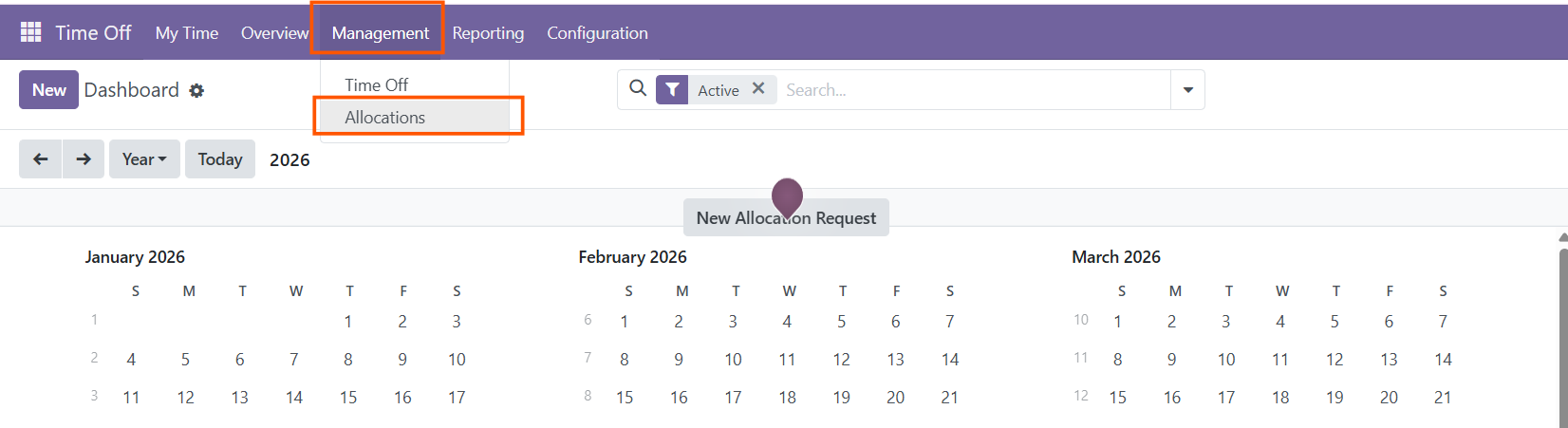
Click on Manager: Go to the 'Manager' section to access allocation settings.
Choose Allocation: Select 'Allocations' from the submenu.
Click on New and Fill in the Requirements:

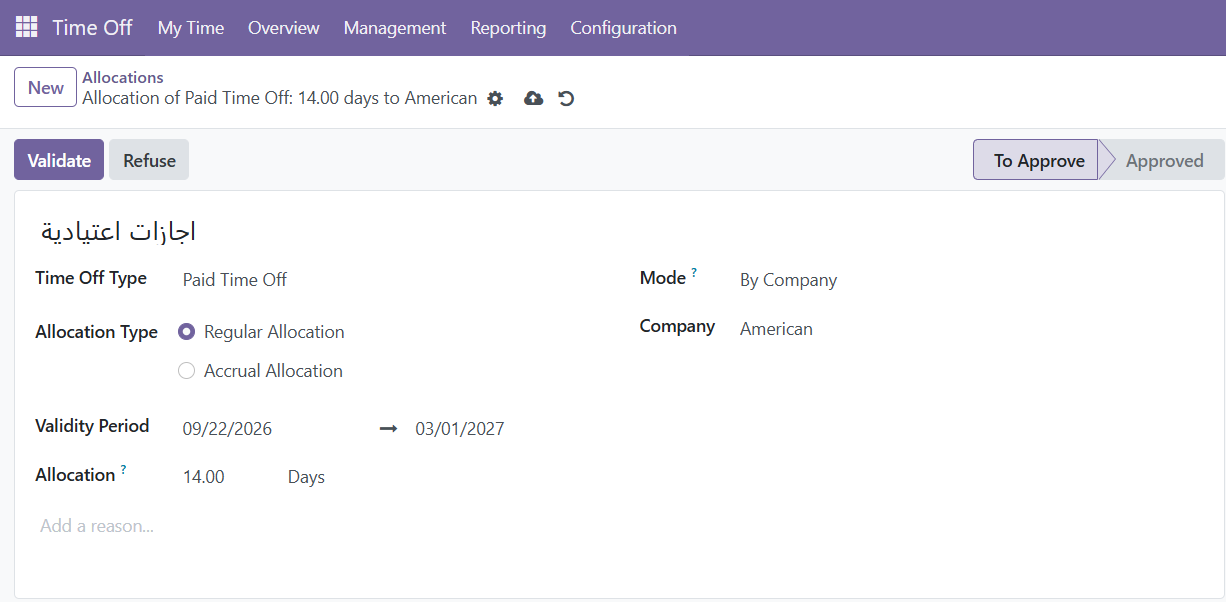
- Name of Holiday Allocation: Enter a name that clearly identifies this allocation .
- Time Off Type: Select the type of leave being allocated, like public holidays or annual leave.
- Mode: Choose who will receive this allocation:
- By Employee: Allocate time off to specific employees.
- By Company: Apply it to all employees across the company.
- By Department: Apply to a particular department only.
- By Employee Tag: Apply to employees with specific tags (e.g., "Management" or "Remote Workers").
Save: Once you've reviewed the information, click 'Save' to finalize the allocation.