1- Log onto Skolera from the web or mobile app.
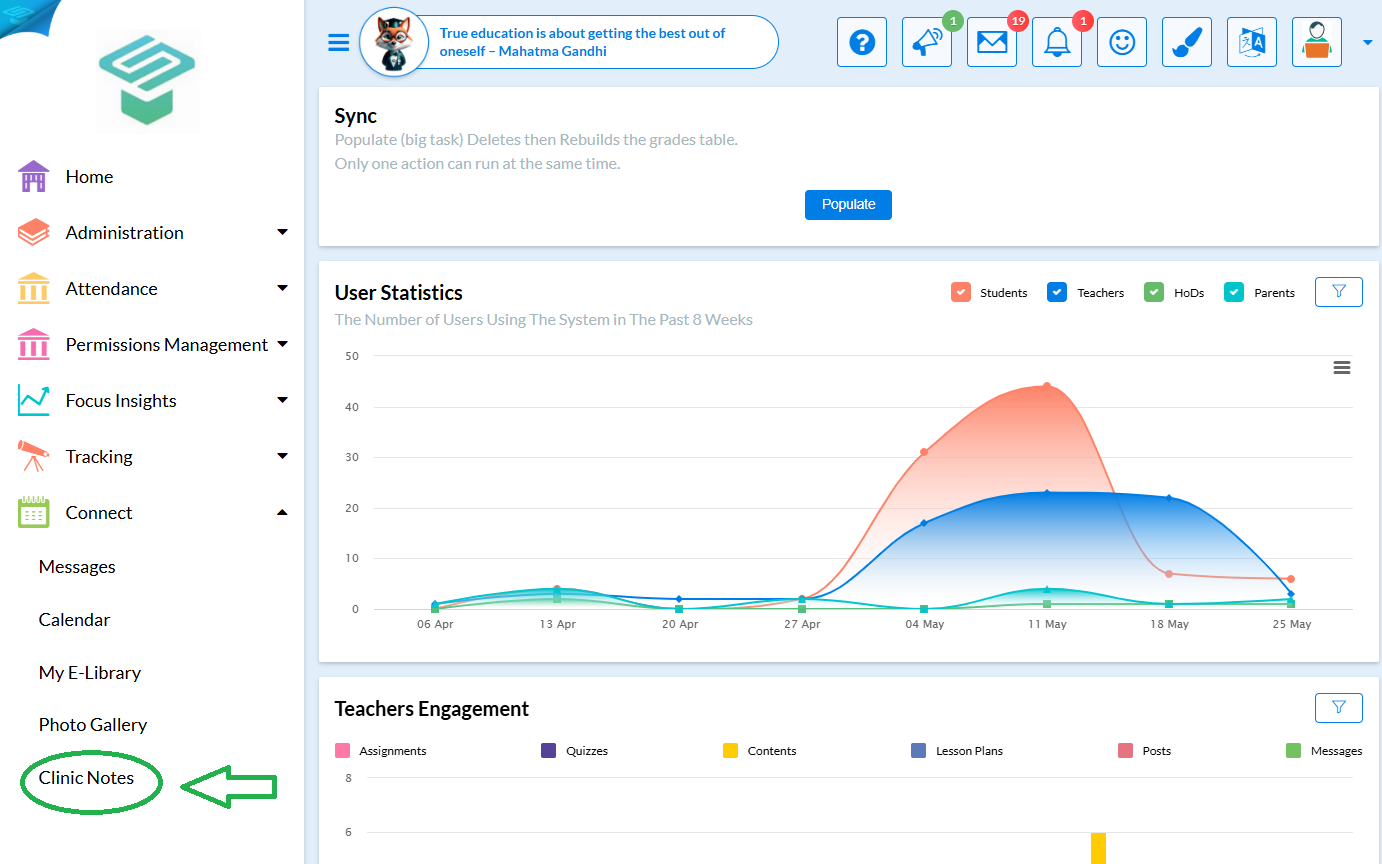
2-From the Navigation menu click on Connect then Select Clinic Notes from the navigation tab on the left.
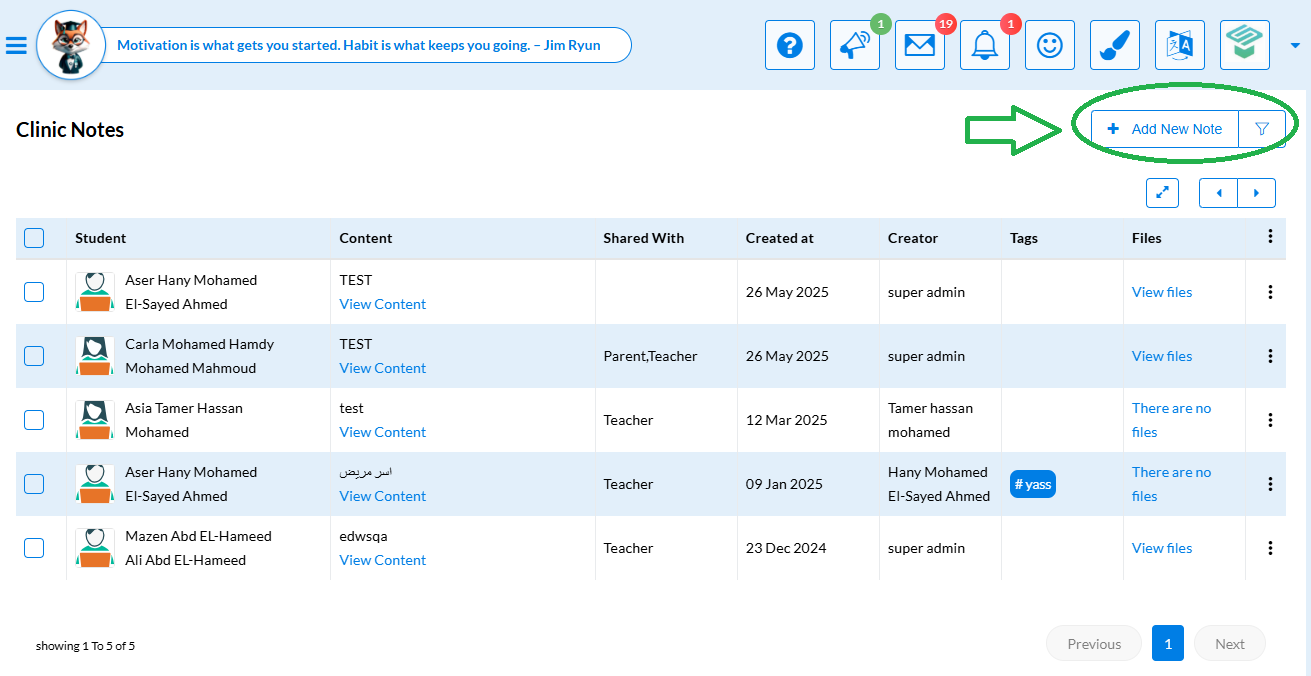
3- Click the +Add New Note button.
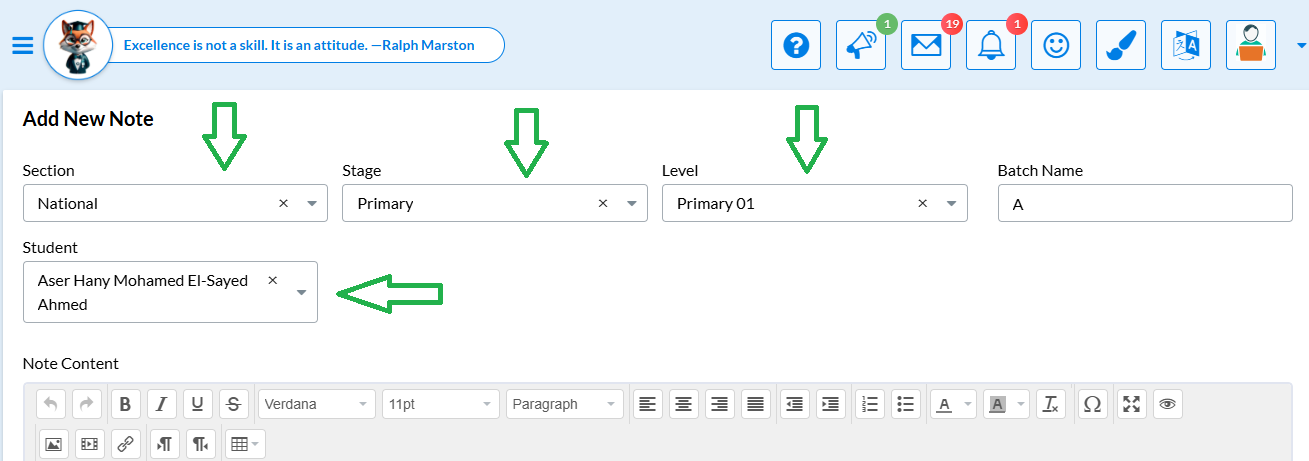
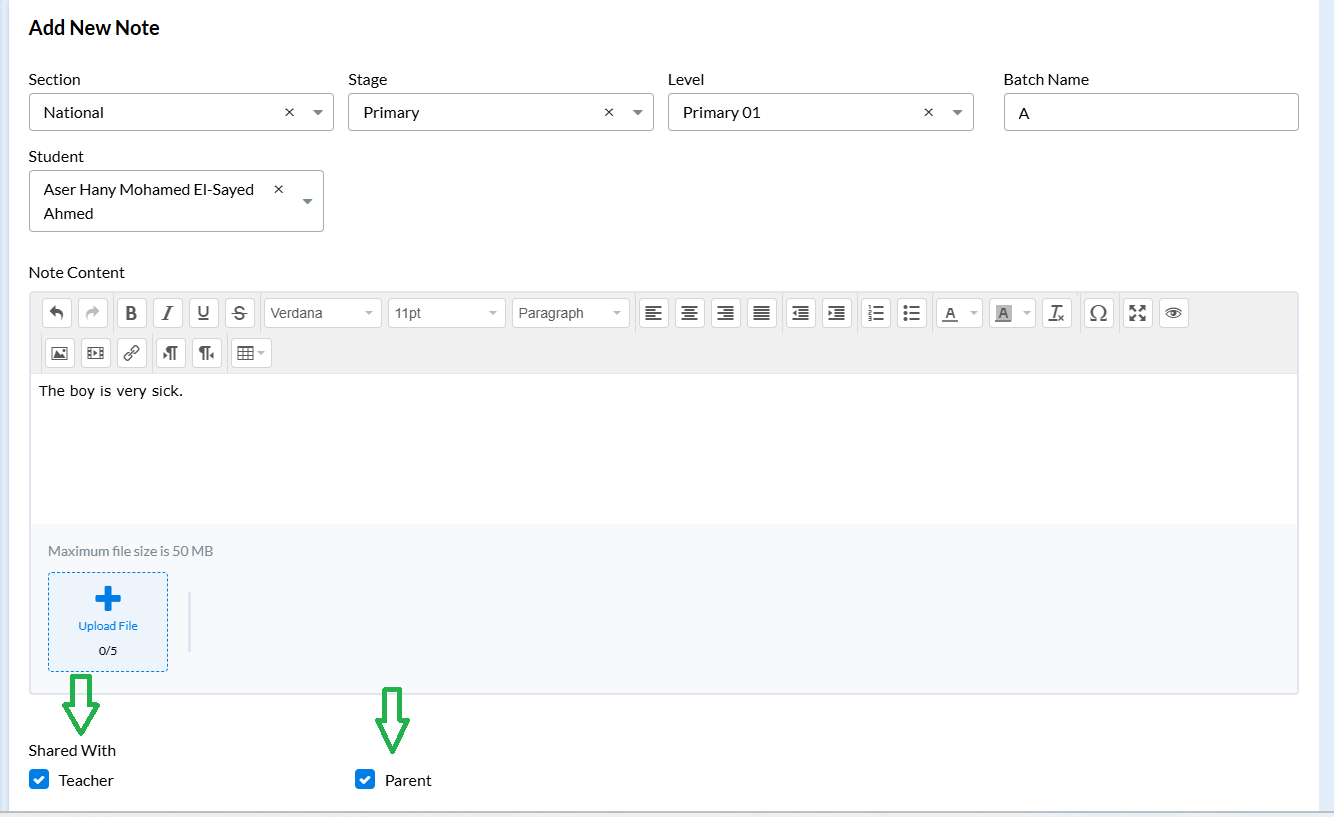
4- Select the Section-Stage-level- student from the drop-down menu.
5- Add Your Comment
6- Select who you would like to share the note with:
Selecting Parent will share the note with the student's parent.
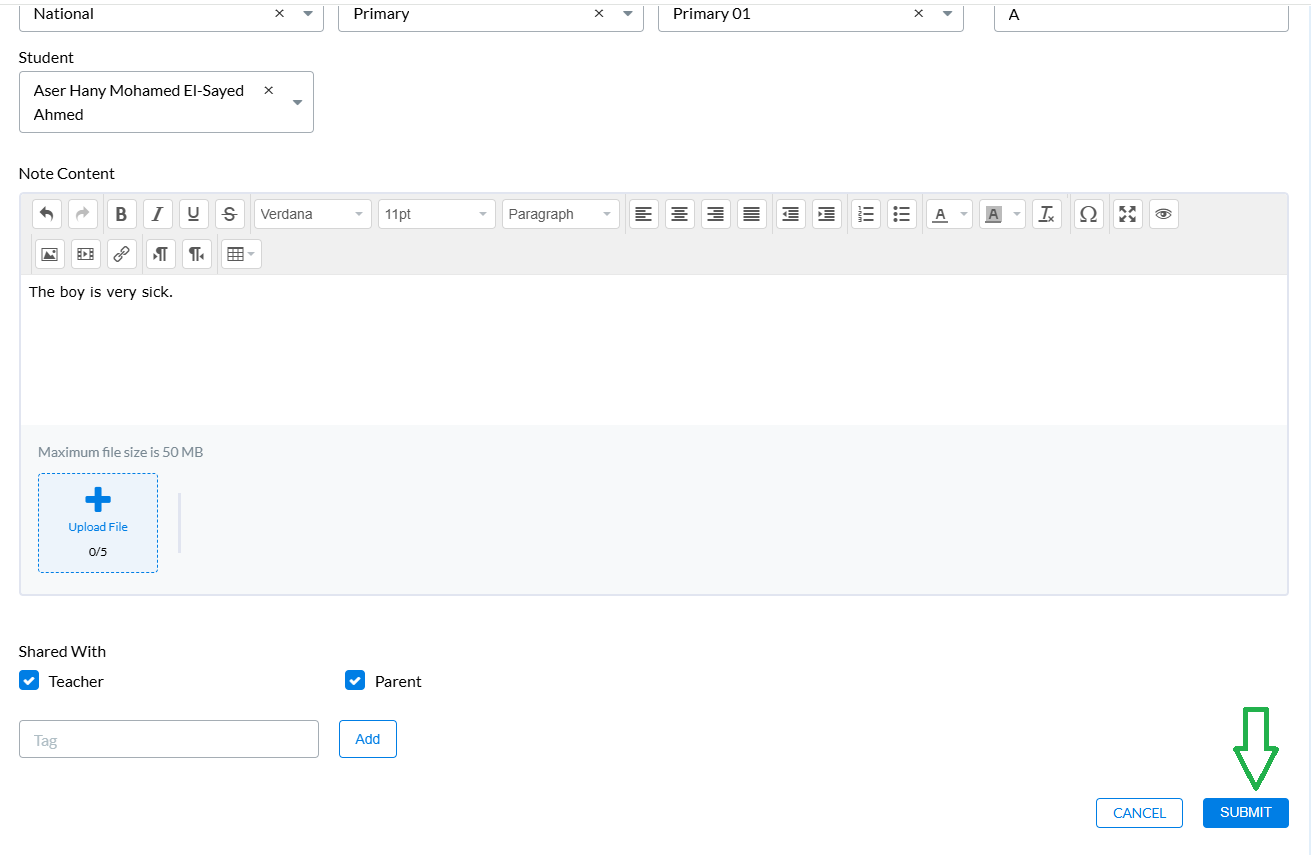
Selecting Teachers will share the note with other teachers that teach the same student this year.
7- Click the Submit button to share your note.