Sign in to your HOD account
From the left side, the avigation menu :
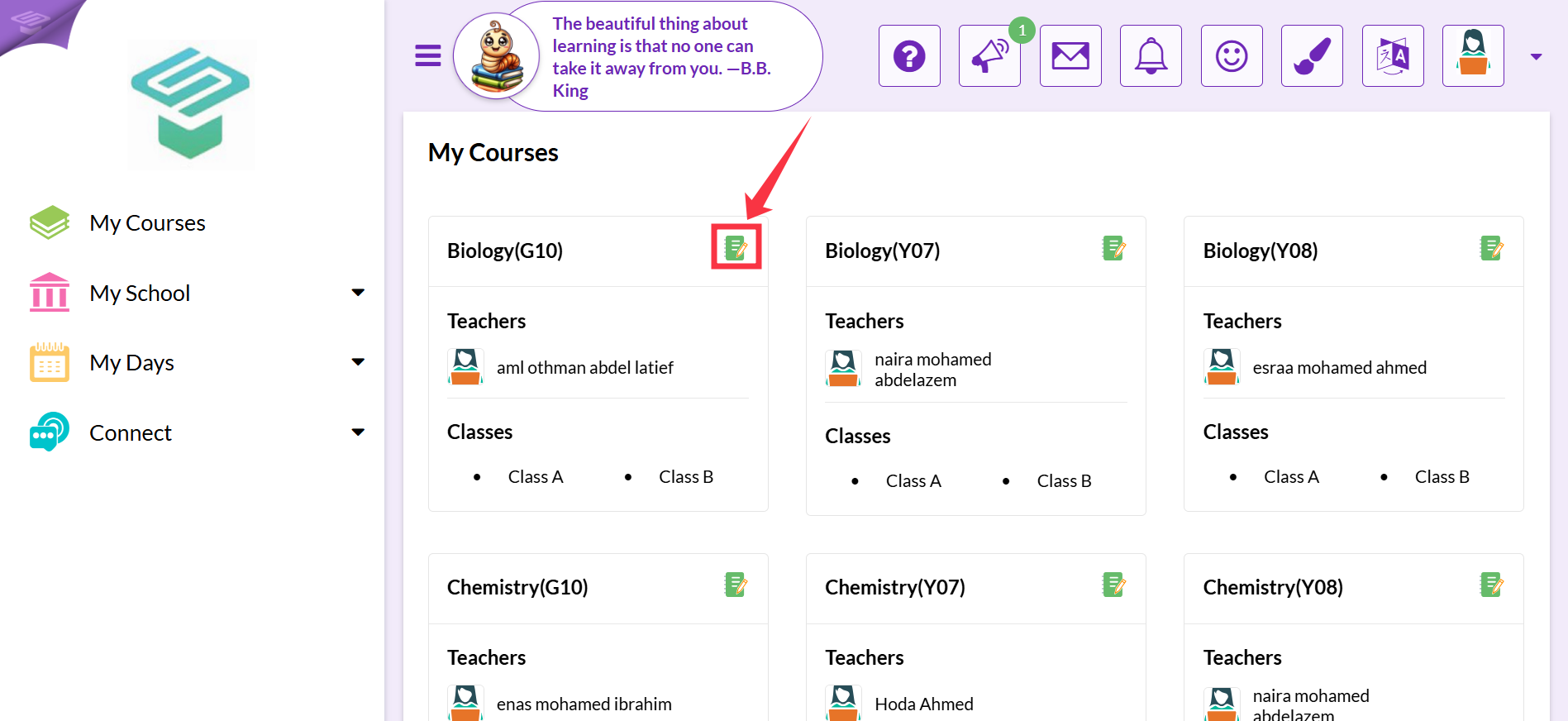
Press on My courses
On the left side, Press on the (Paper and Pen) icon found beside the Course name.
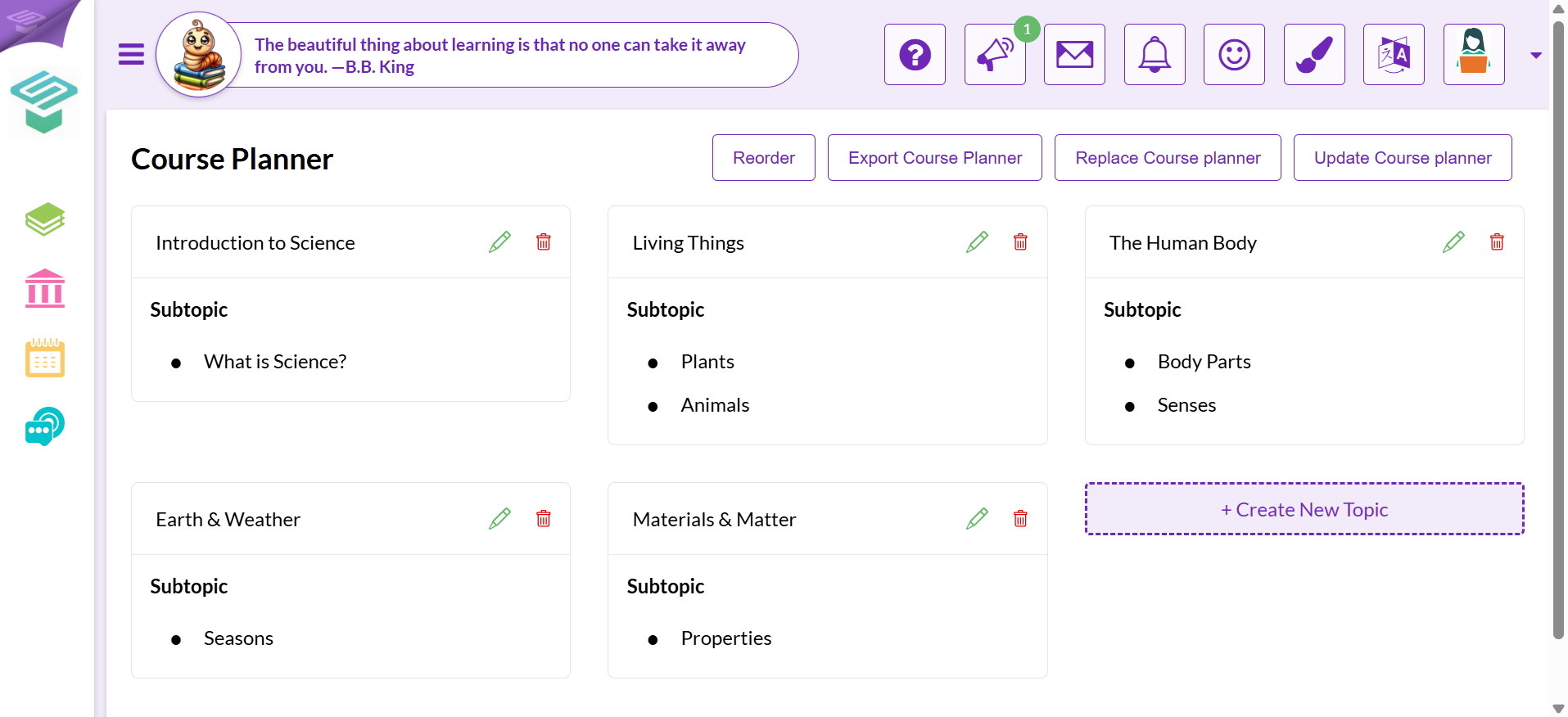
Now the Course planner details are shown

Modified on: Sun, 1 Mar, 2026 at 12:47 PM
Sign in to your HOD account
From the left side, the avigation menu :
Press on My courses
On the left side, Press on the (Paper and Pen) icon found beside the Course name.
Now the Course planner details are shown
Did you find it helpful? Yes No
Send feedback