
you can assign the student to an elective subject by following these steps:
Step 1: Open the Student Profile
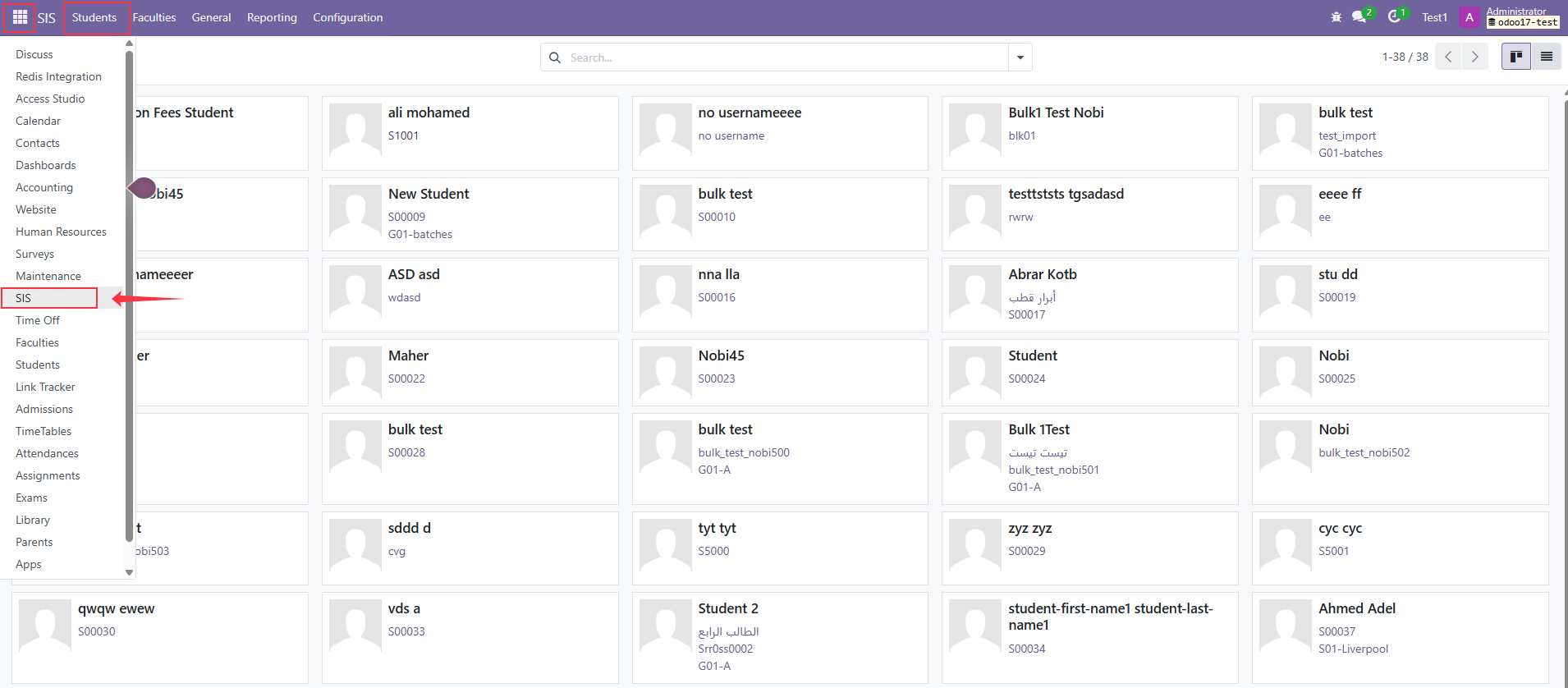
Log in to your ERP account.
From the side menu, open the SIS Module.
Click on Students.
Search for and open the required student profile.
Step 2: Open Educational Details
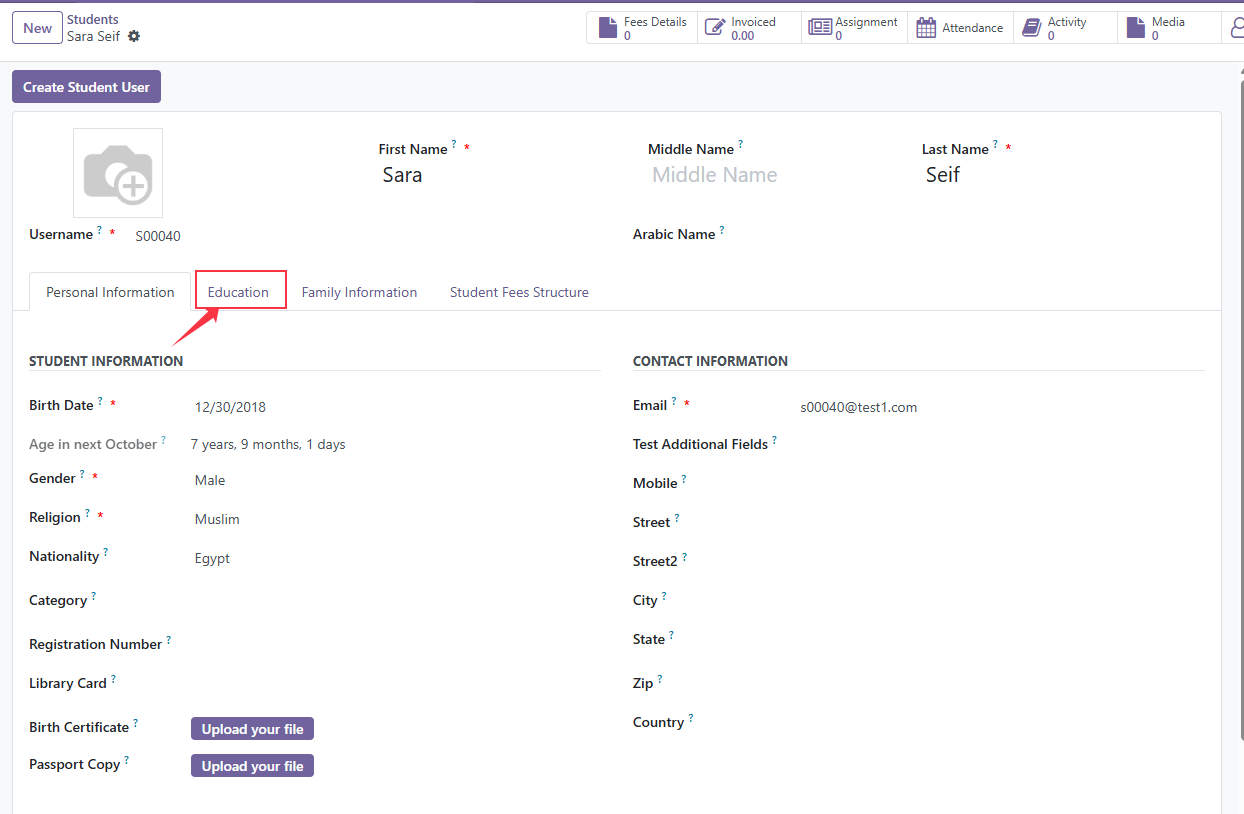
Go to the Educational Details section.
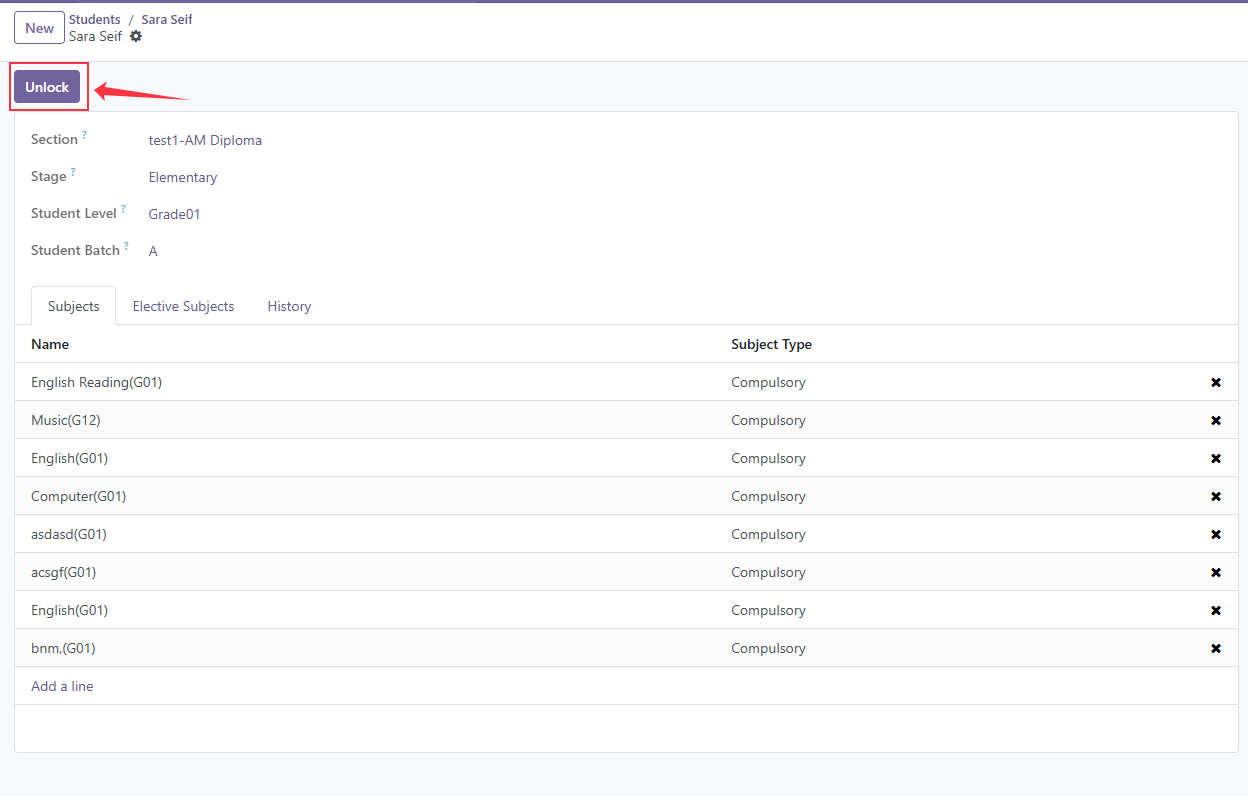
Click on Unlock to enable editing.
Step 3: Assign the Elective Subject
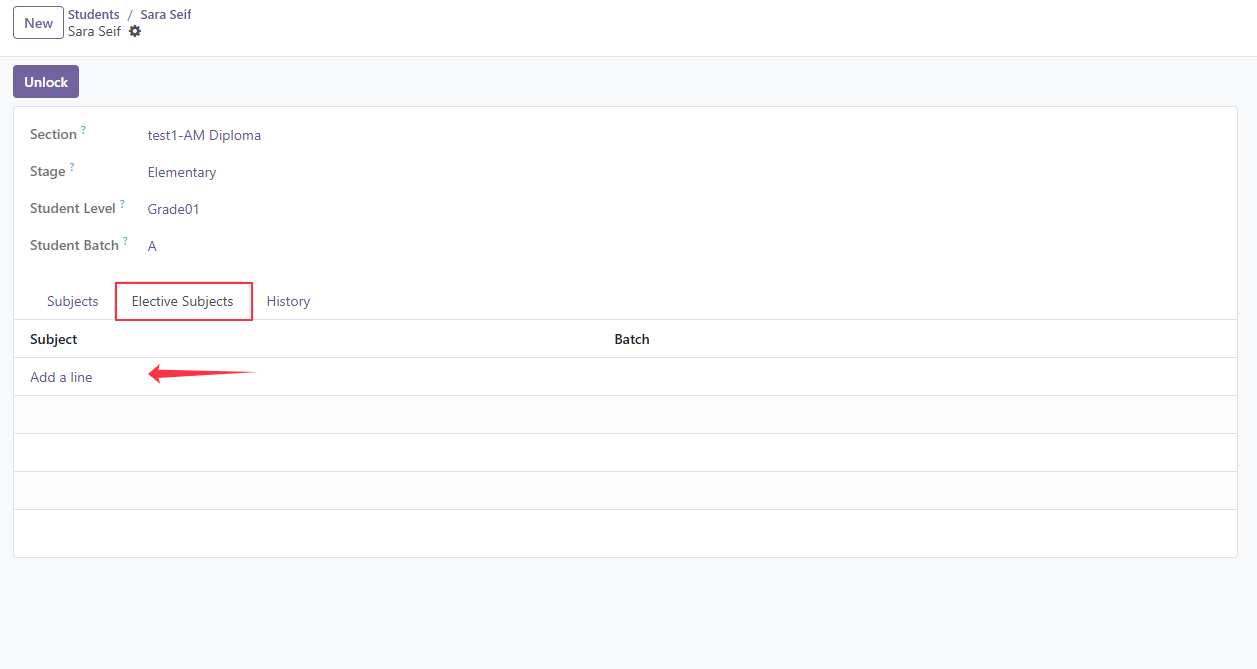
Open the Elective tab.
Click on Add a Line.
Select the required Subject.
Select the appropriate Batch
Step 4: Save the Changes
After adding the subject and batch, click Save.
The student is now successfully assigned to the elective subject.
lock