
Here’s a clear step-by-step guide on how you can create a parent profile from a student profile . The exact steps may vary slightly depending on the ERP software you are using, but the general approach is similar:
Steps to Create a Parent from profile student on erp :
Step 1 : Go to the "OpenEduCat" app from the main dashboard.
Step 2: Navigate to the Student Profile
Go to Students → Manage Students (or equivalent).
Search for the student by name, ID
Open the student’s detailed profile
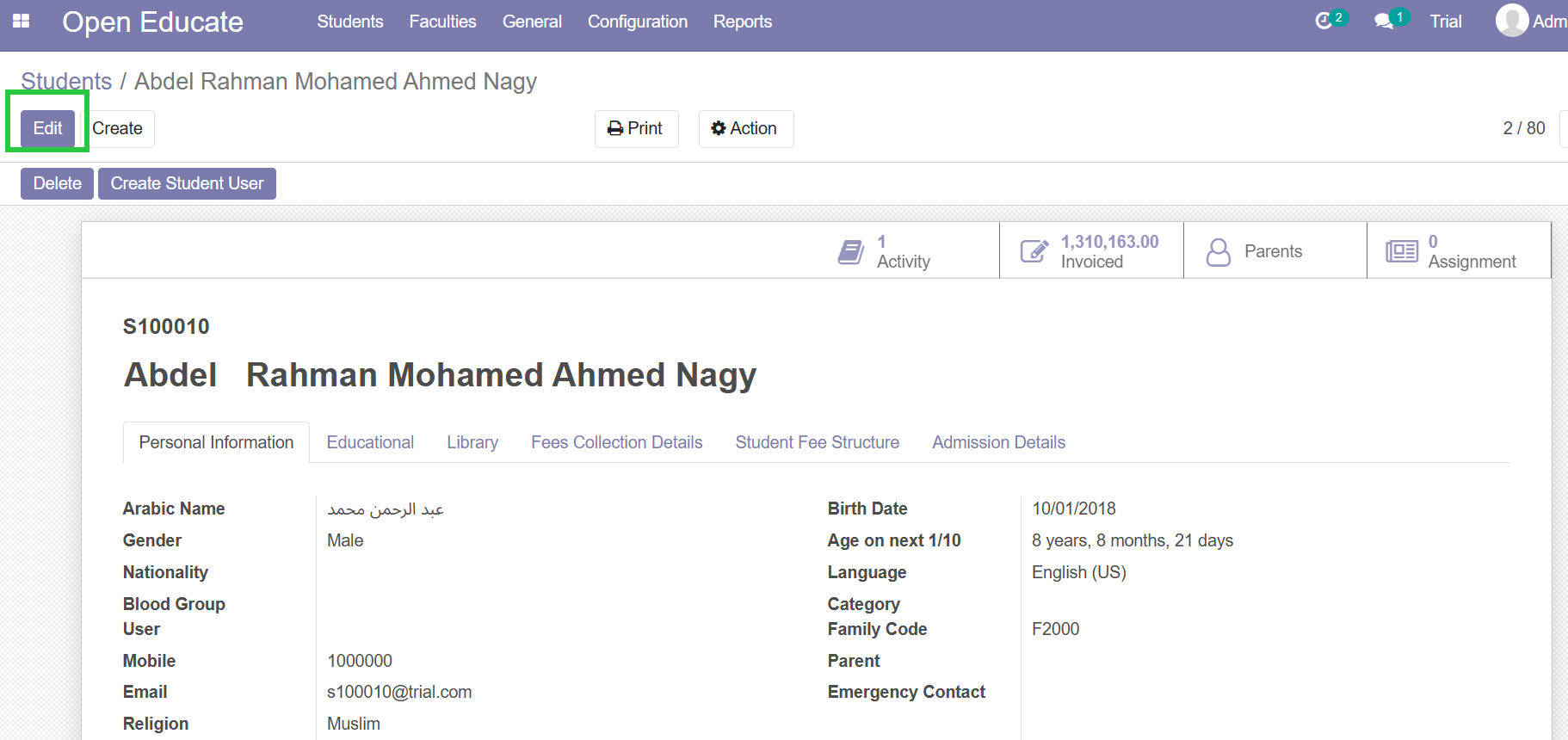
Step 4: Enter Parent Details
Fill in required fields such as:
Parent’s Name
Relationship (Father, Mother, Guardian)
Contact Information (phone, email)
Family Code (should be the same family code in the student profile)
Emergency Contact (Yes,No)
Emergency Contact can be set yes only for one parent
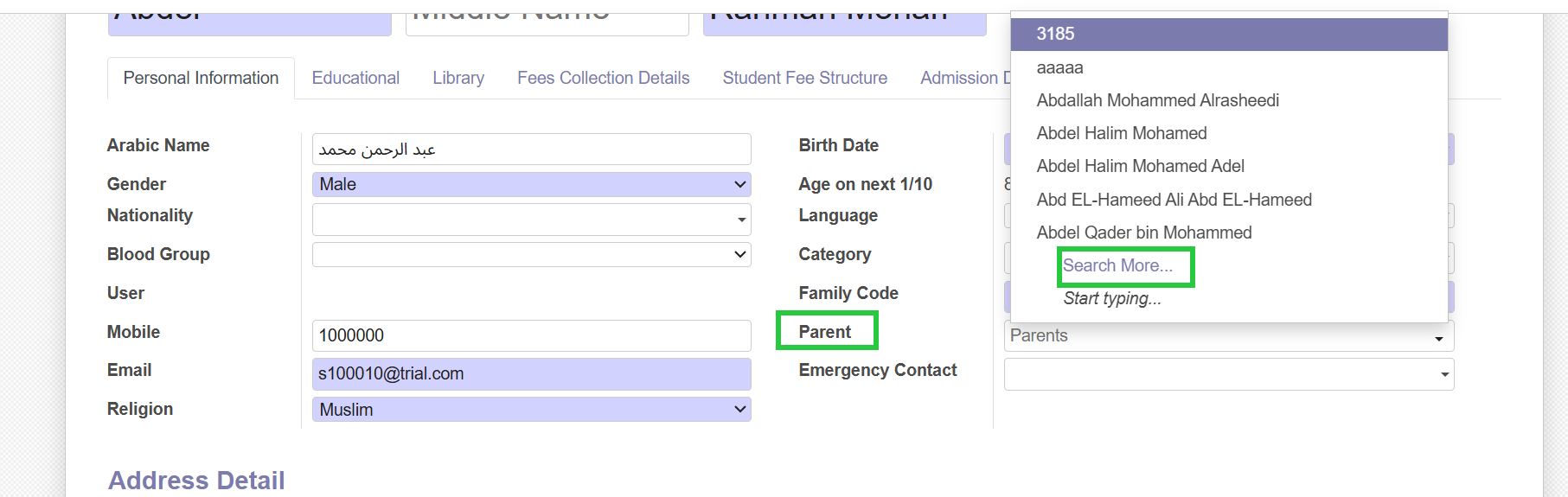
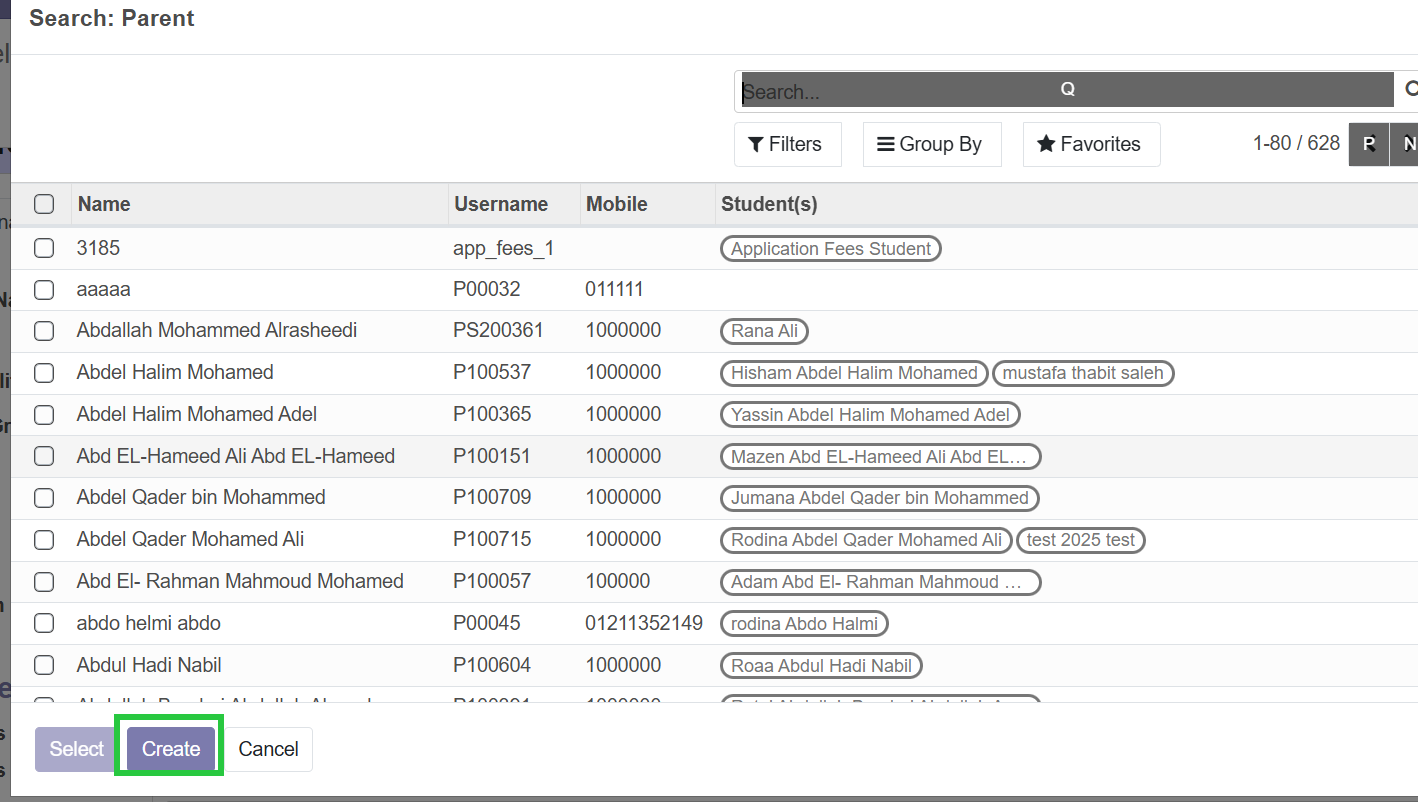
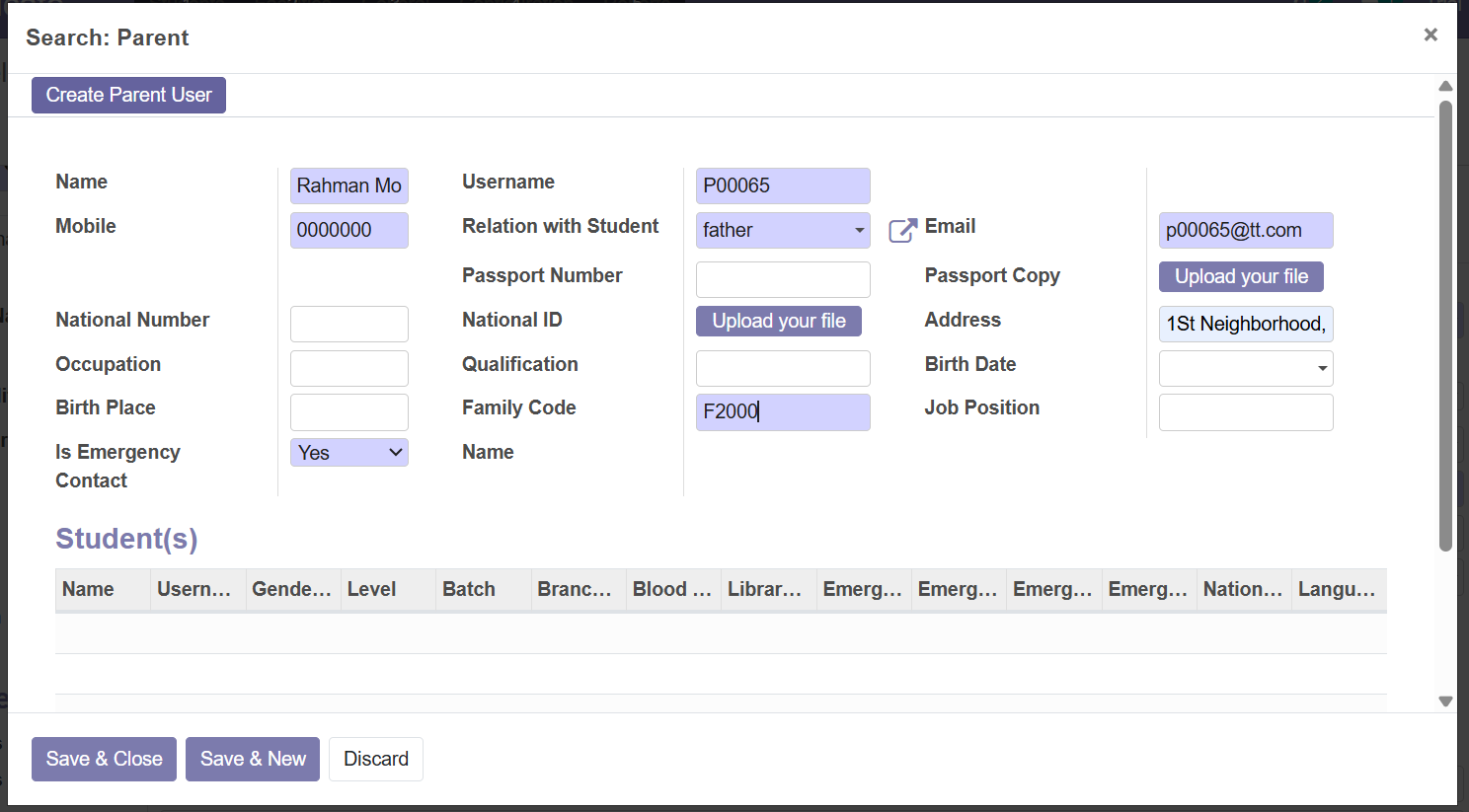
Click Save&Close
Link Parent to Student
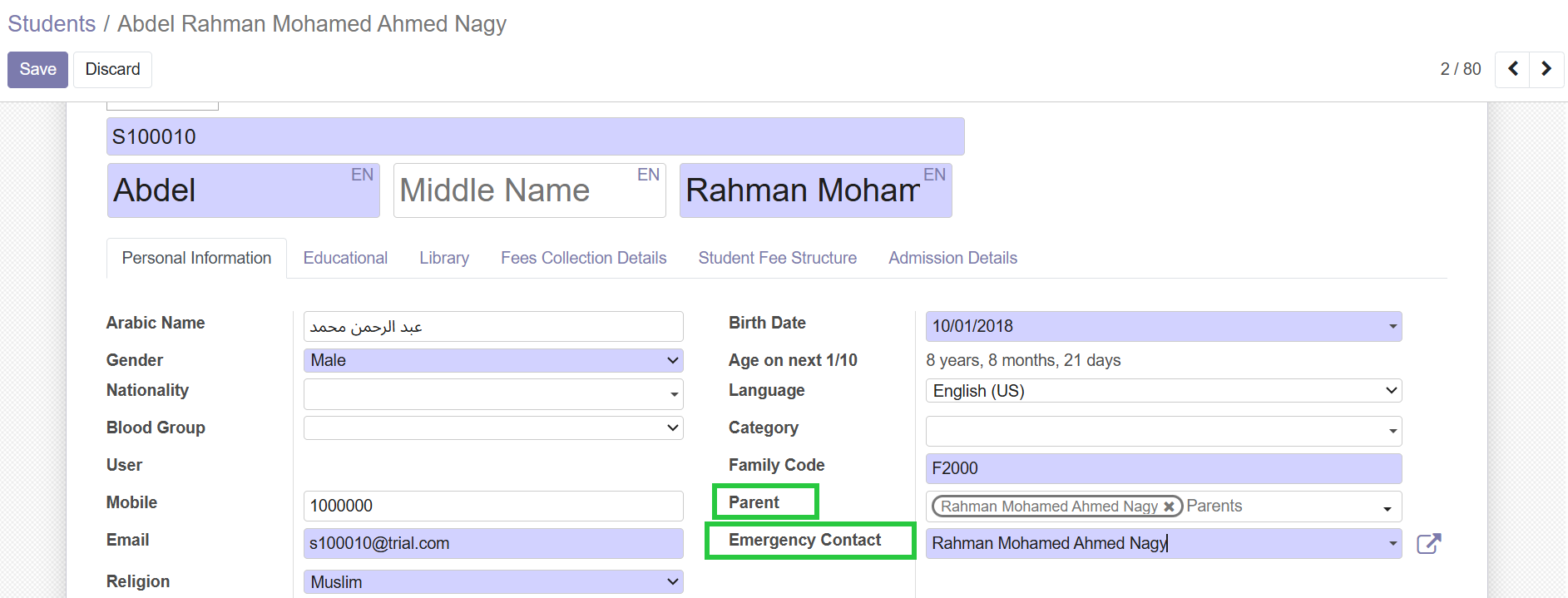
Note: If the parent is old one we choose his/her name from the parent list and also choose the emergency contact from the emergency contact list
If you want, I can create a step-by-step visual workflow showing how to create a parent from a student profile in ERP, which you can use as a reference guide.