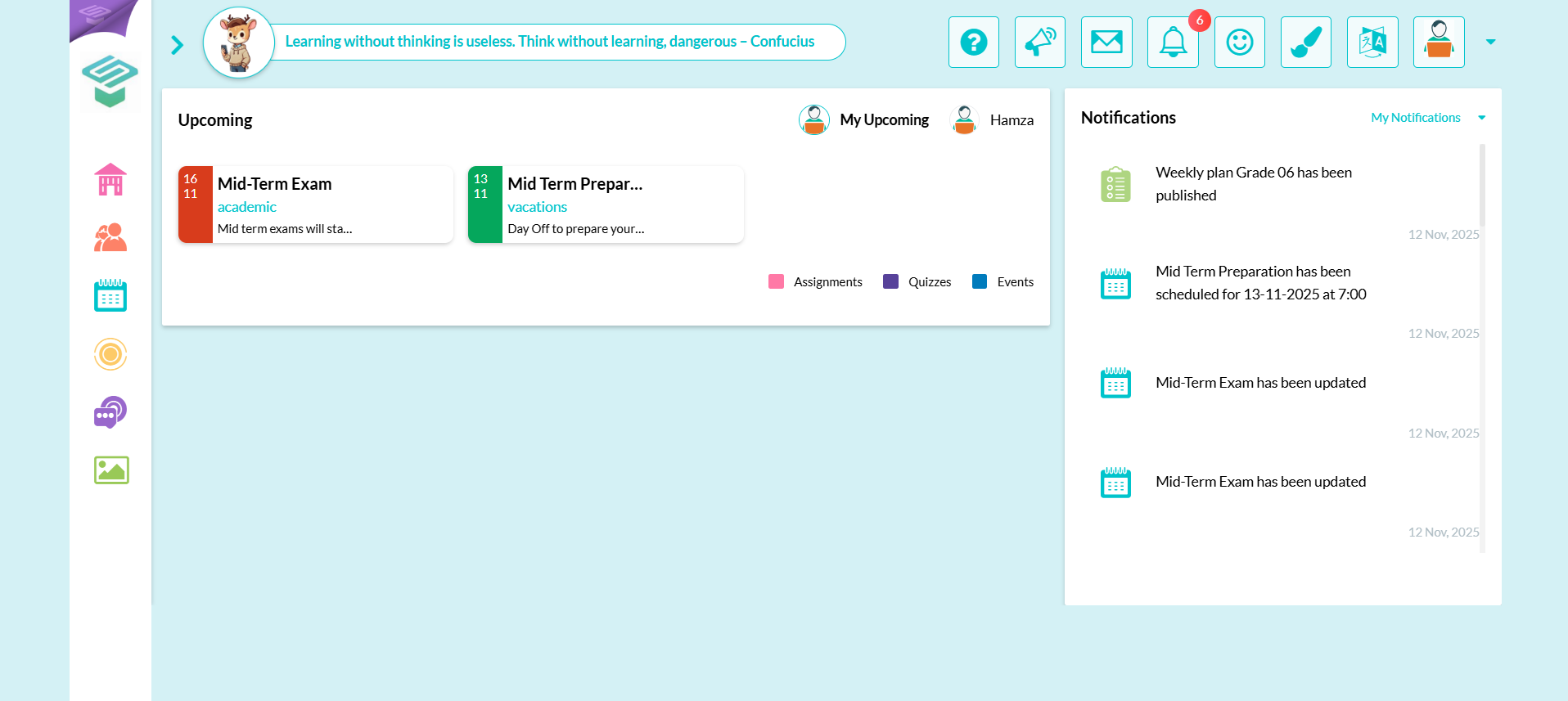
Step1: Login to your Parent account  From Parent homepage
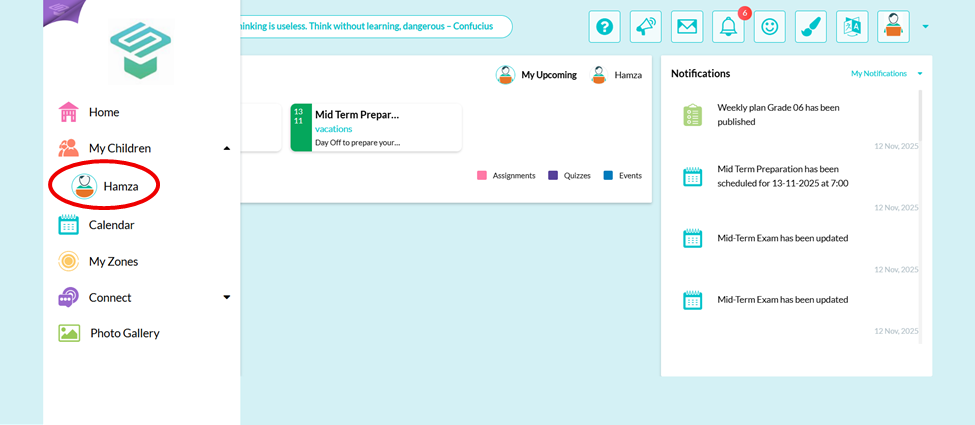
  From left navigation bar
  My Children
  Choose your child
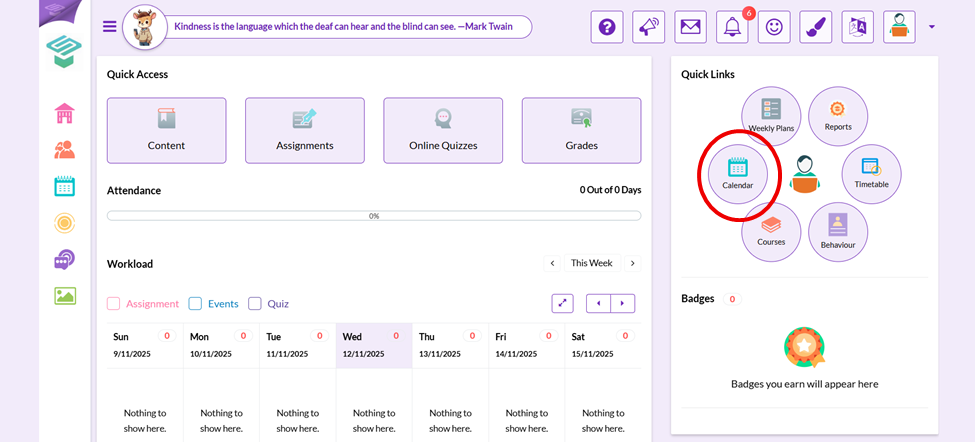
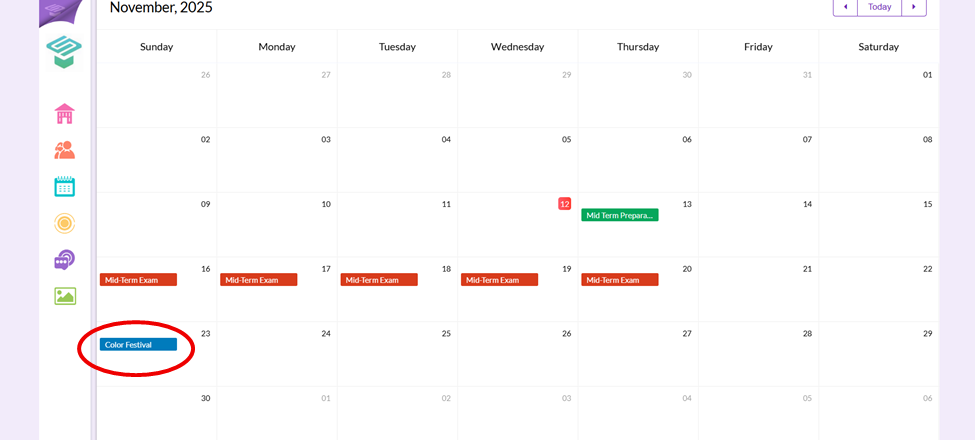
Step2: From Quick links on the right side  Calendar
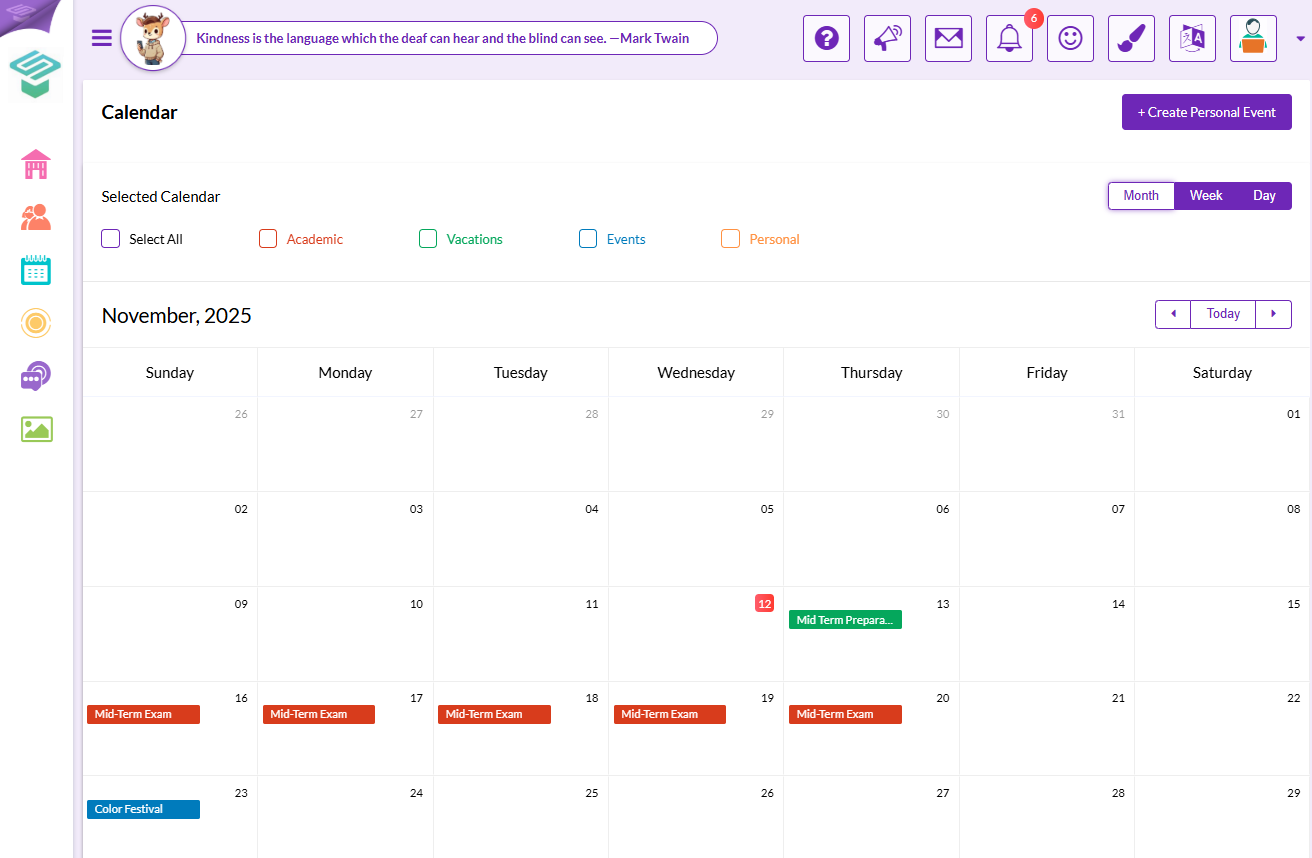
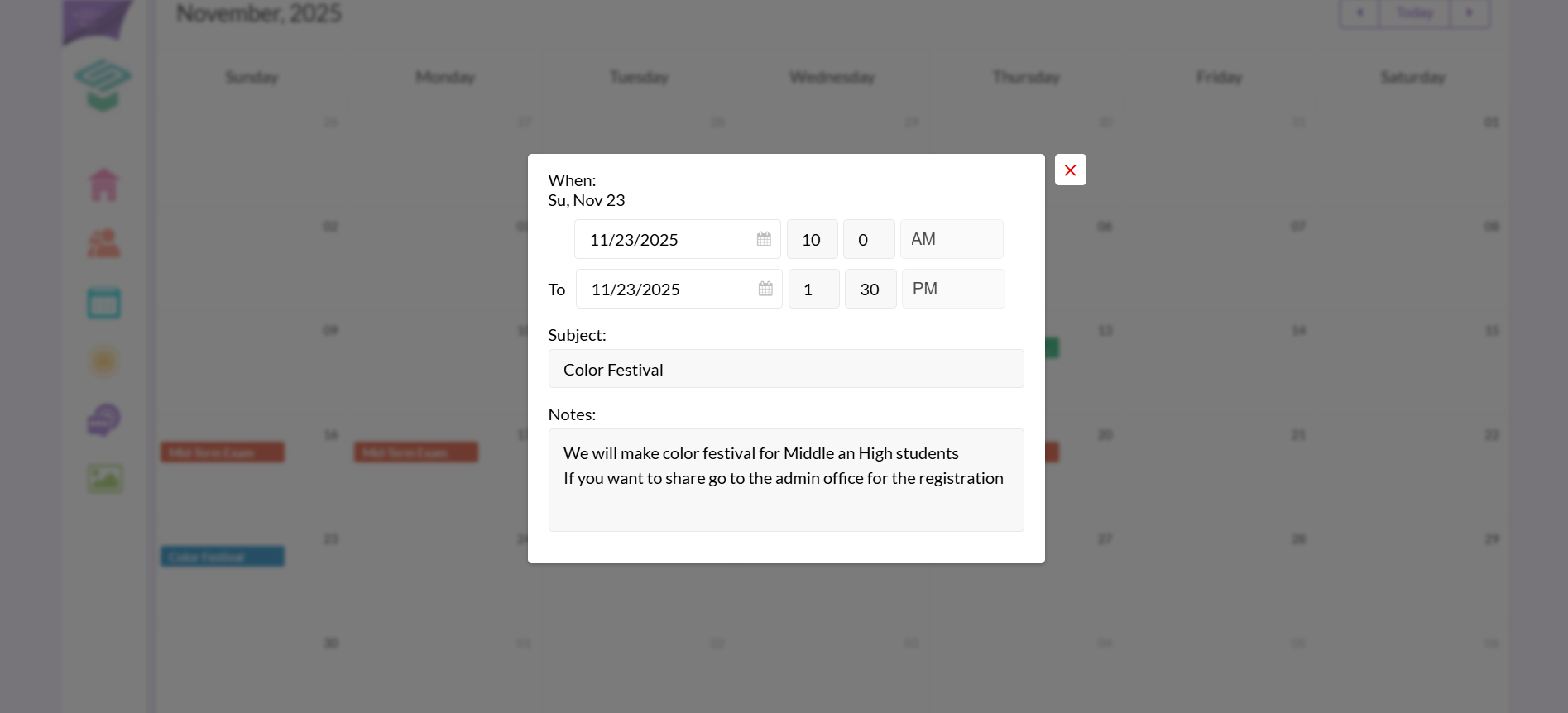
Step3: Click on the event you want to view its details

Modified on: Sun, 16 Nov, 2025 at 11:49 AM
Step1: Login to your Parent account From Parent homepage From left navigation bar My Children Choose your child
Step2: From Quick links on the right side Calendar
Step3: Click on the event you want to view its details
Did you find it helpful? Yes No
Send feedback