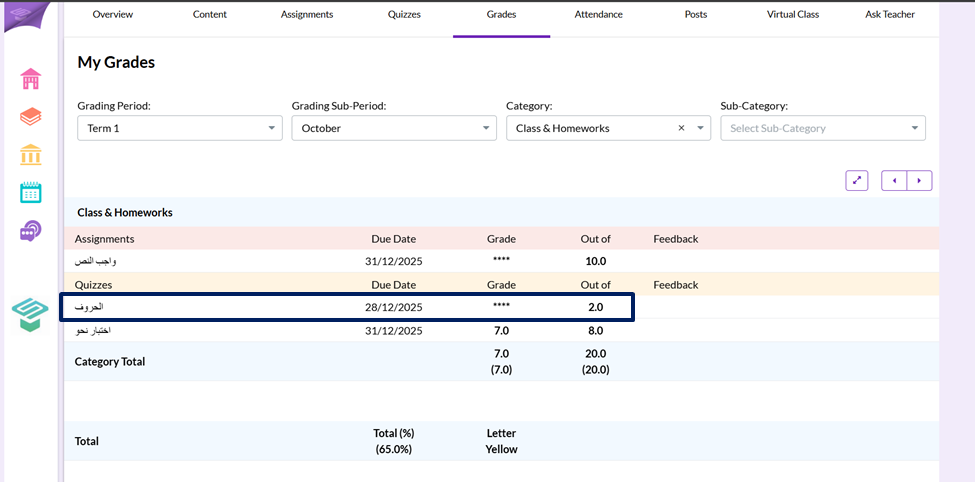
Step1: Login from your teacher account
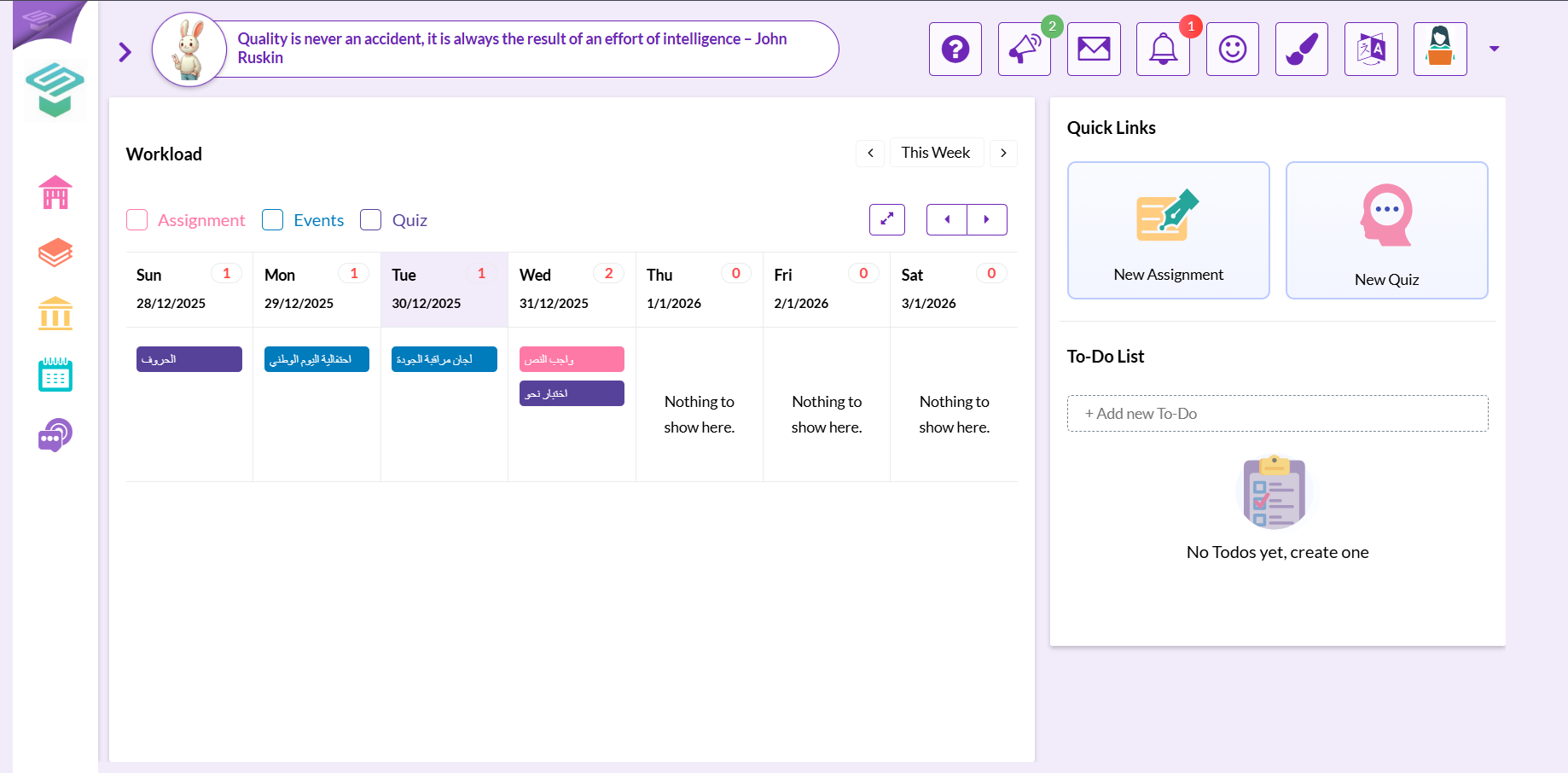
Step2: Go to grades section
- From the teacher homepage from left navigation bar go to
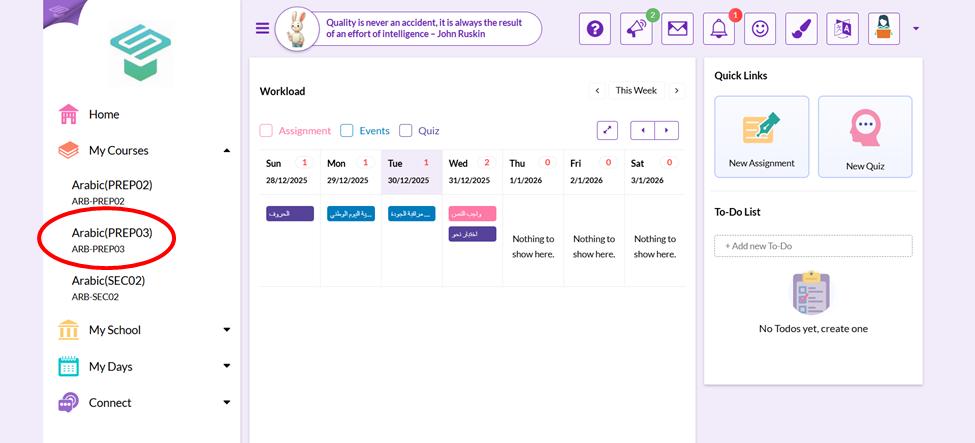
 My courses
 Choose the course you want to hide grades in.
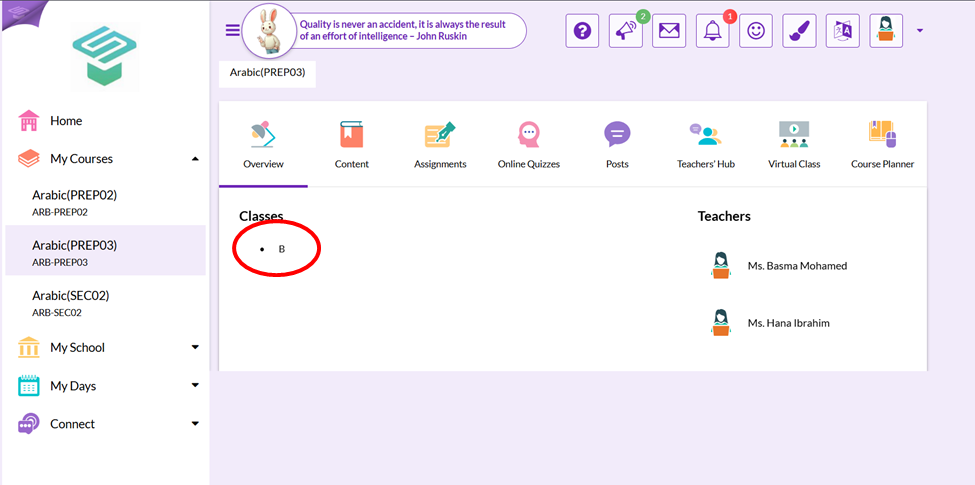
 - Choose the class to hide its grades
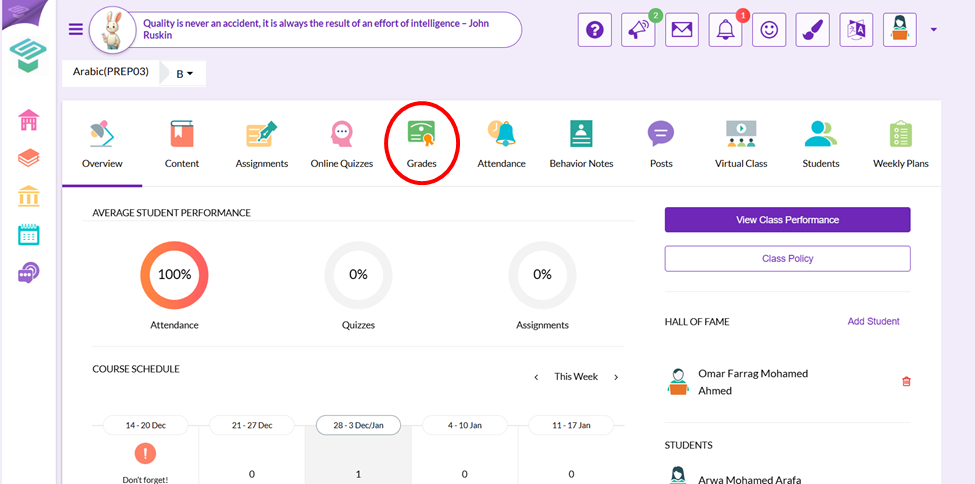
- Choose Grades icon
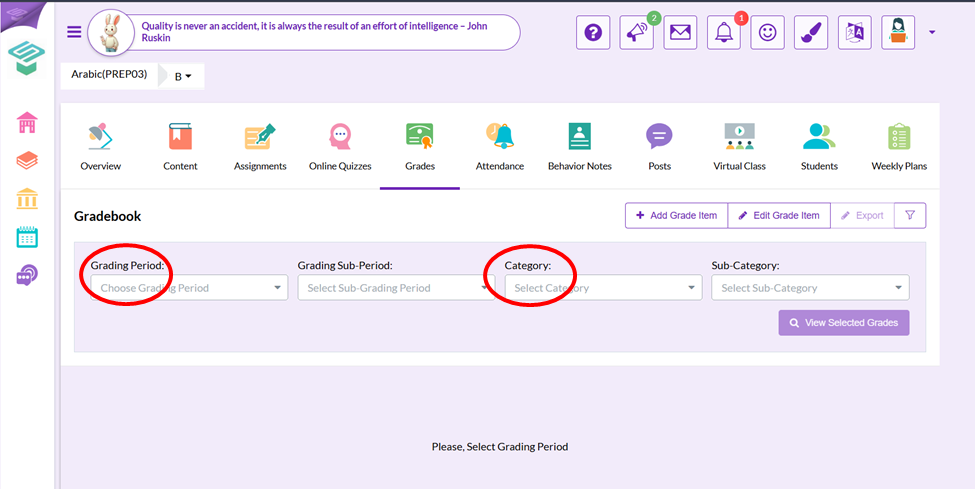
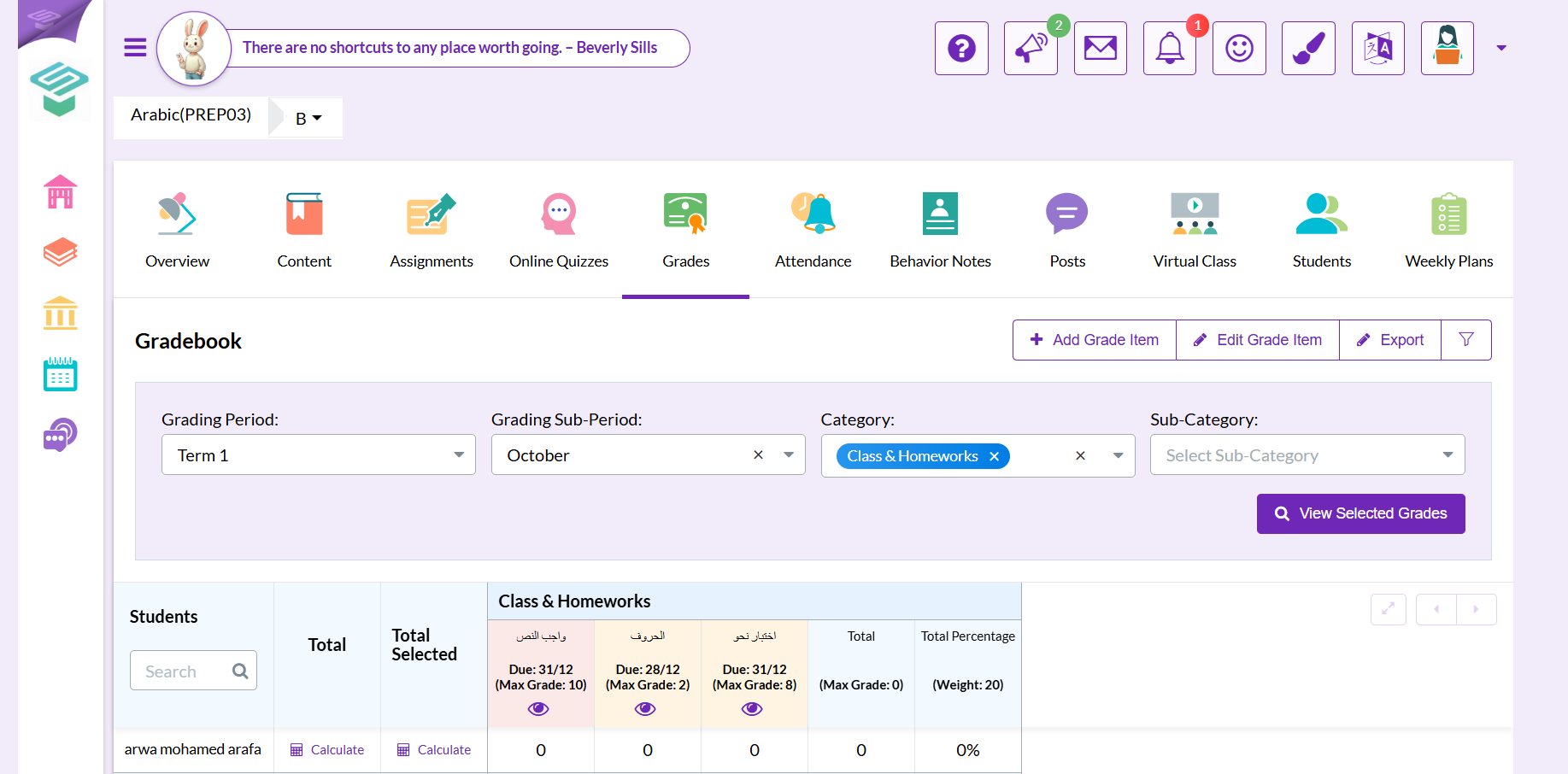
Step3: Choose Grading period and the category where you want to hide grades in
Step4: Press the Eye button on the top of the required column to hide its grades
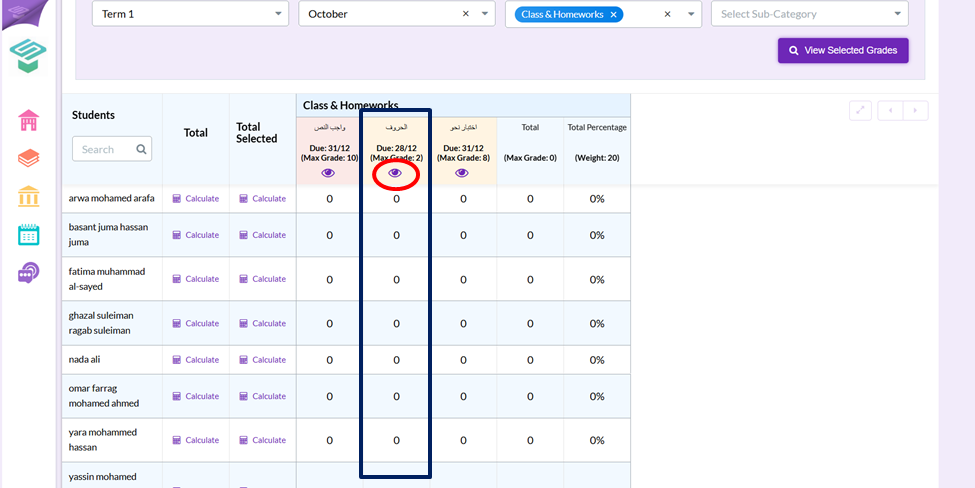
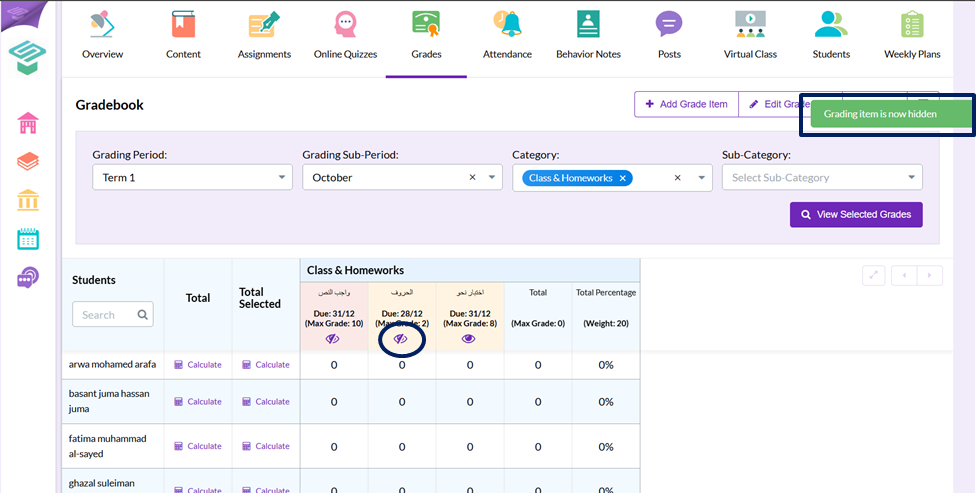
Now: Student can't see this item grades from student interface