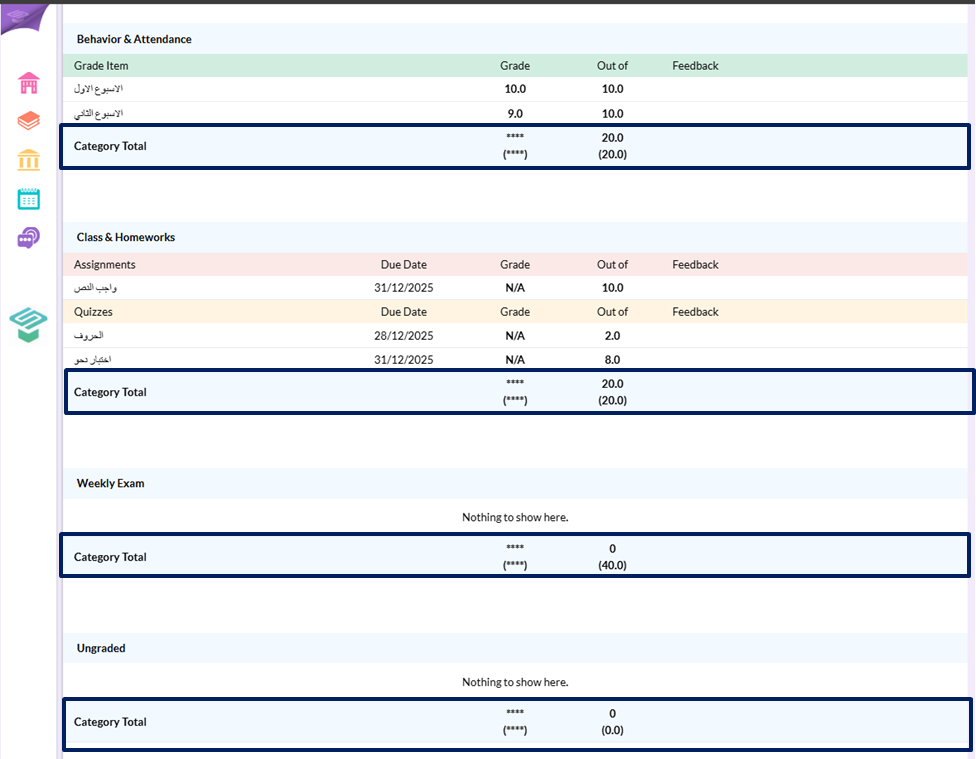
Step1: Login from your Admin account
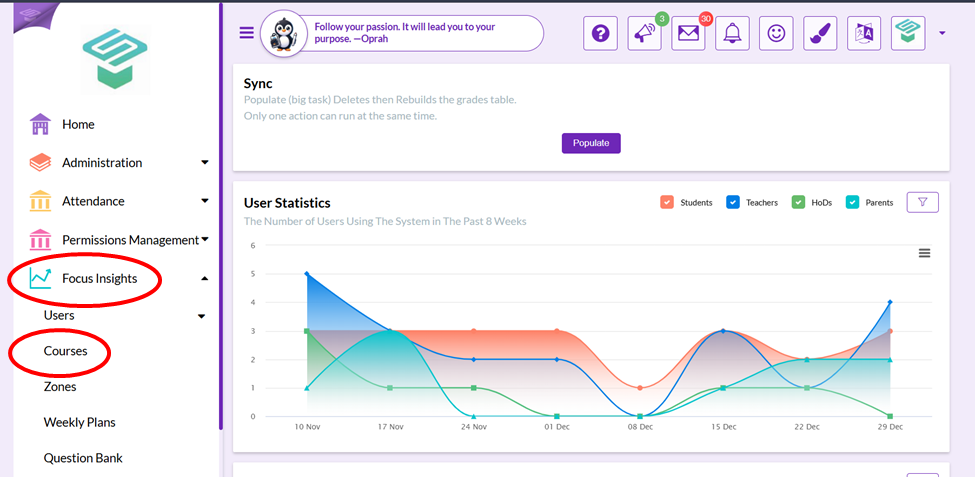
Step2: Go to Courses section
- From the Admin homepage from left navigation bar go to
 Focus Insights
 Courses
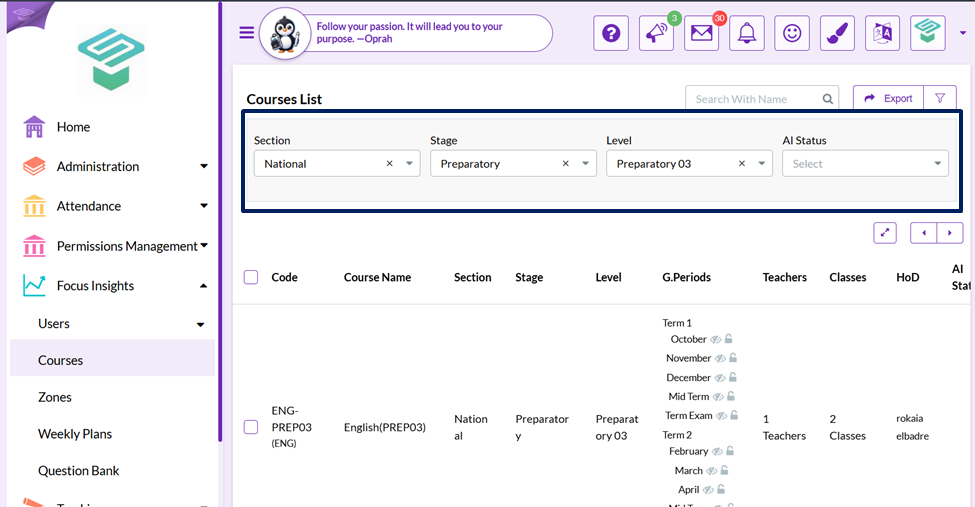
Step3: Use filters to reach to required course
Step4: From required course choose required grading period to hide the total grade from the grade book
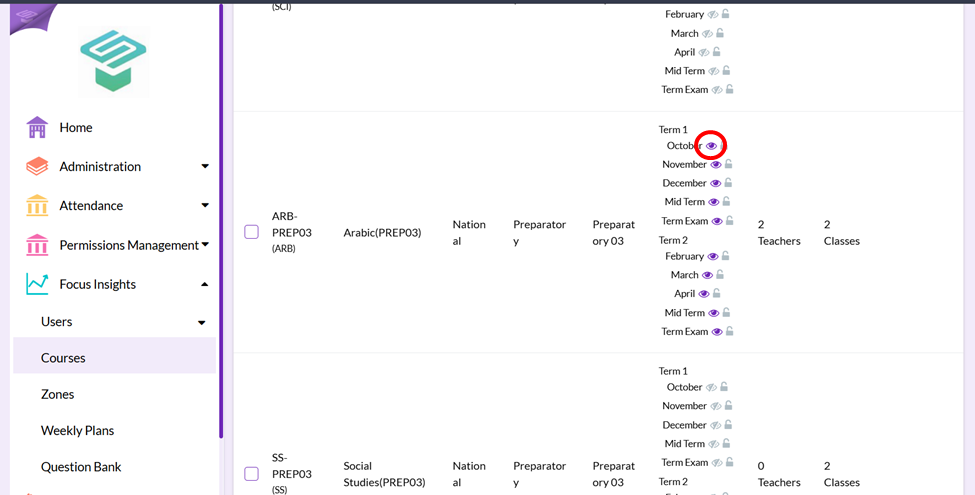
Step5: Press on Eye button to hide total grade of the required course in the required grading period
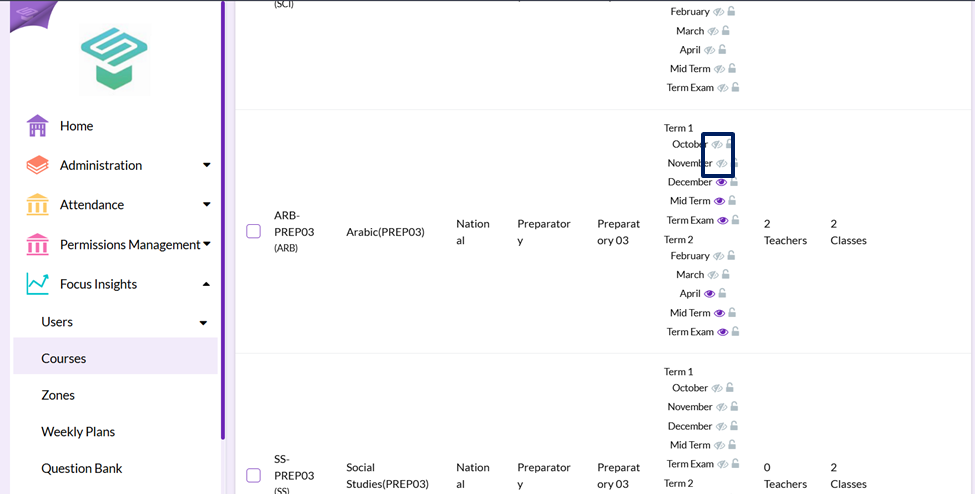
Now: Student can't see the total from student interface