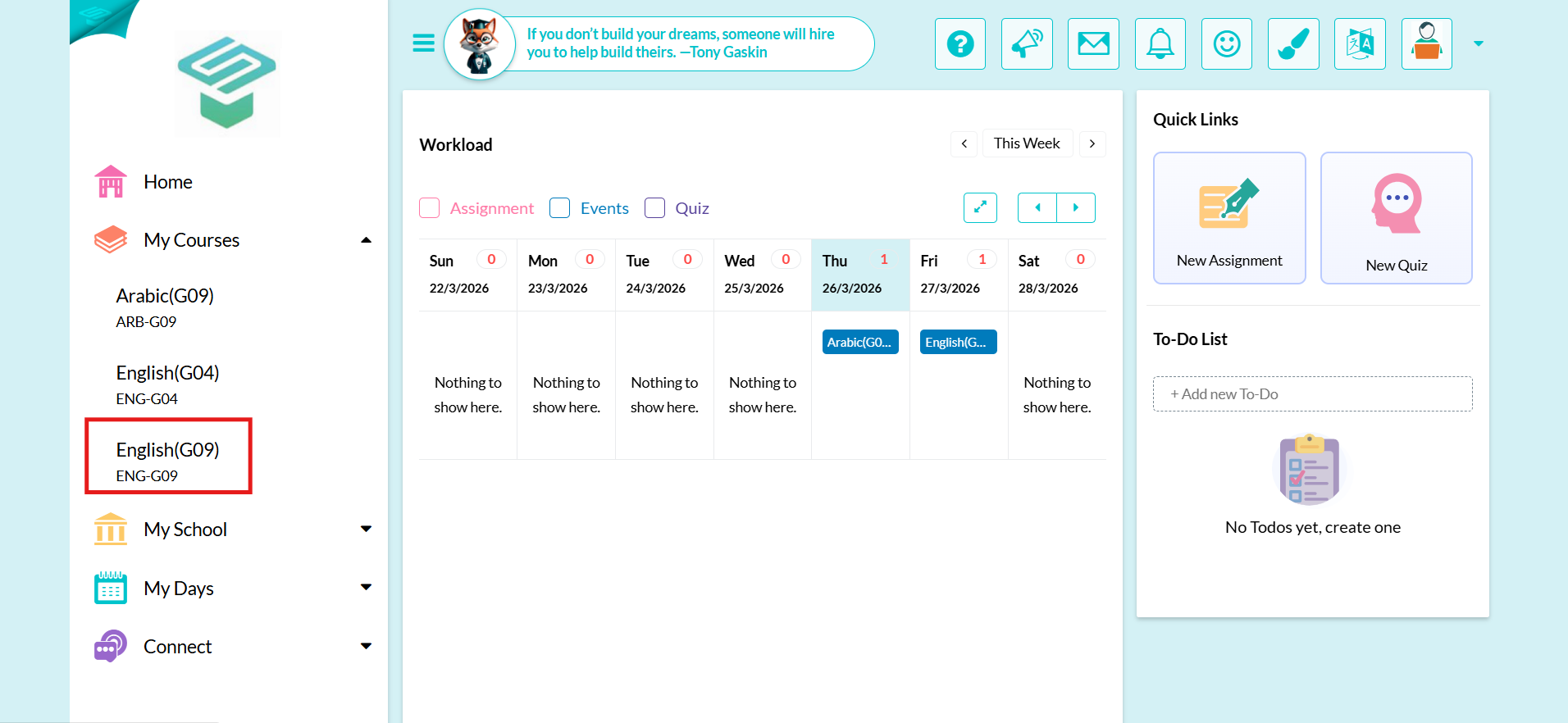
Use your teacher account to log in to your School LMS.
Step1: Login to your teacher account From my courses  Choose the course you want to show its previous classrooms
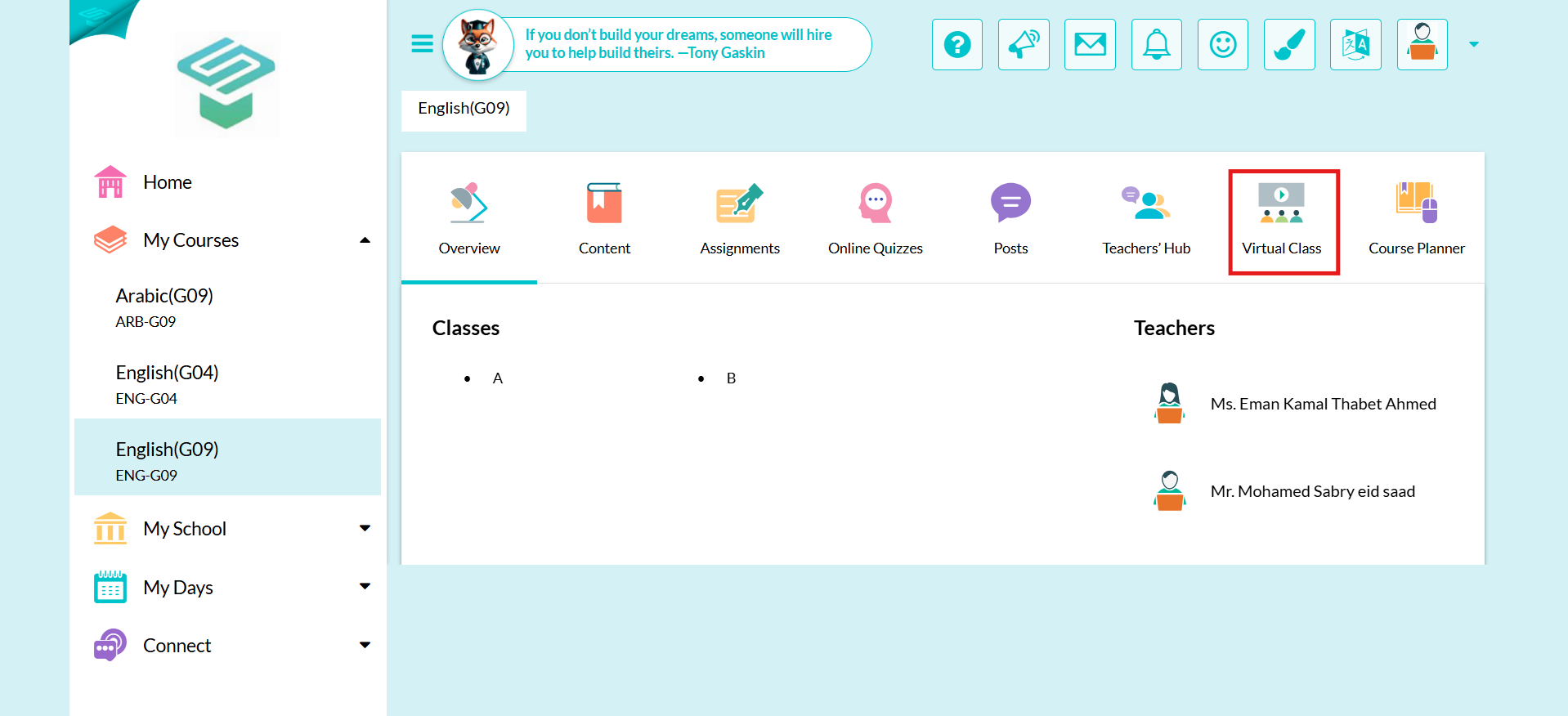
Step2: Click on Virtual class tab
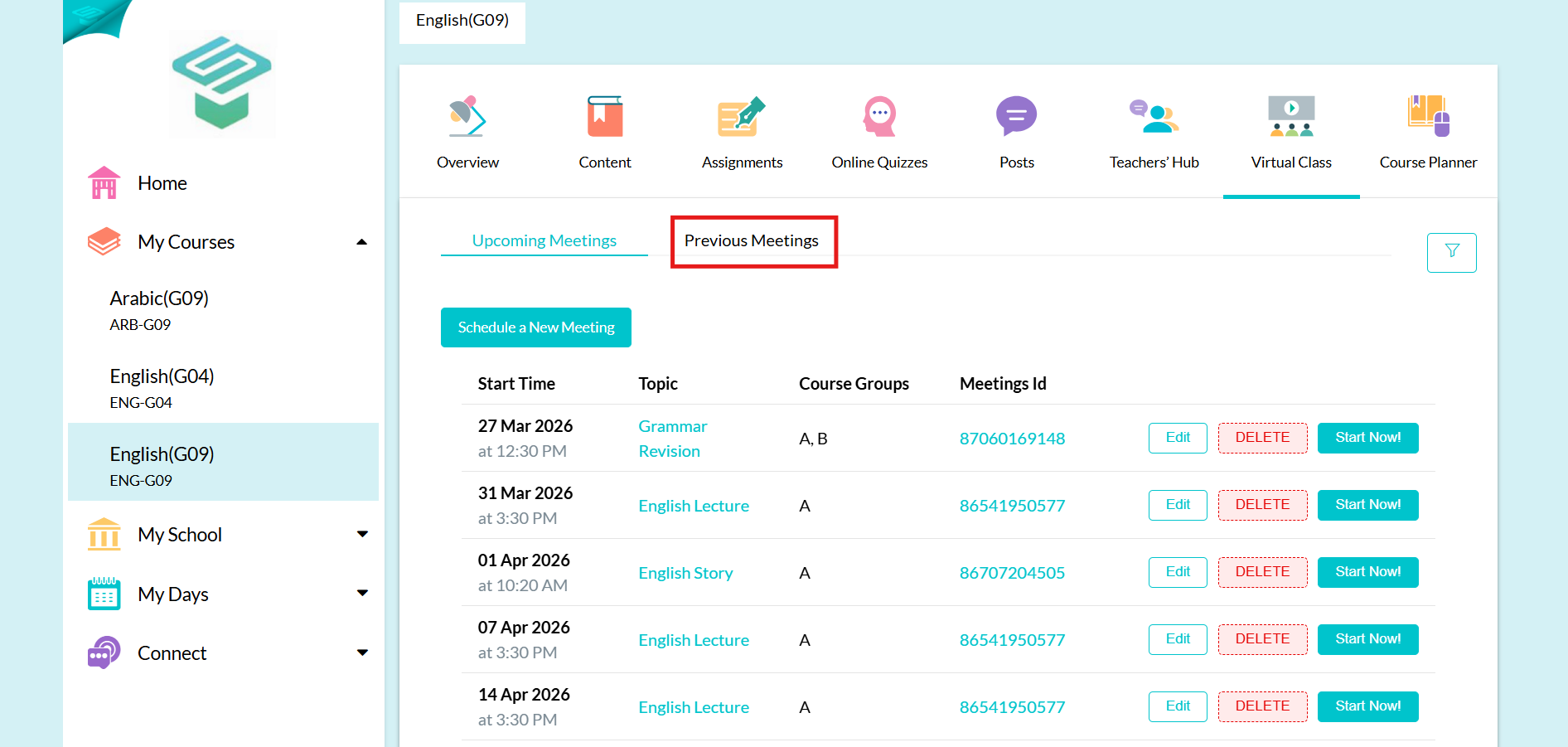
Step3: Click on Previous meetings tab
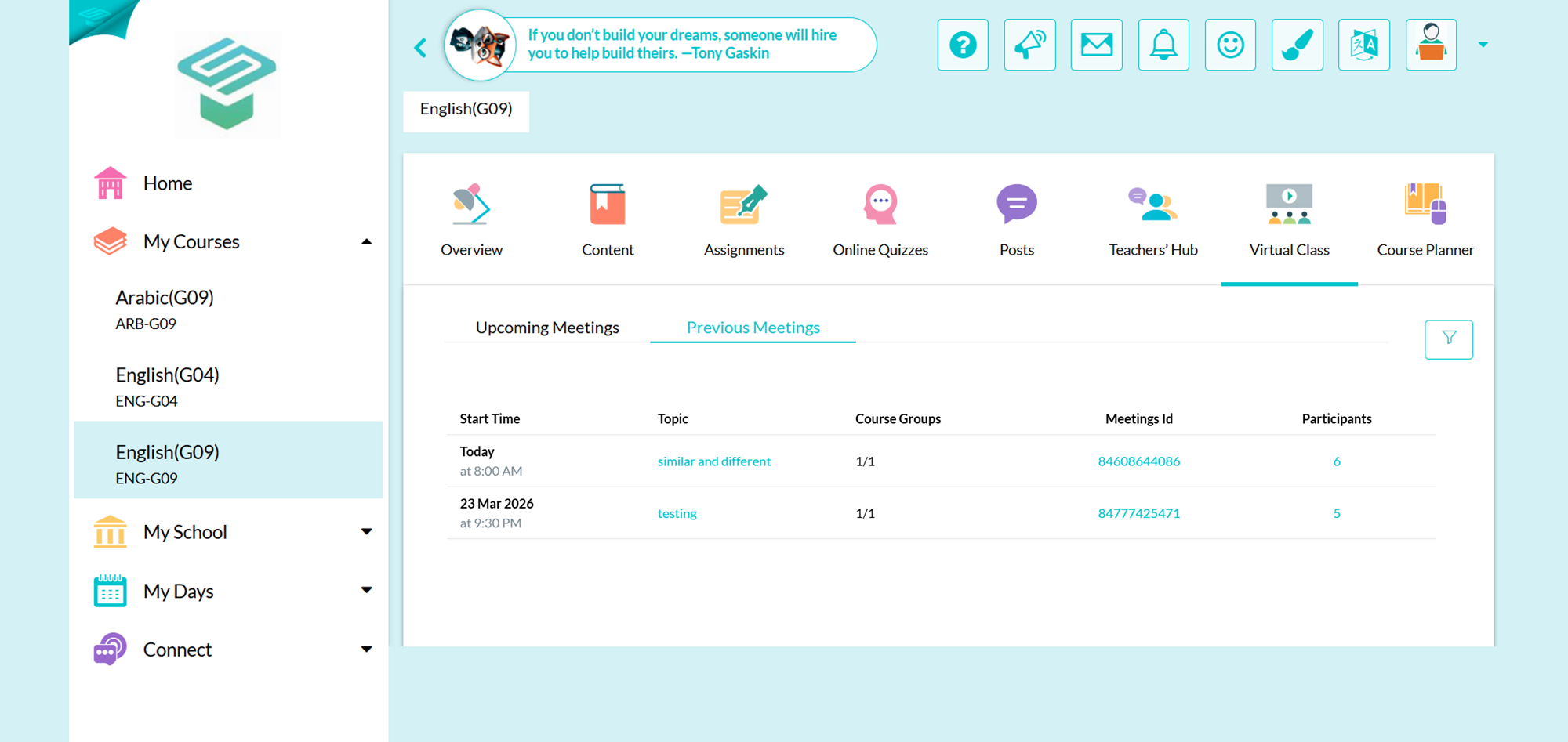
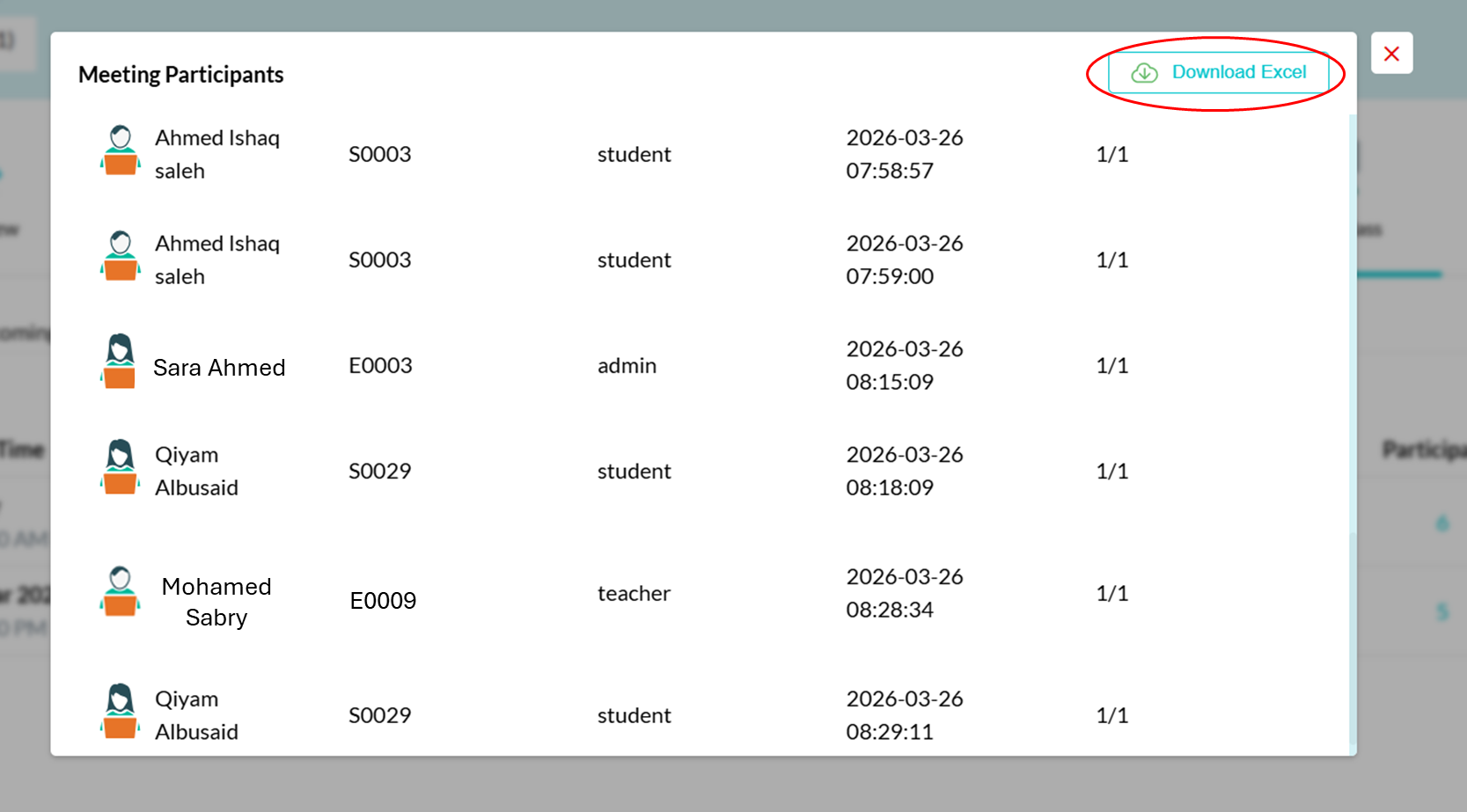
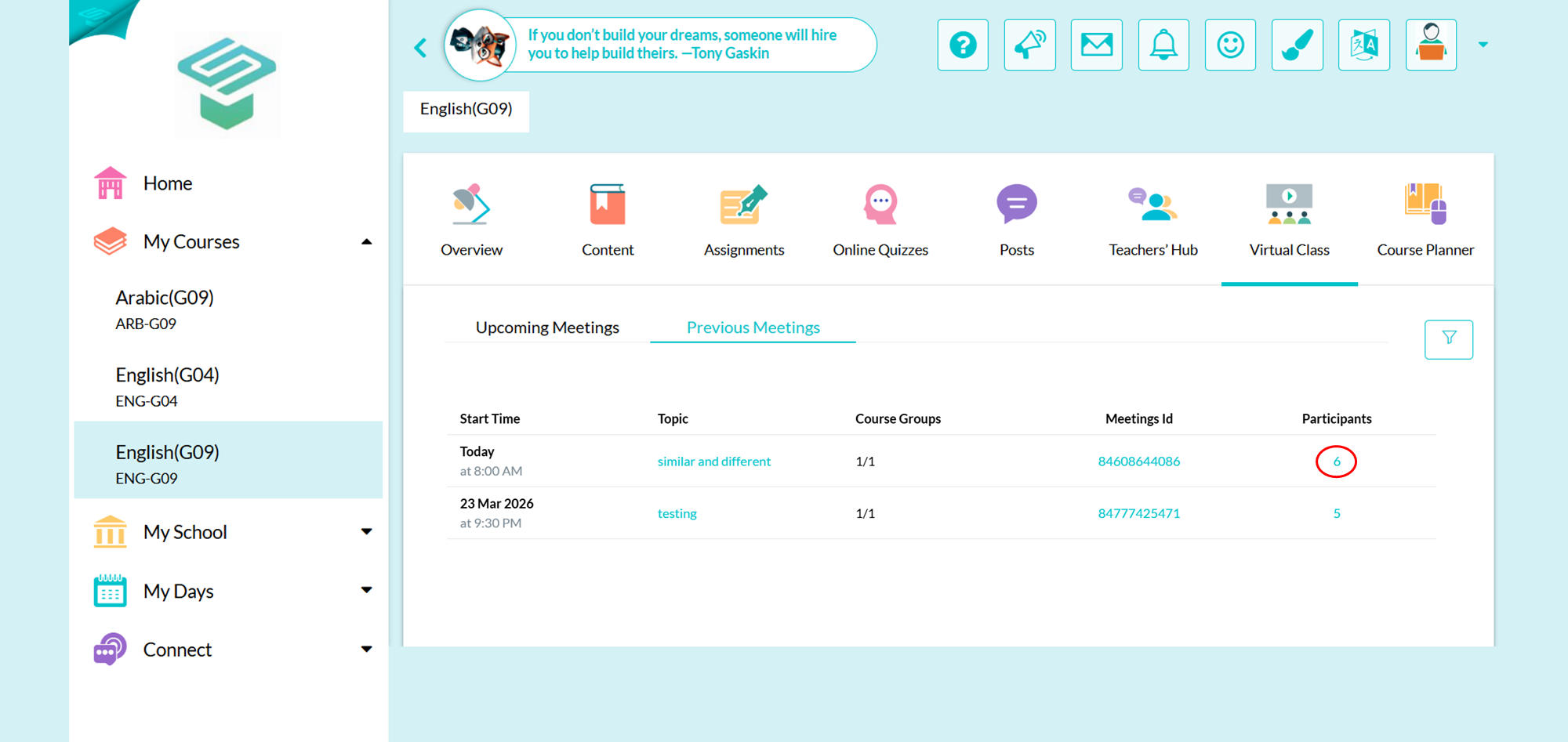
Step4: Click on the Number below the participants to view who has joined the meeting
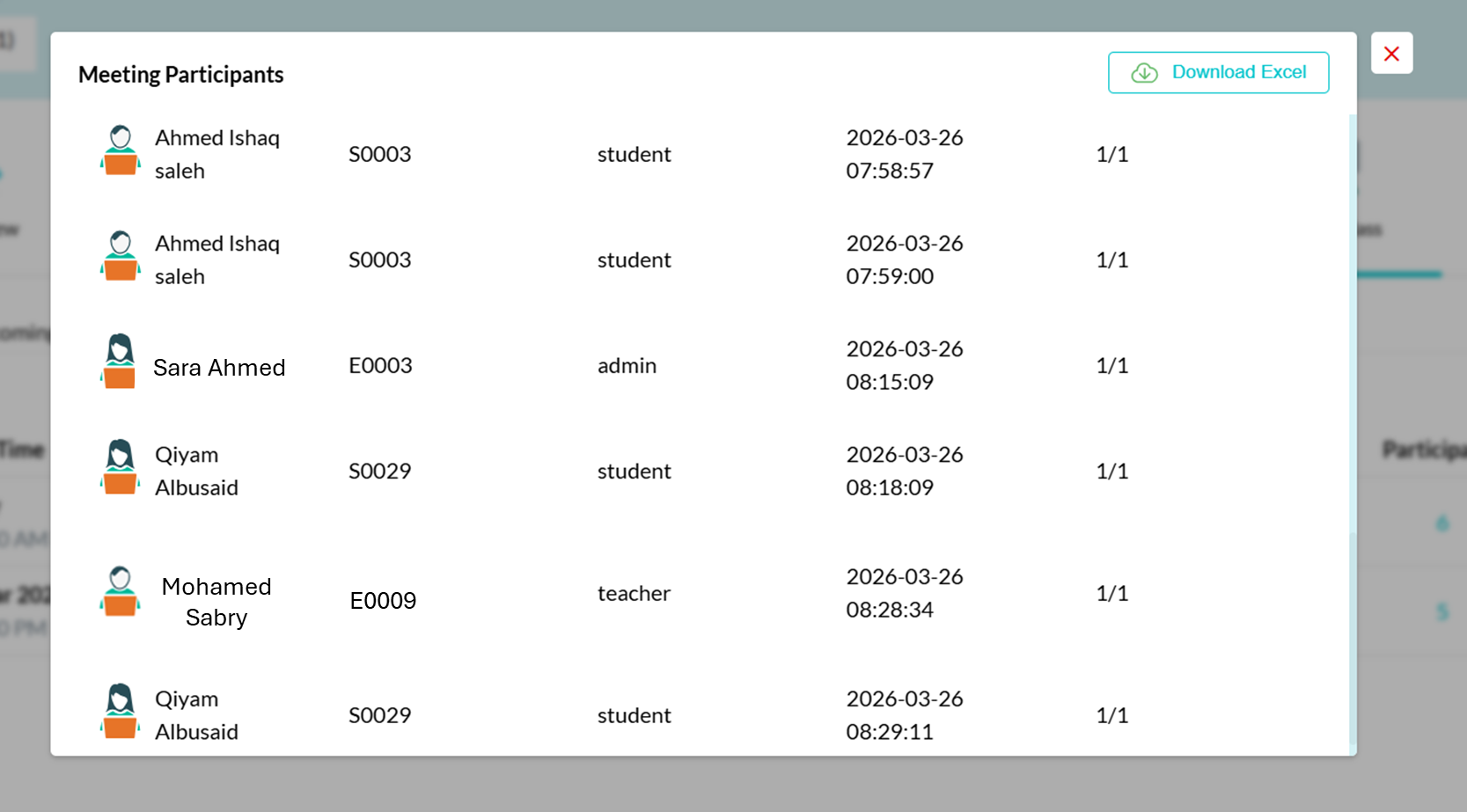
Step5: You can download an excel sheet with all details viewed