Use your student account to login to your school LMS
Step1: Login to your student account  My Courses
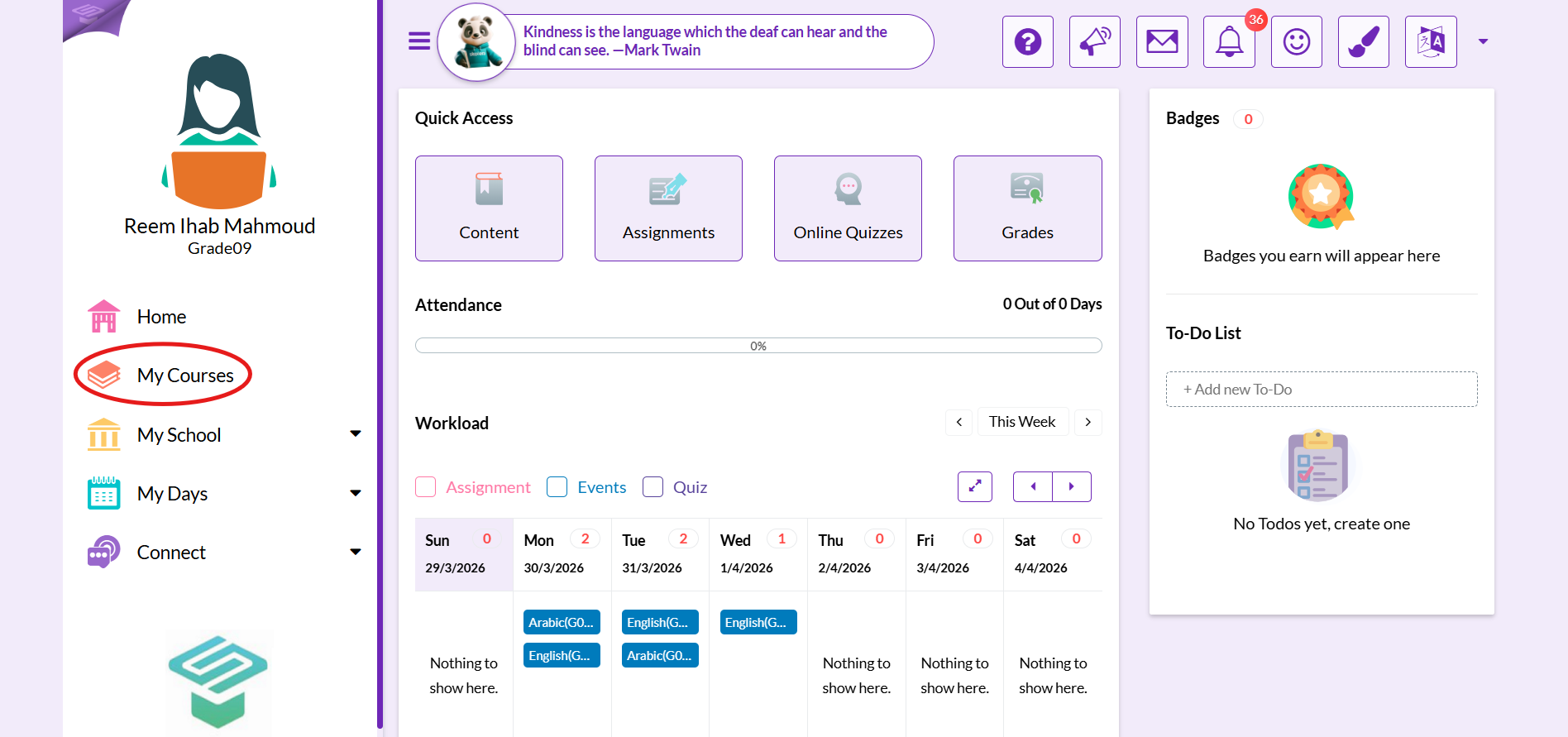
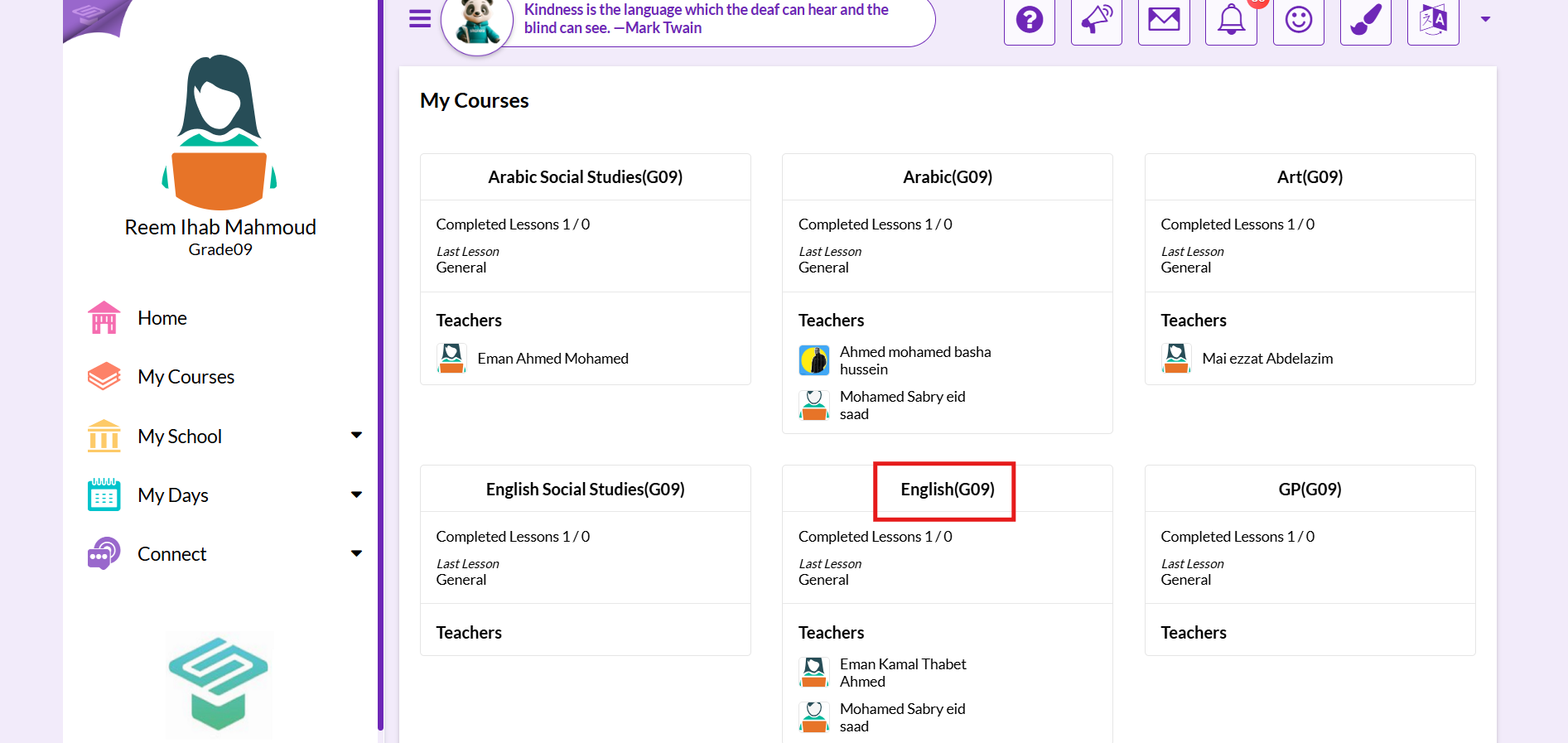
Step 2: Click on the course you want to join its virtual class
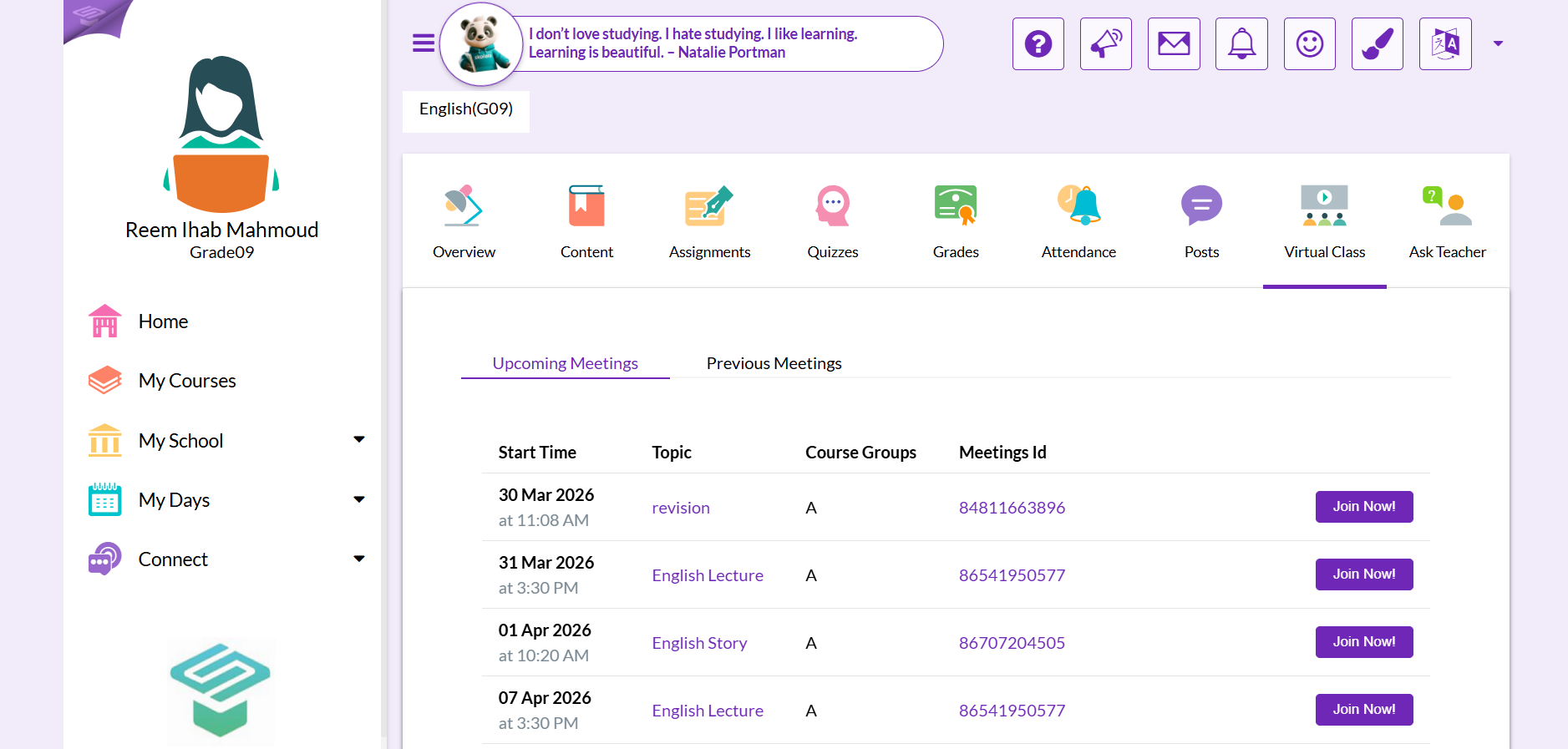
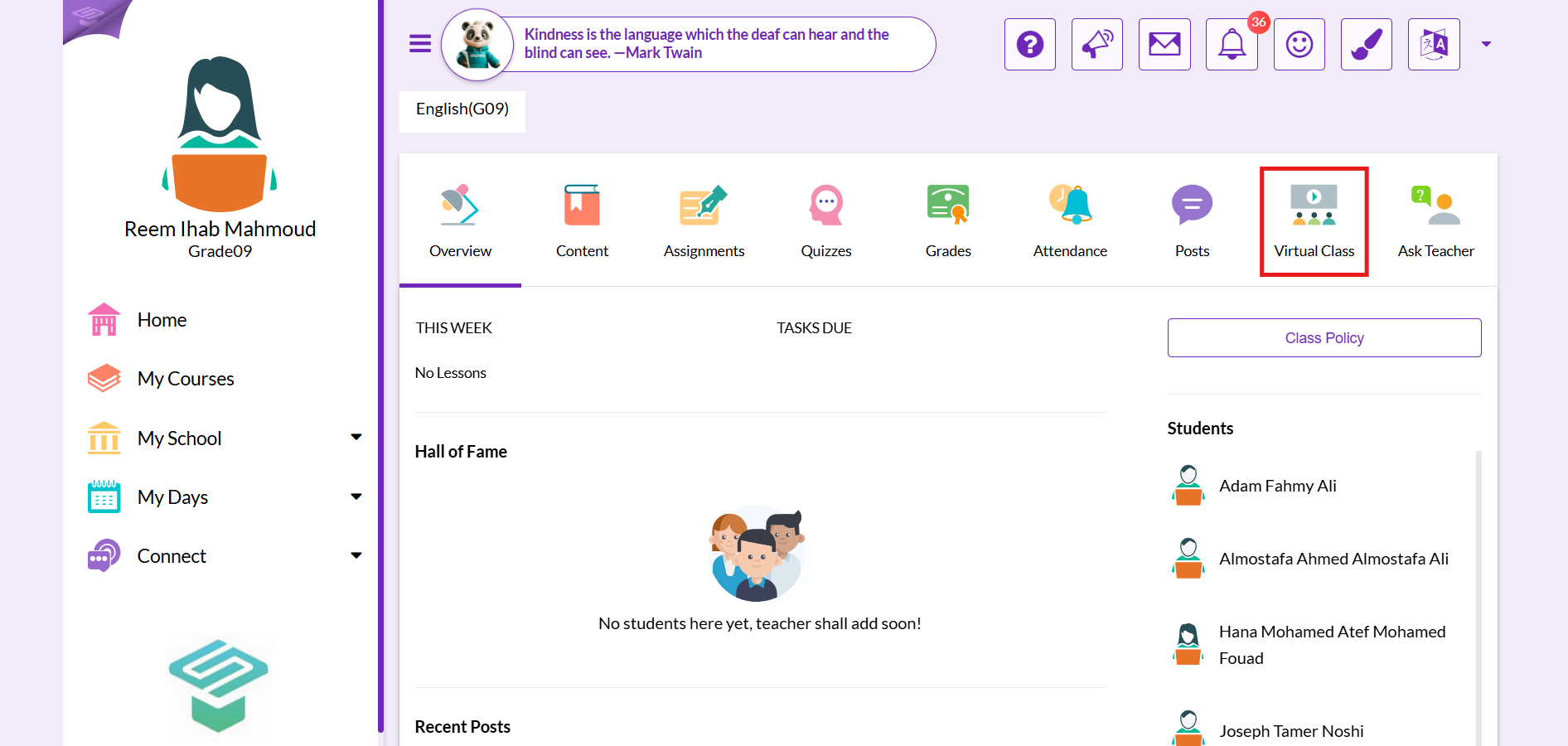
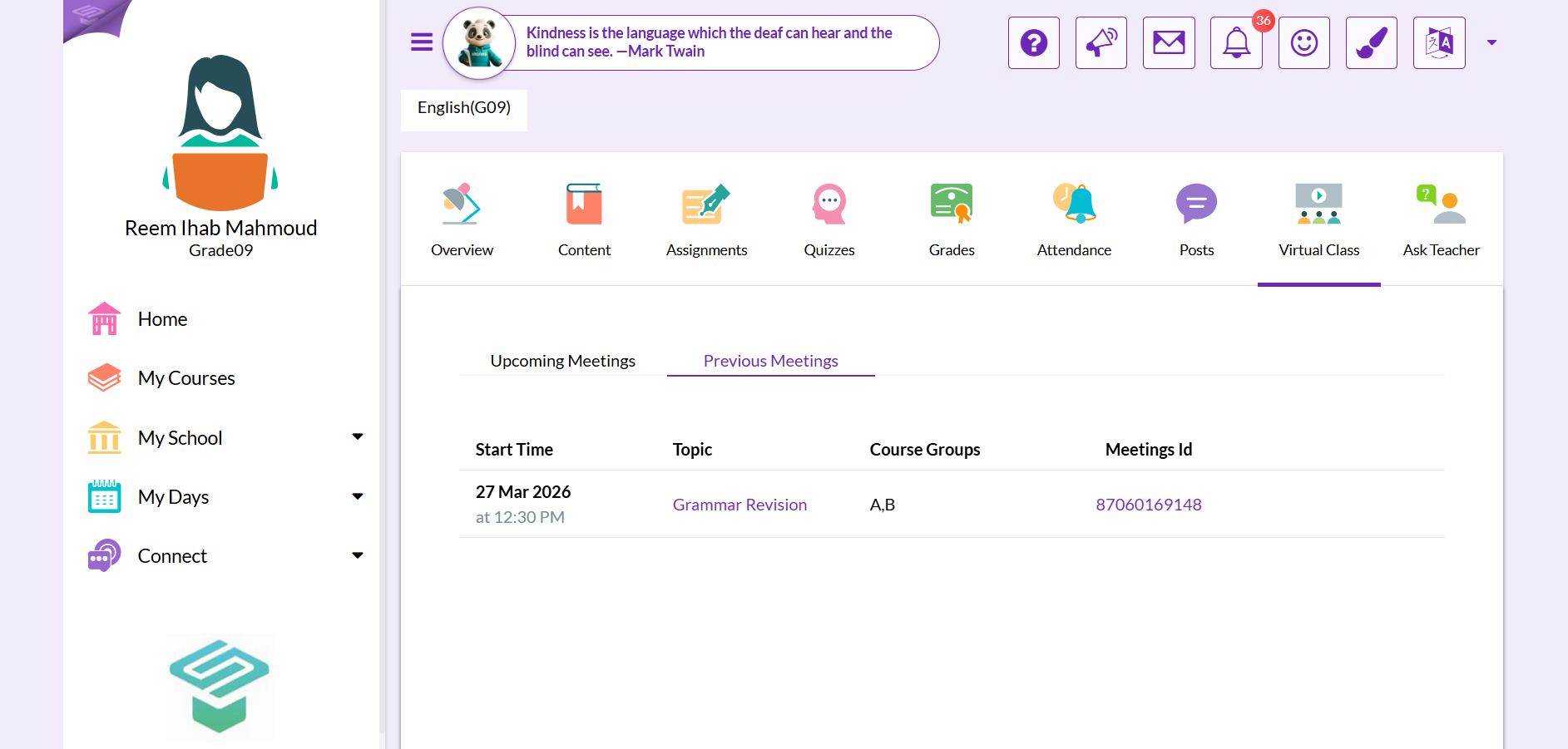
Step 3: Click on virtual class tab
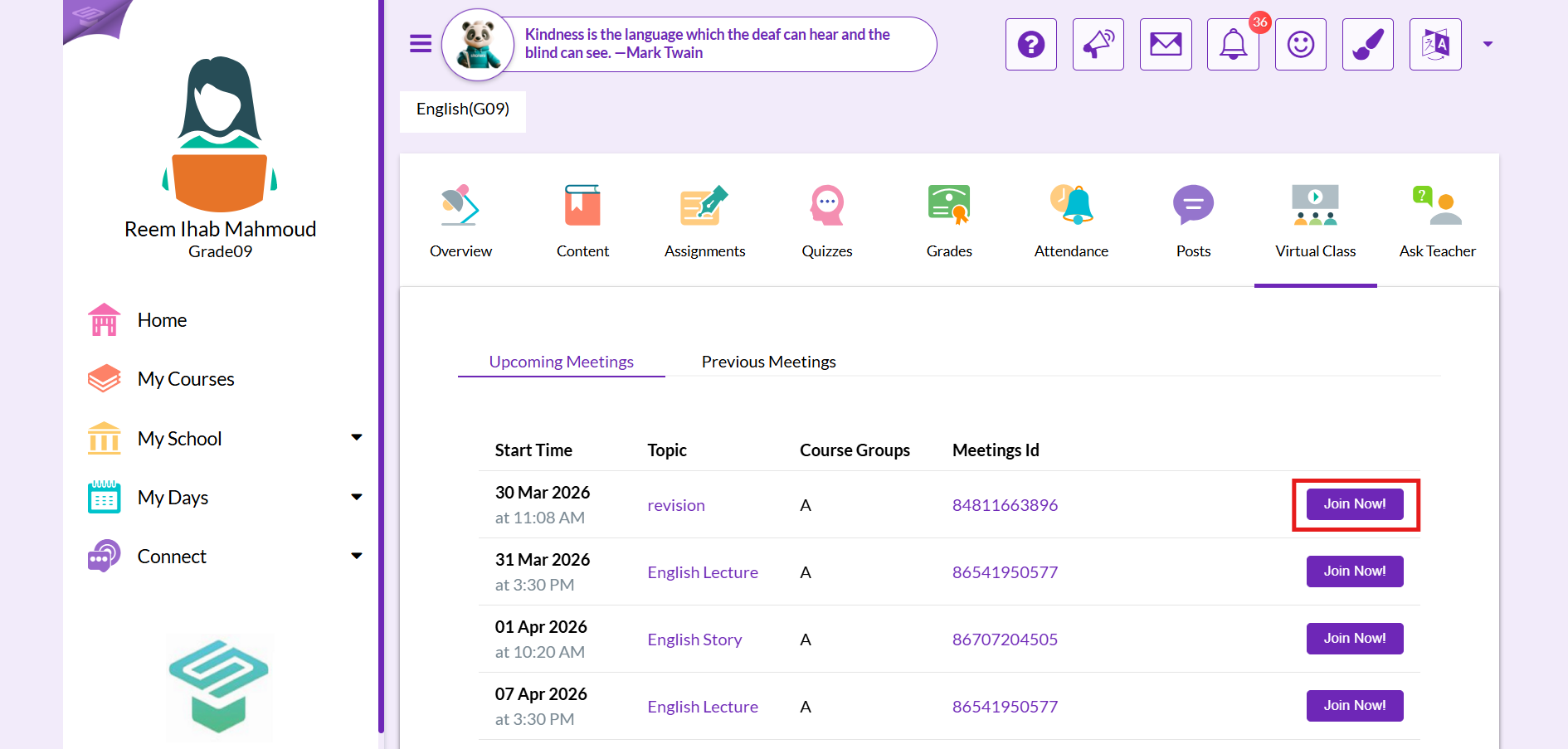
Step 4: Click on Join Now Zoom will redirect you to the application to join the meeting
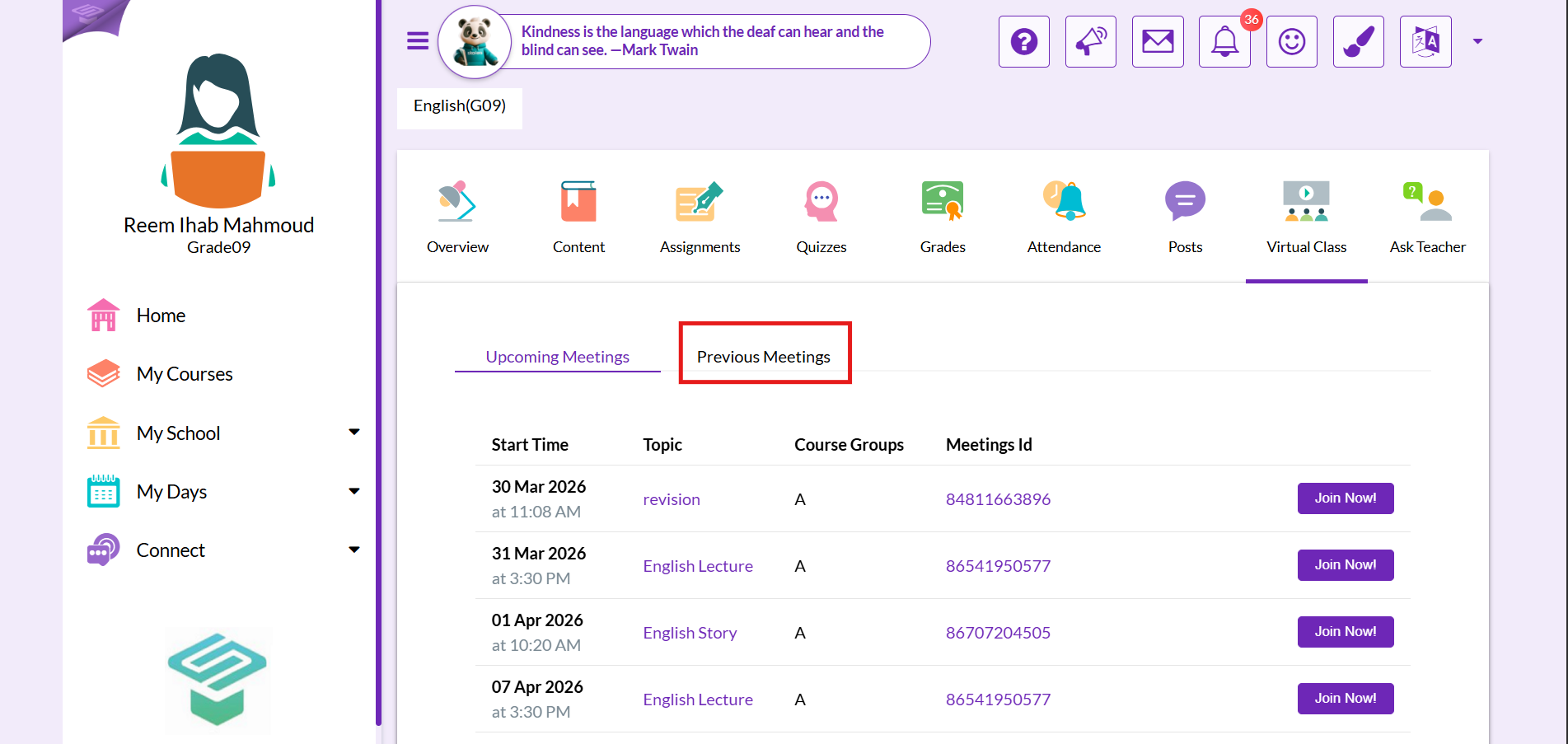
Step 5: Click on previous meetings tab to see previous meetings details
Other ways to Join a specific meeting
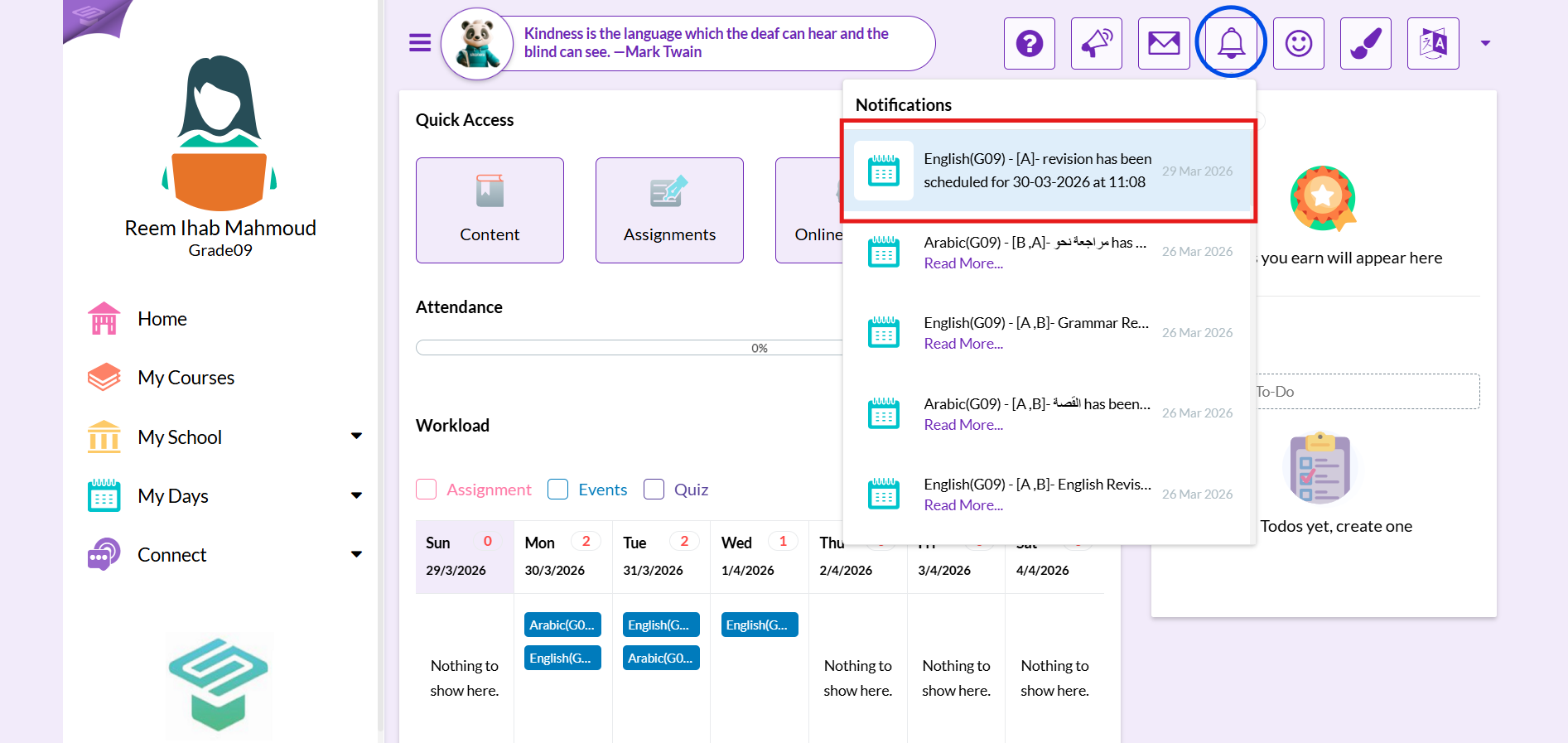
1. From Notifications button
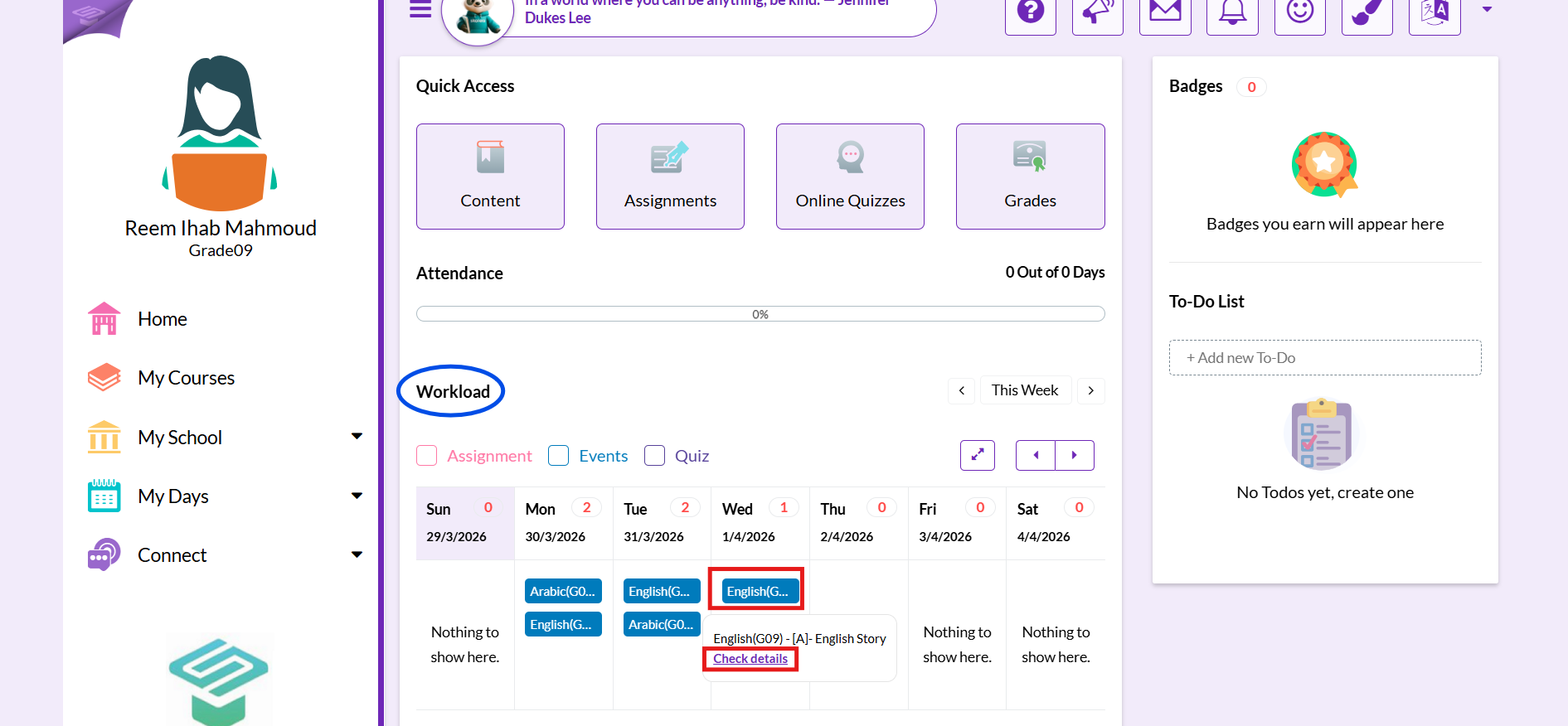
2. From Your workload
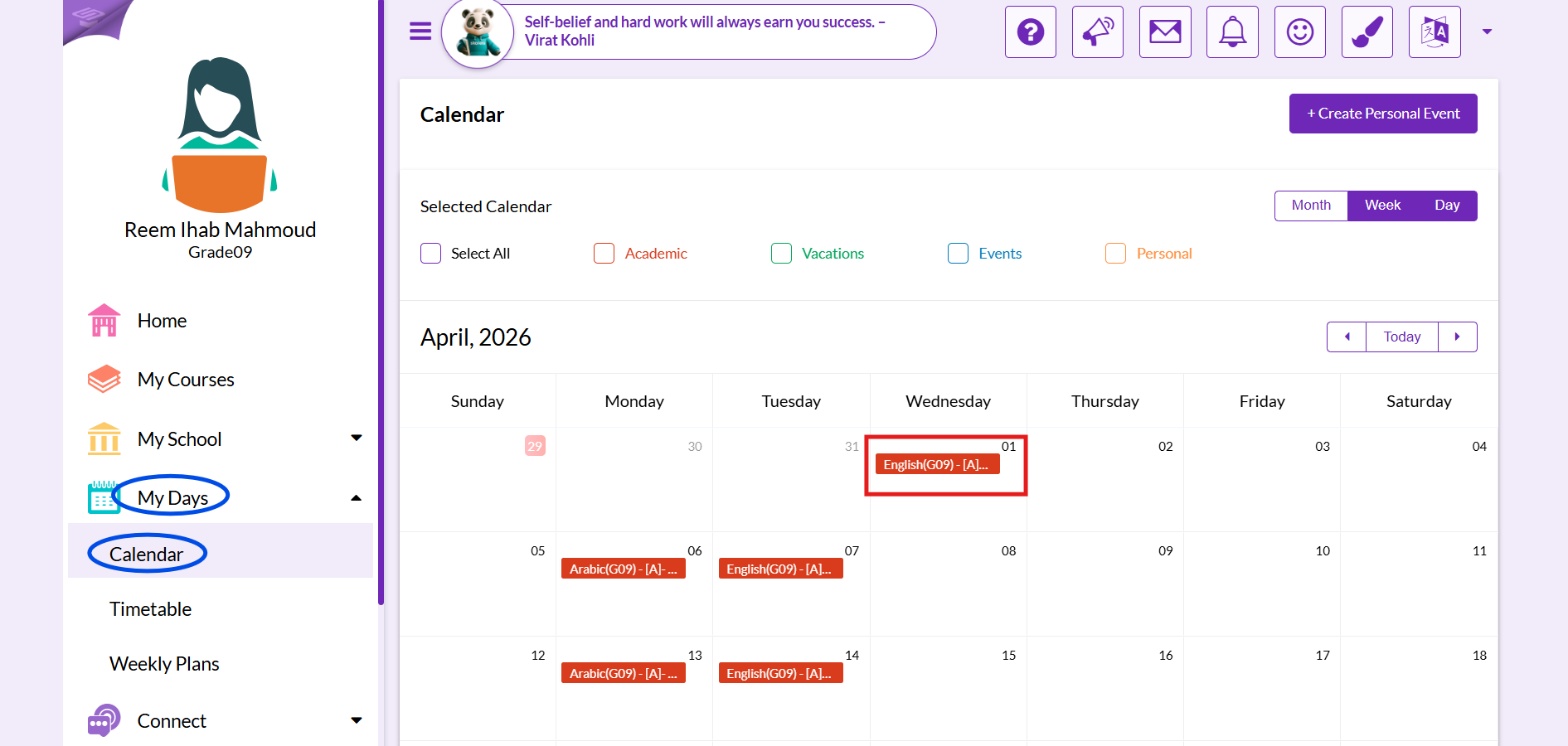
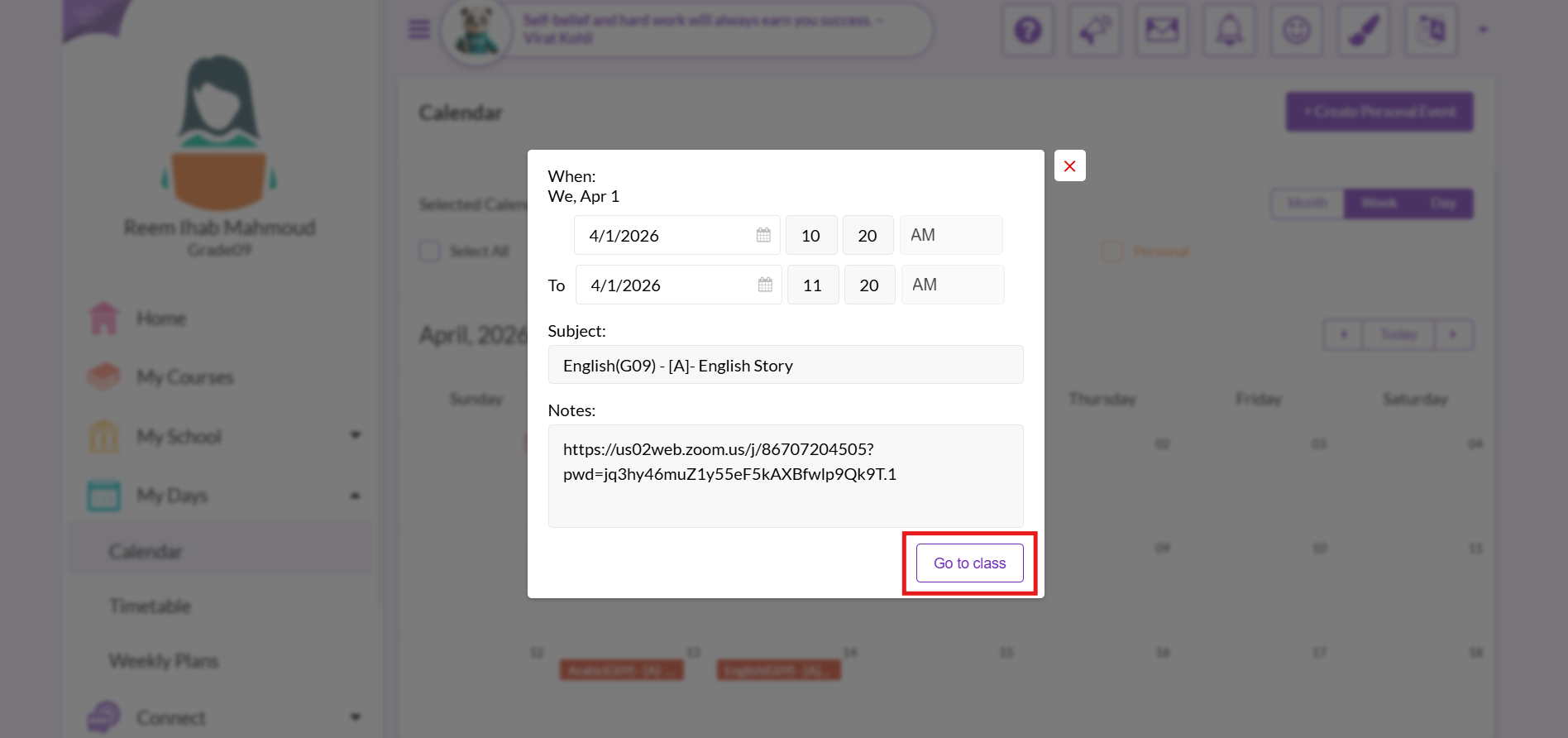
3. From your Calendar