
Overview
This article explains how to process and enroll a student application in Odoo 14 through the Admissions module.
The process includes confirming the application and completing the admission steps until the student is officially enrolled.
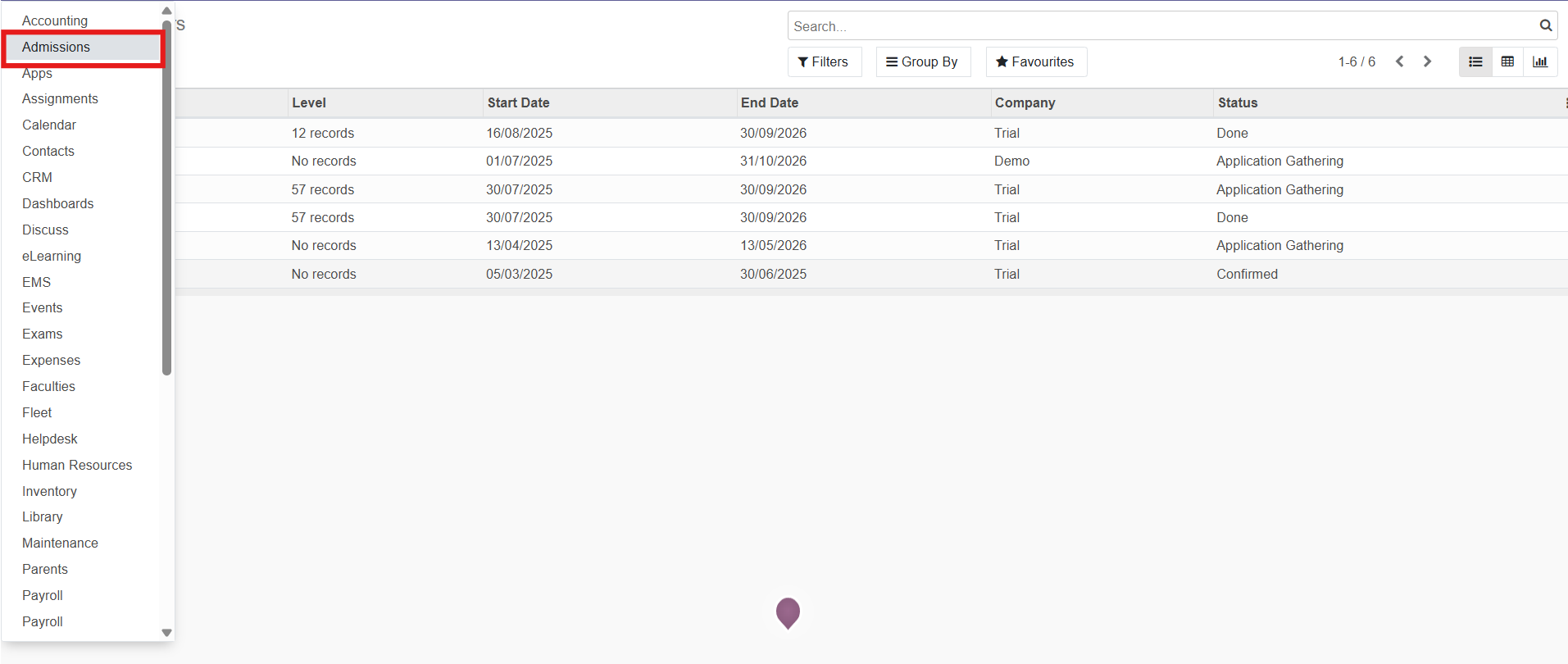
Step 1: Open Applications
- Log in to your Odoo ERP account.
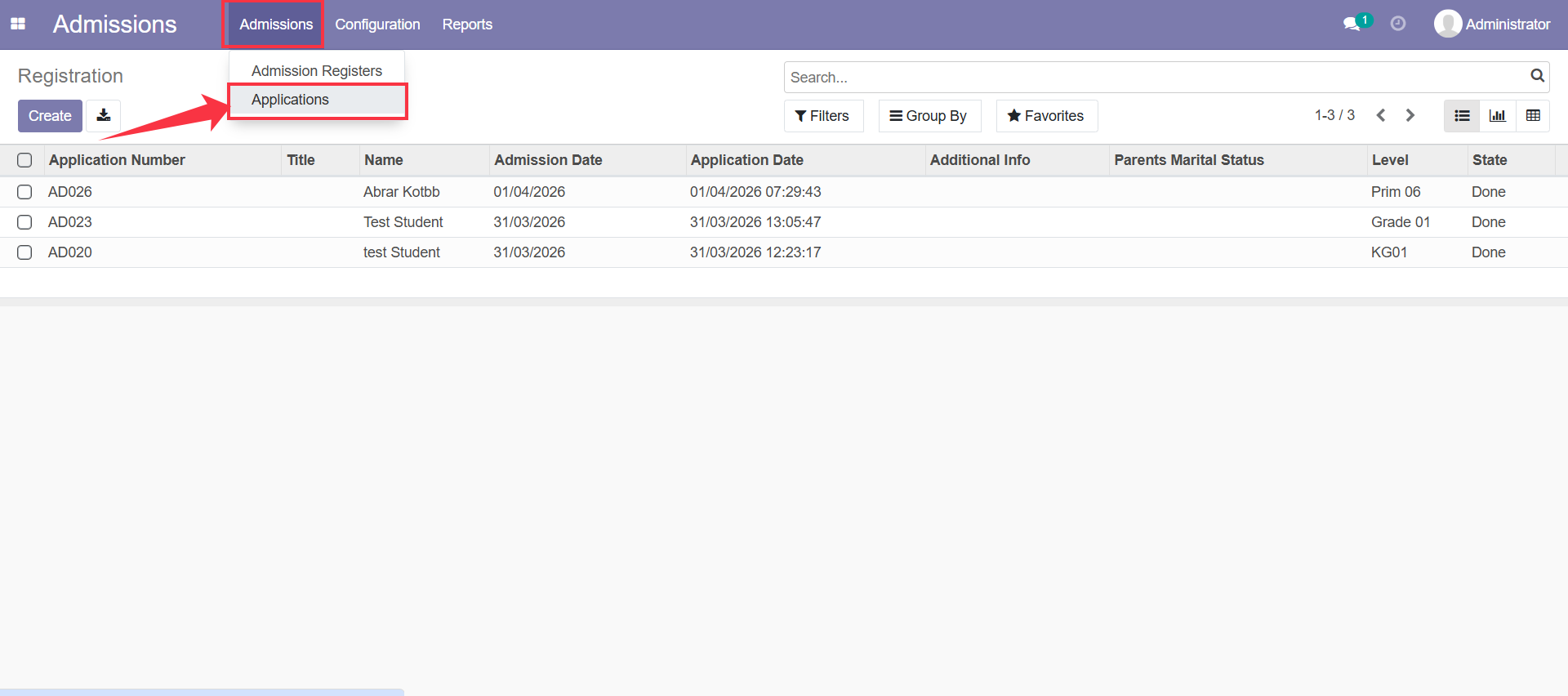
- Go to Admissions → Applications.
- The list of student applications will appear.
Step 2: Open the Student Application
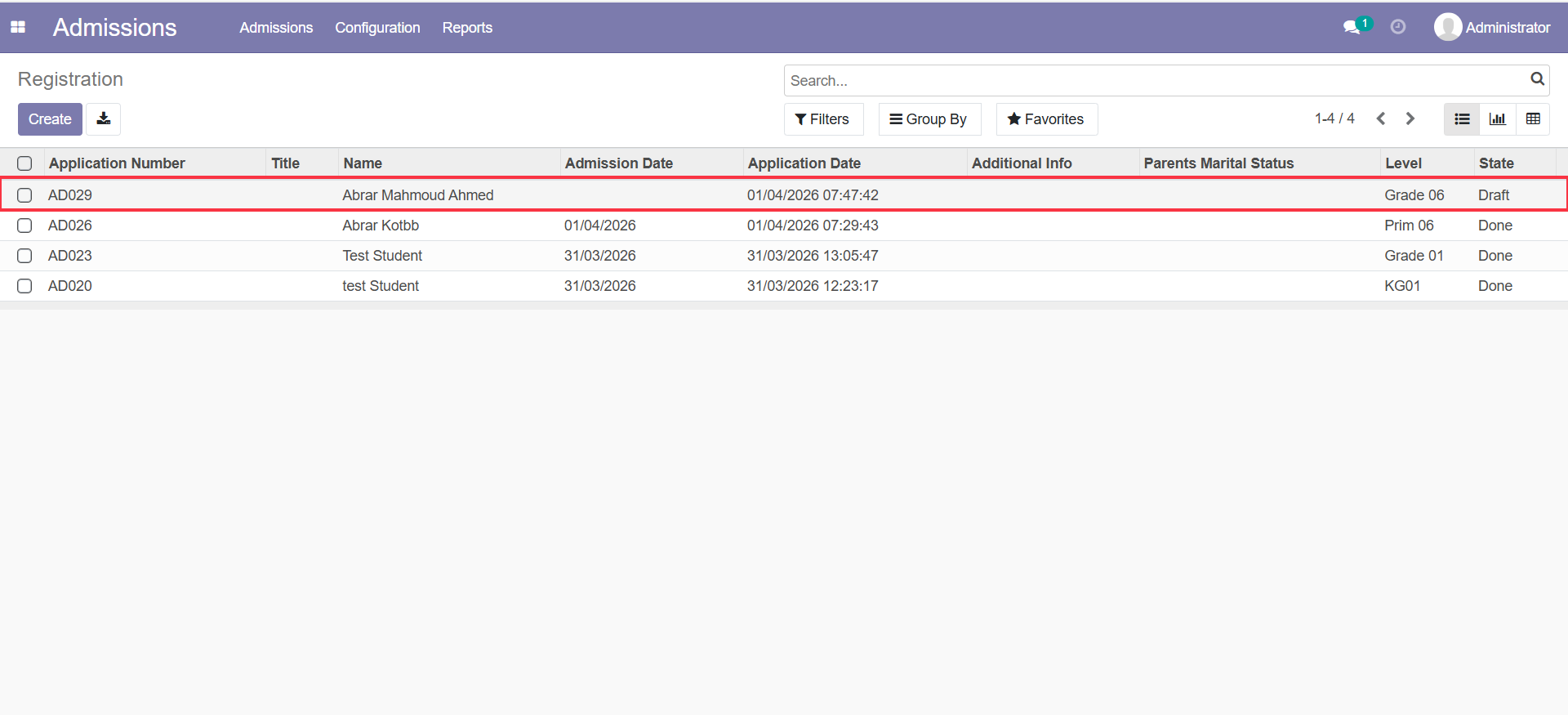
- Select the application you want to enroll.
- Click on the Application Number to open the record.
Step 3: Review Application Details
Make sure all required information is filled in, including:
- Student details
- Family Code
Make Sure you enter the Family Code, then click on Submit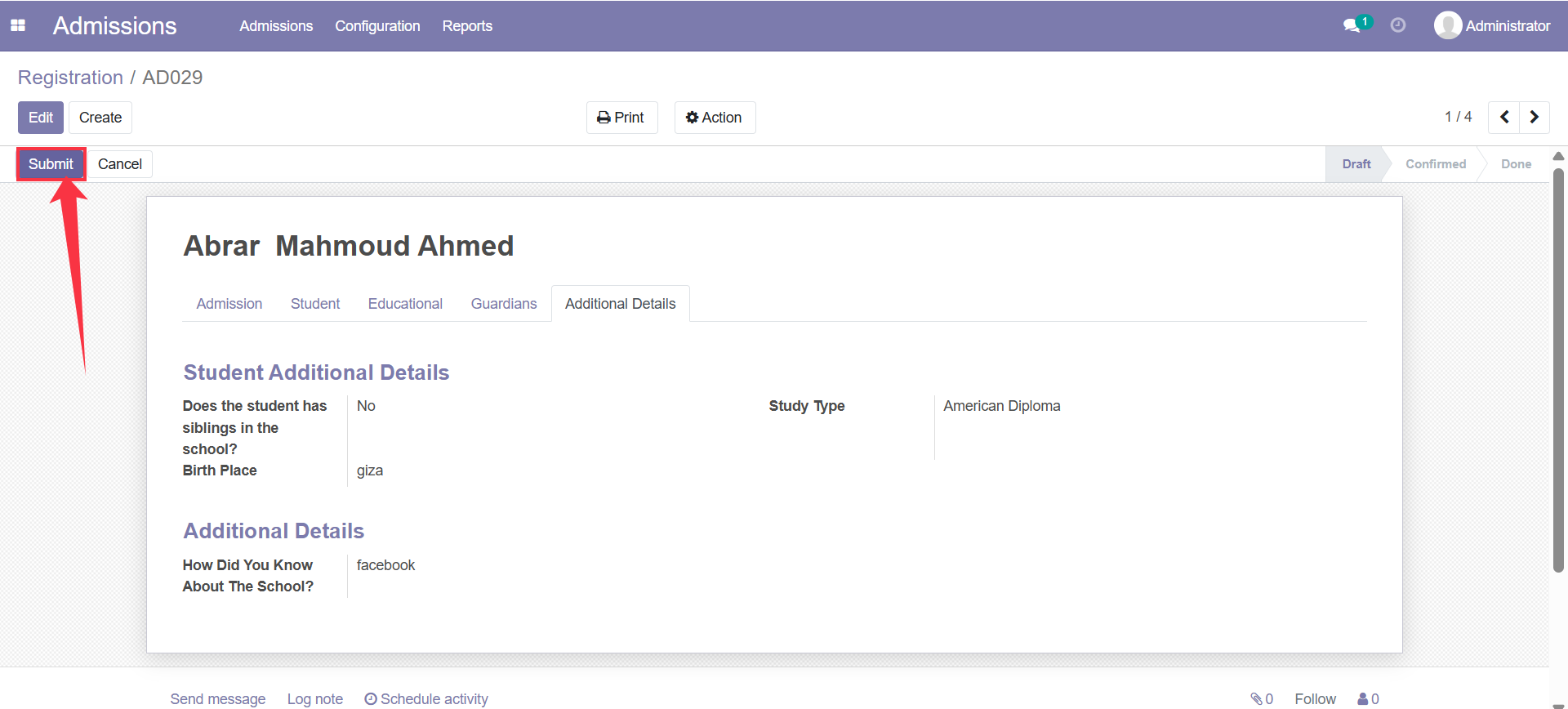
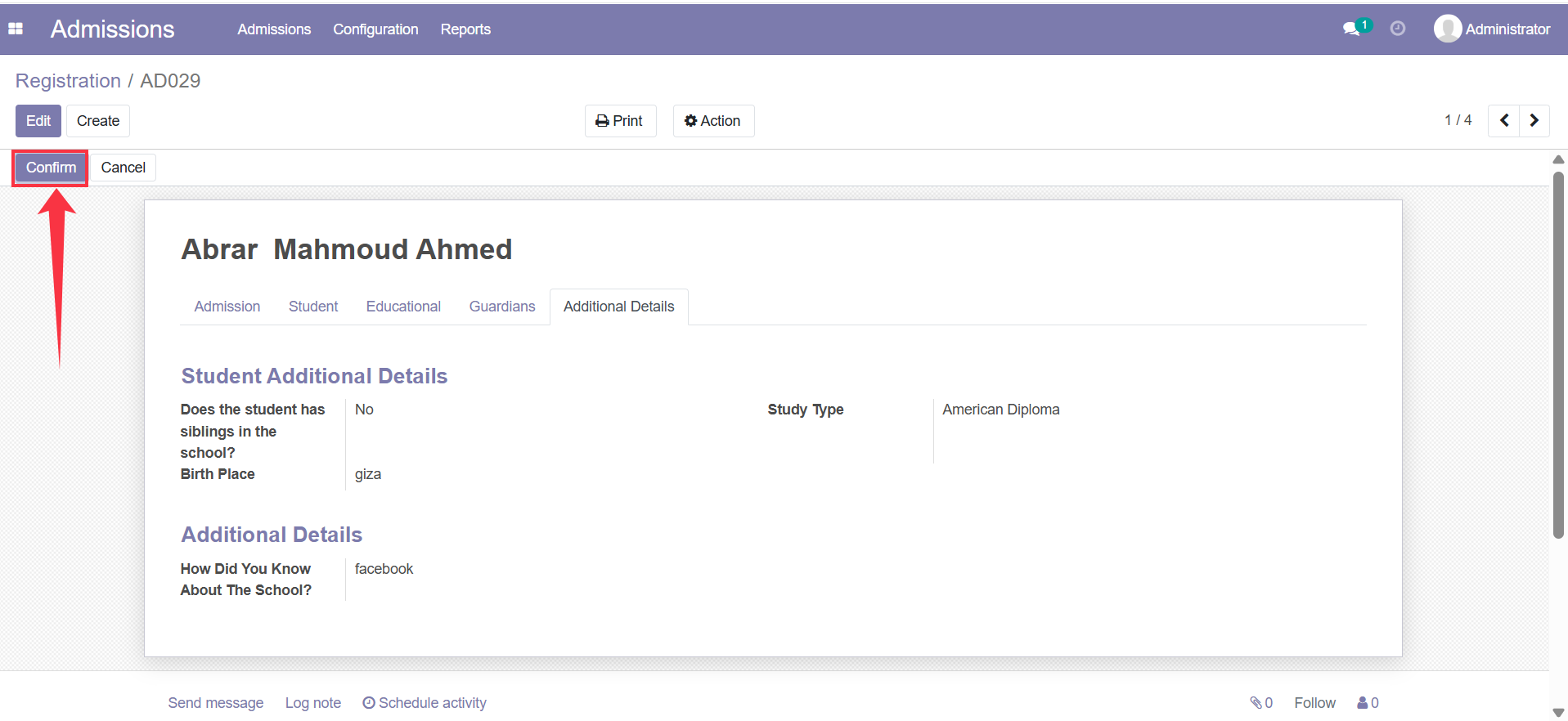
Step 4: Confirm the Application
- Make Sure you enter the Phone and Mobile, then click on Confirm
- The application status will change from Submitted to Confirmed.
Step 5: Complete the Admission Process
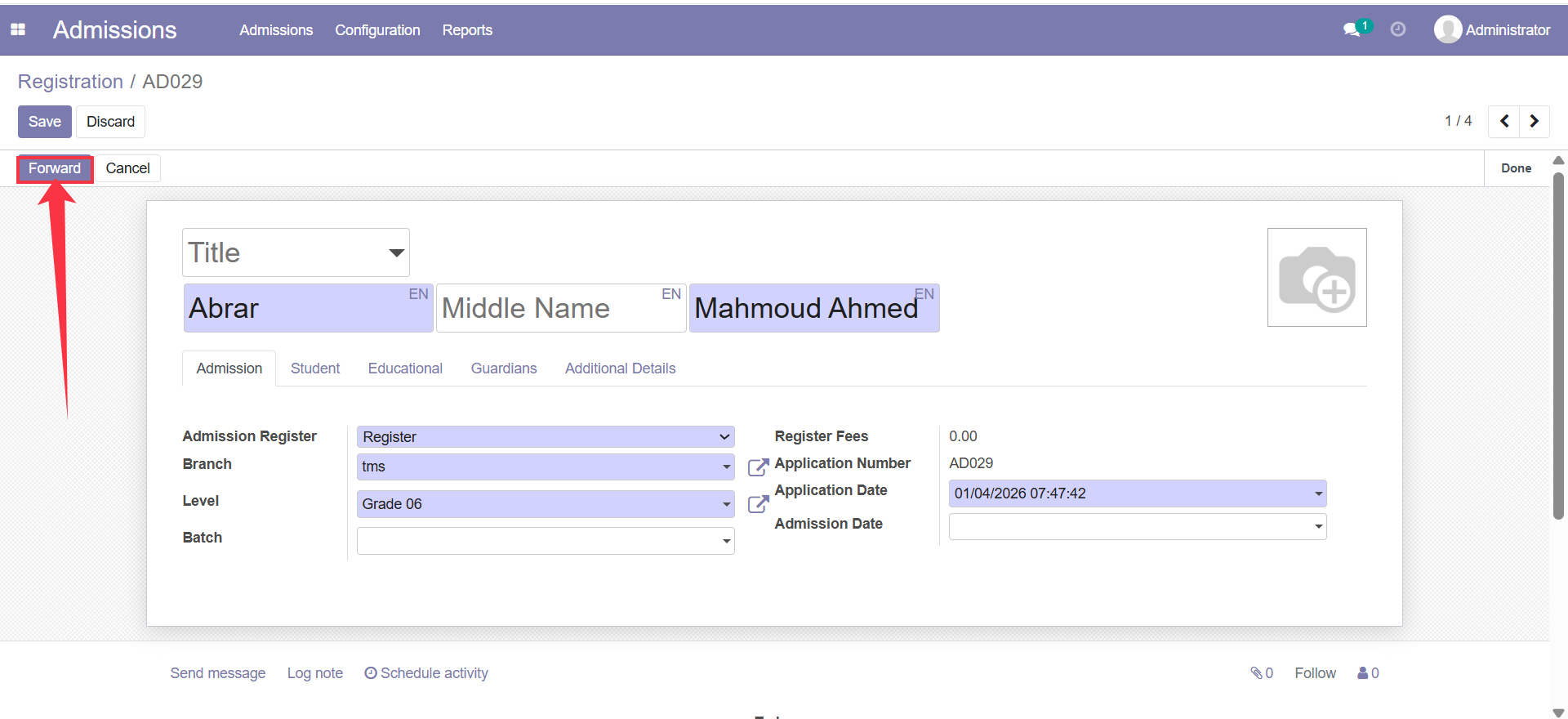
- Review all data again.
- Ensure all required fields are completed, then click on Forward.
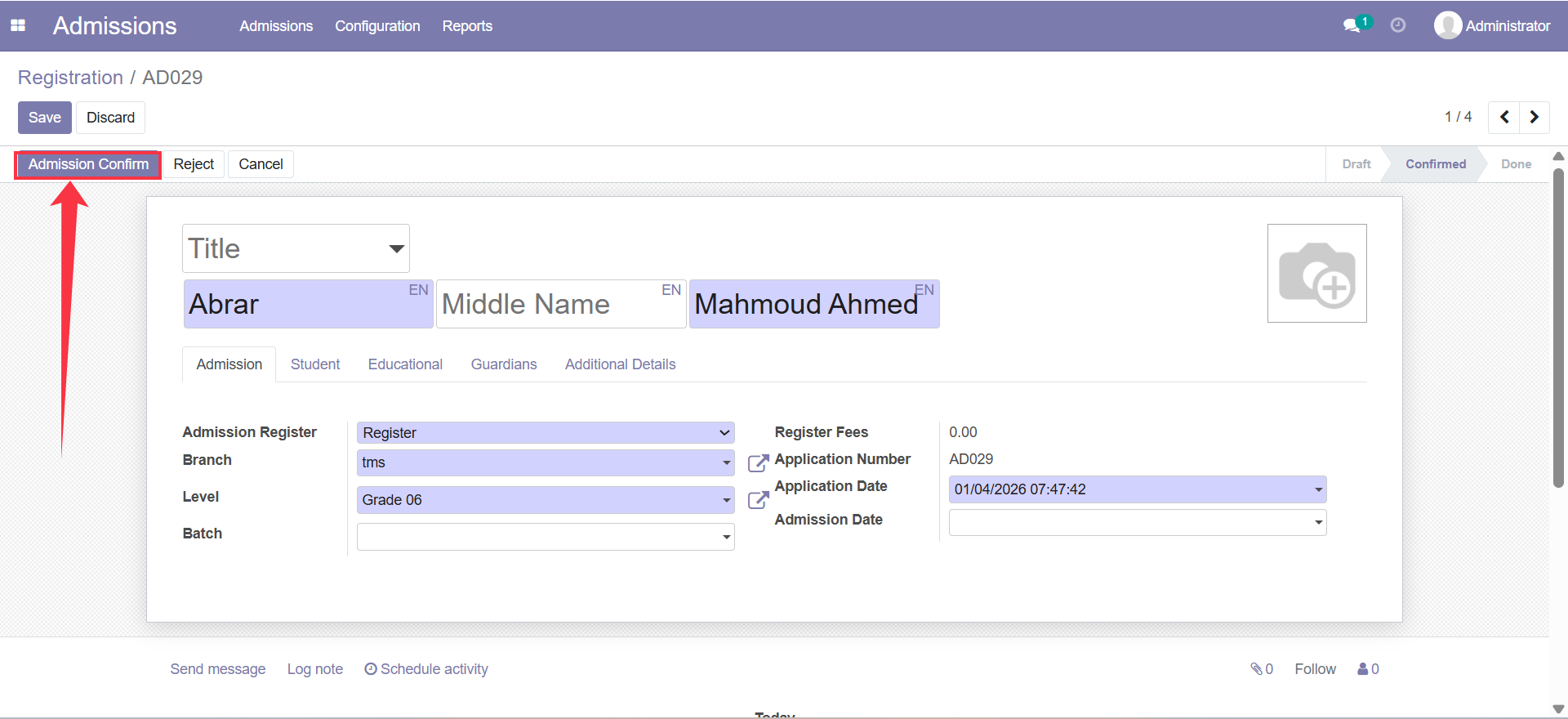
Step 6: Complete the Admission Confirm
- Click on Admission Confirm
- The system will finalize the application for enrollment.
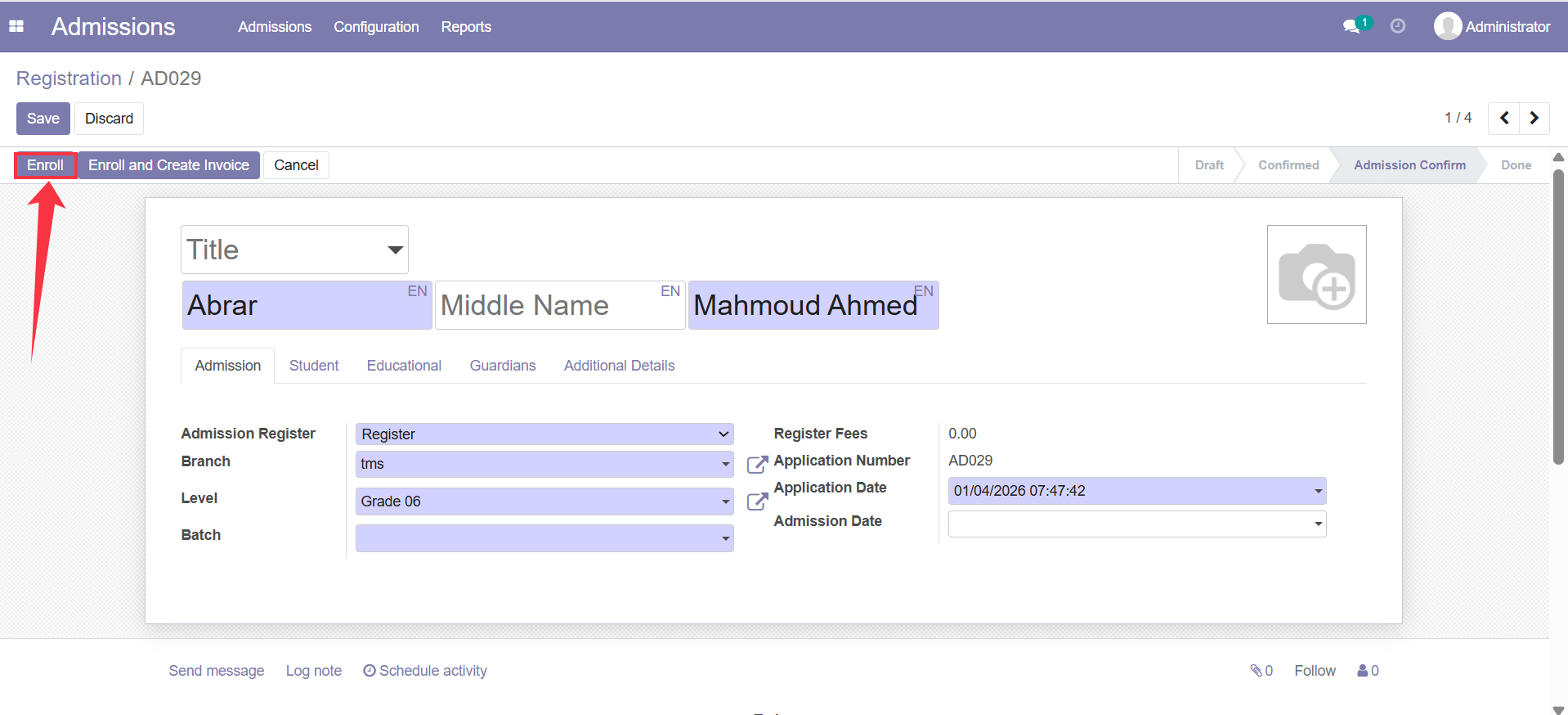
Step 7: Enroll the Student- Enter the student's batch and Father's email & Mother's email, and finally click on Enroll.
- The system will finalize the application.
Result
- The student will be successfully enrolled.
- A student profile will be created automatically.
- The student will appear in the Students list in the system.