
Steps
Step 1:
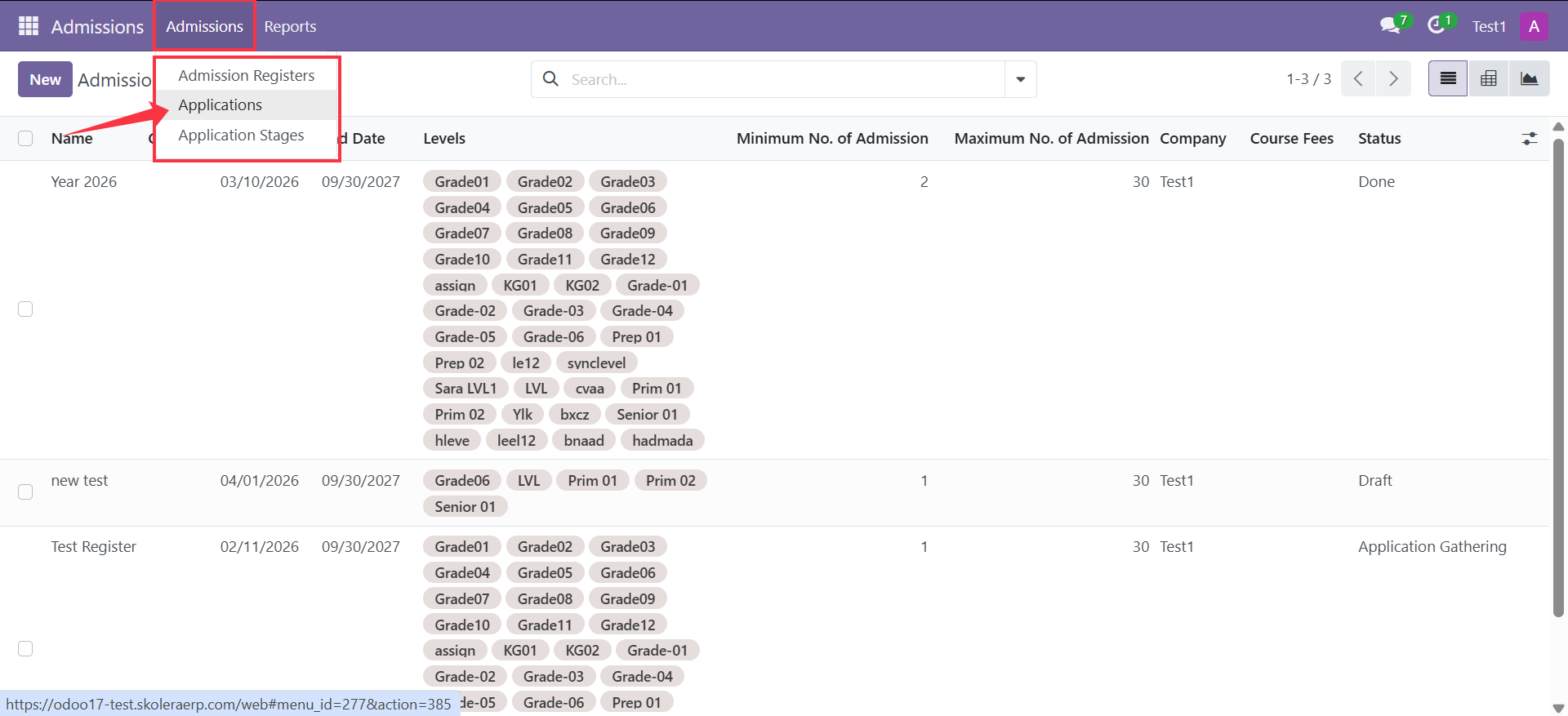
Go to Admissions → Applications.
Step 2:
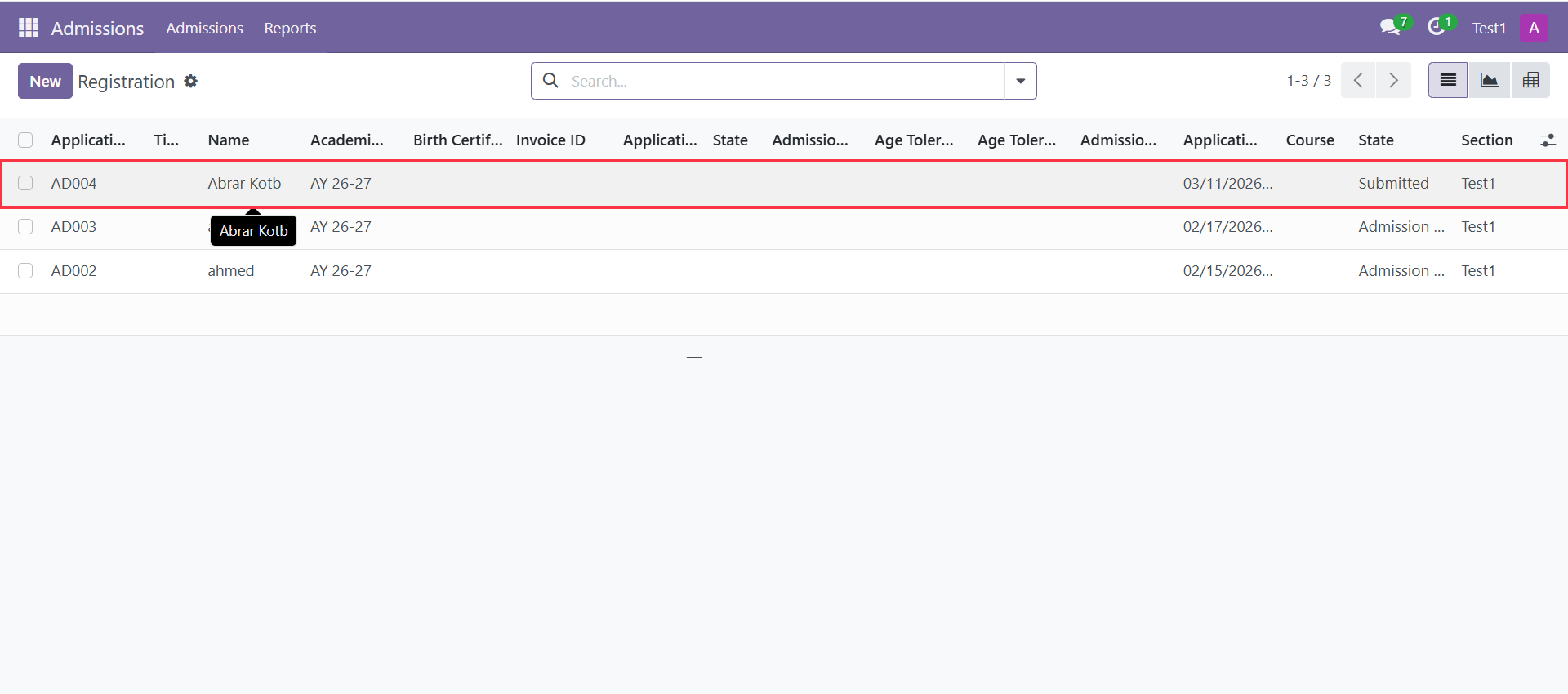
From the Applications list, open the student application you want to process.
Step 3:
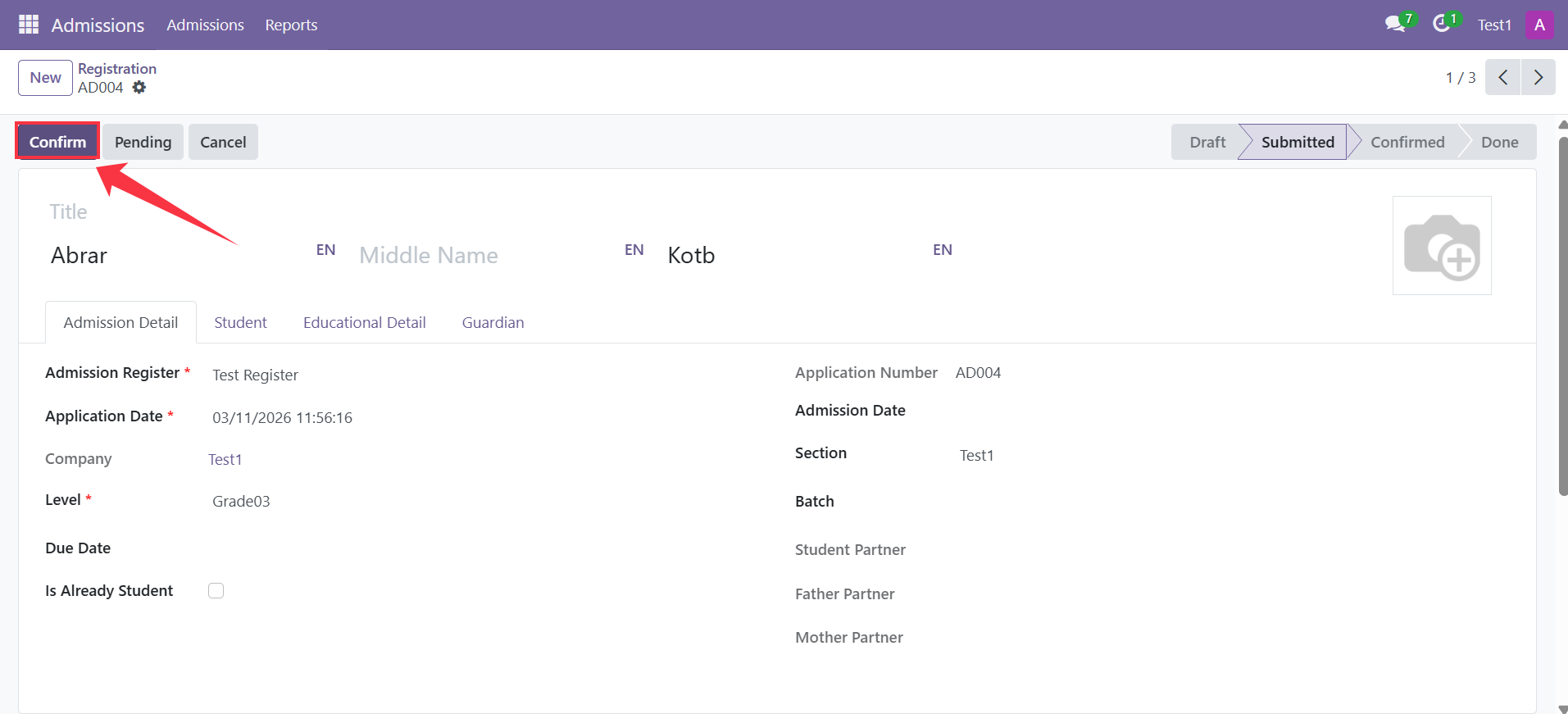
Click Confirm to review and approve the submitted application.
Step 4:
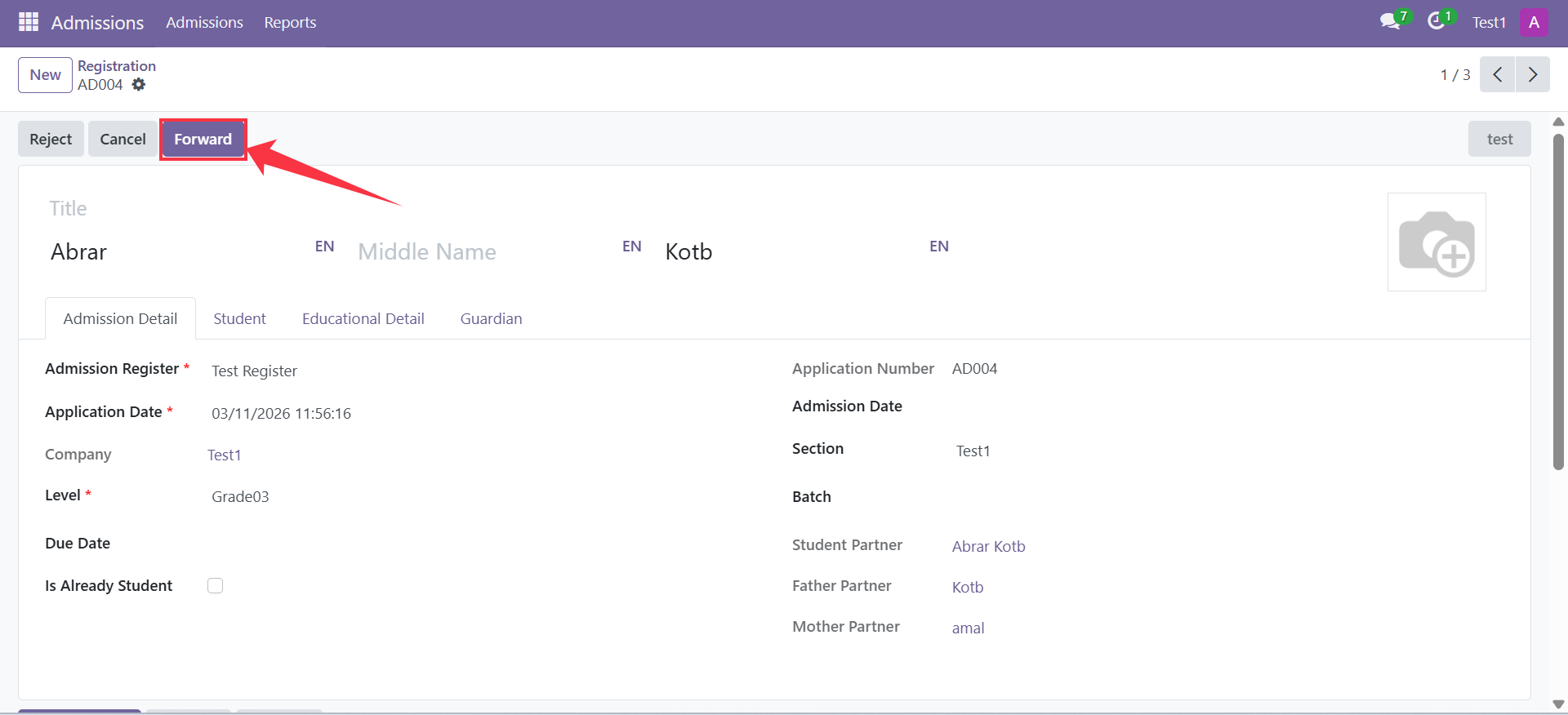
Once the application is confirmed, the status will move from Submitted to Confirmed. then Click on Forward
Step 5:
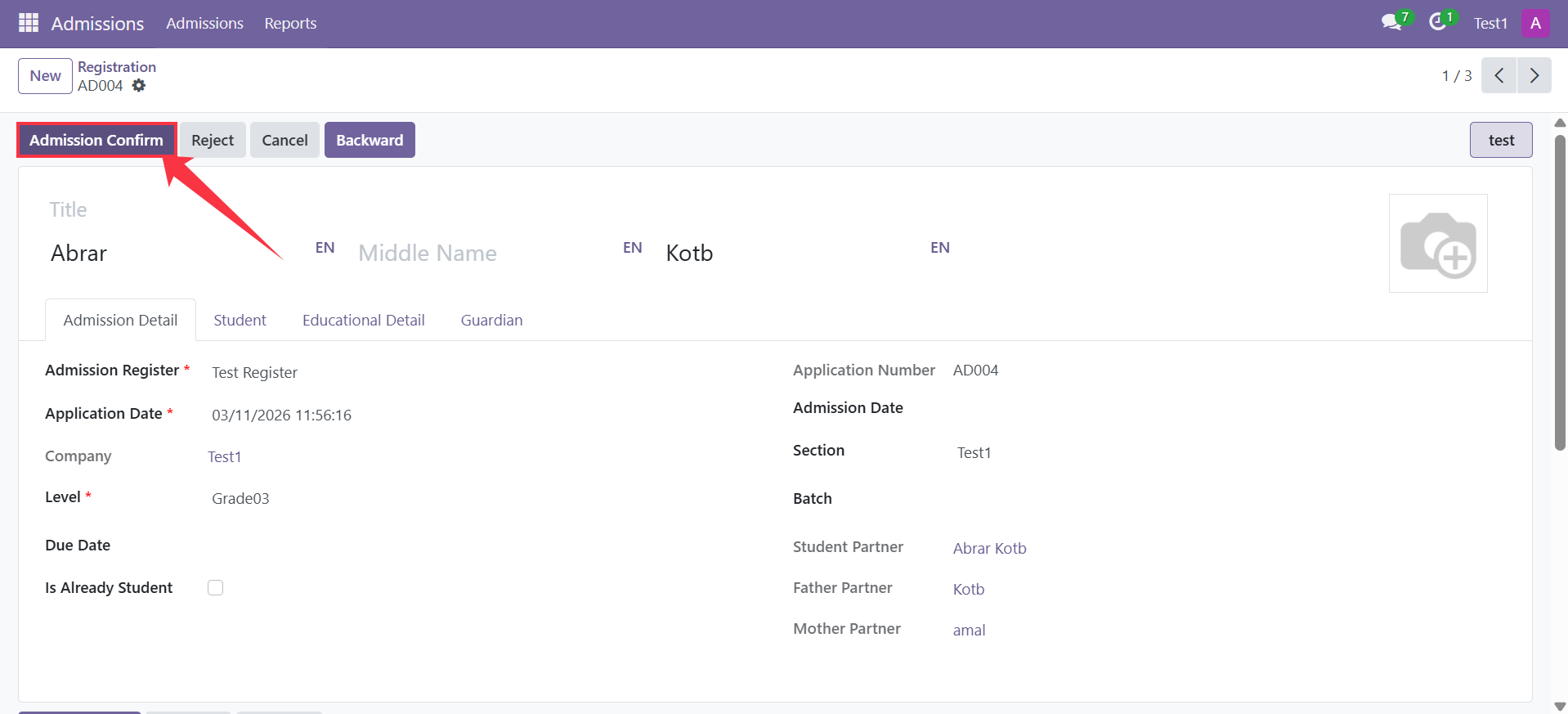
After completing the admission process and verifying all student details, proceed to finalize the application. Click on Admission Confirm
Step 6:
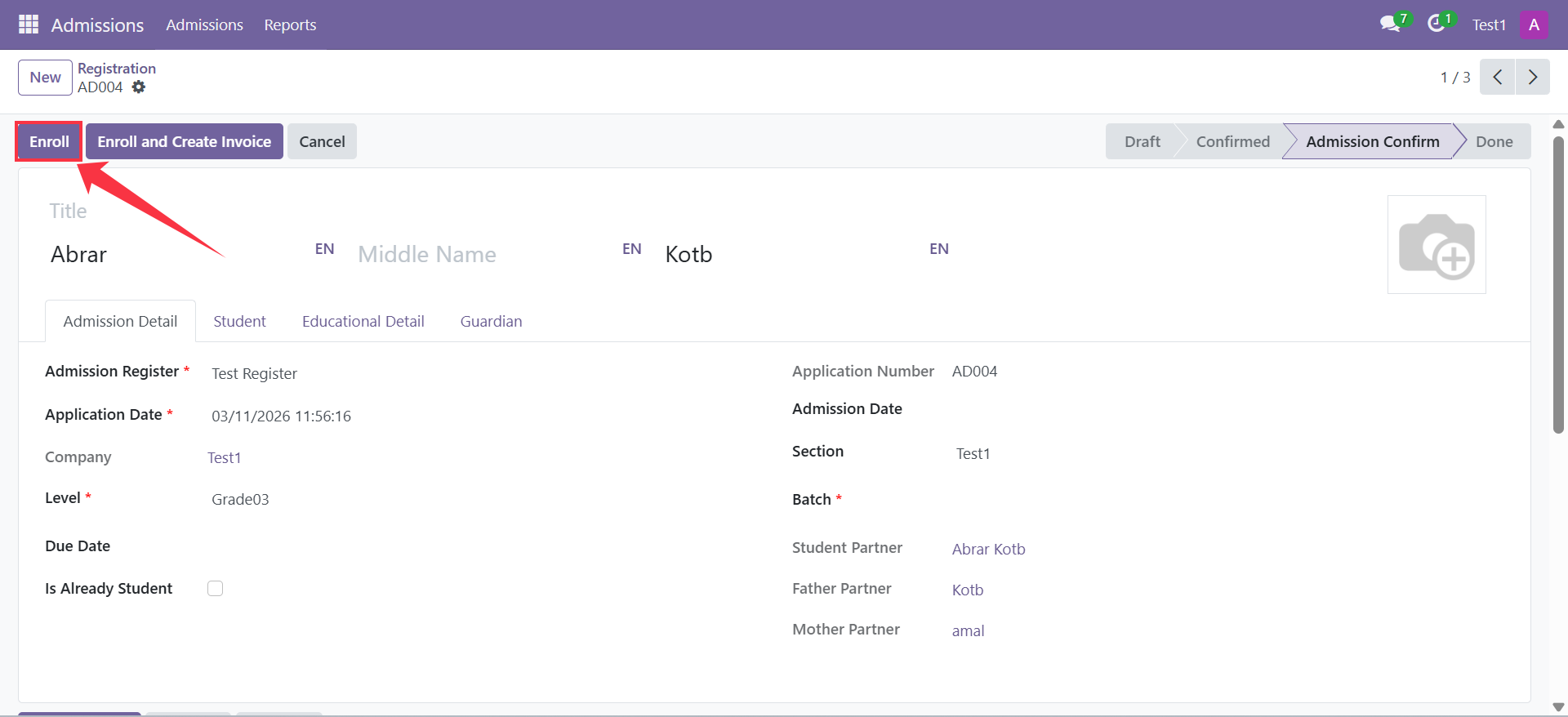
Fill in the following details:
Batch
Father's Email
Mother's Email
Family Code
Then, click Enroll to complete the process and enroll the student in the system.
Important:
Before clicking Enroll, ensure that you are working under the correct school section selected from the top navigation bar. If the wrong section is selected, the system will prevent the enrollment process from being completed successfully.
Result
Once the status becomes Done, the student will be officially enrolled, and their profile will be available in the Students list in the system.