
Introduction
Product Categories help organize products into groups and simplify product management. Categories can also be used for reporting and accounting purposes.
Before creating fee products, it is recommended to create product categories to group similar products together.
Examples:
Tuition Fees
Transportation Fees
Books Fees
Activity Fees
Step 1: Open the Product Categories Menu
Navigate to:
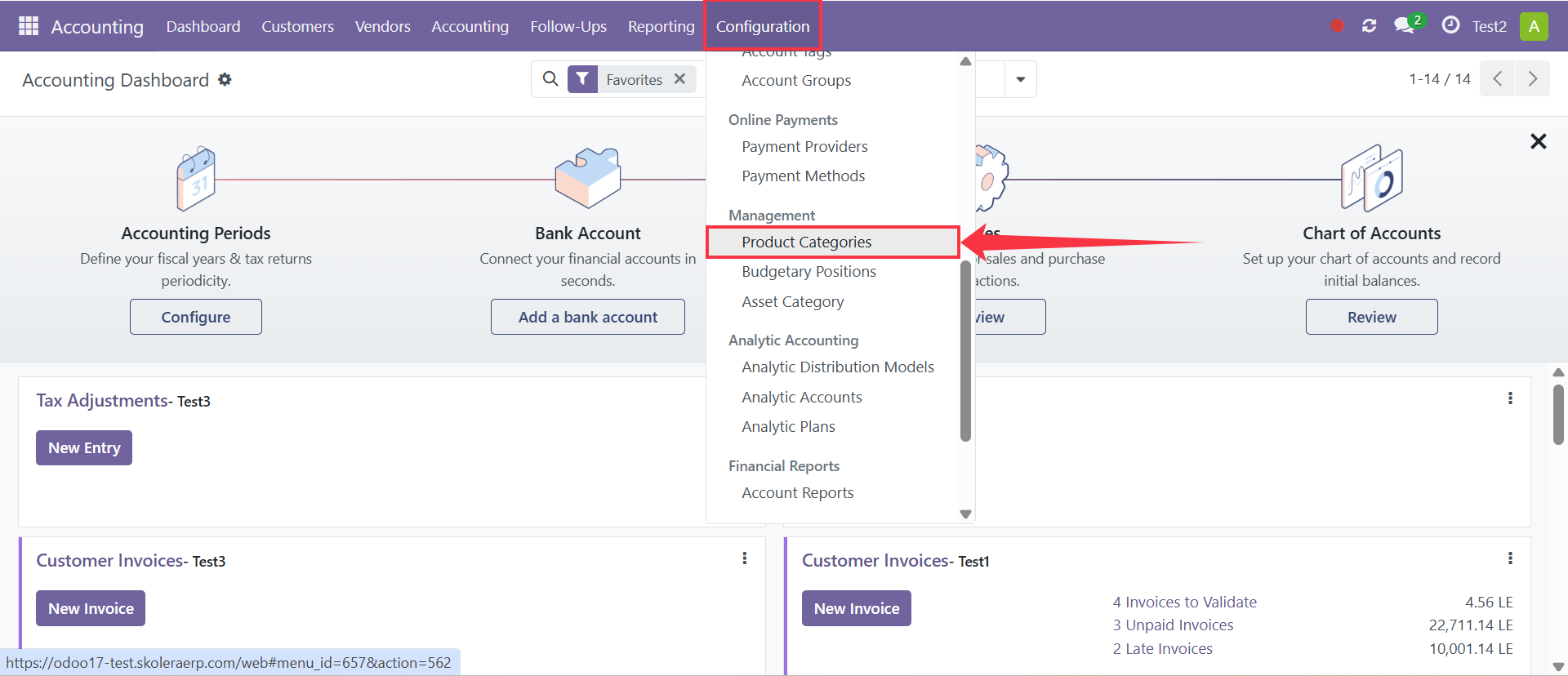
Accounting → Configuration → Product Categories
Click New to create a new category.
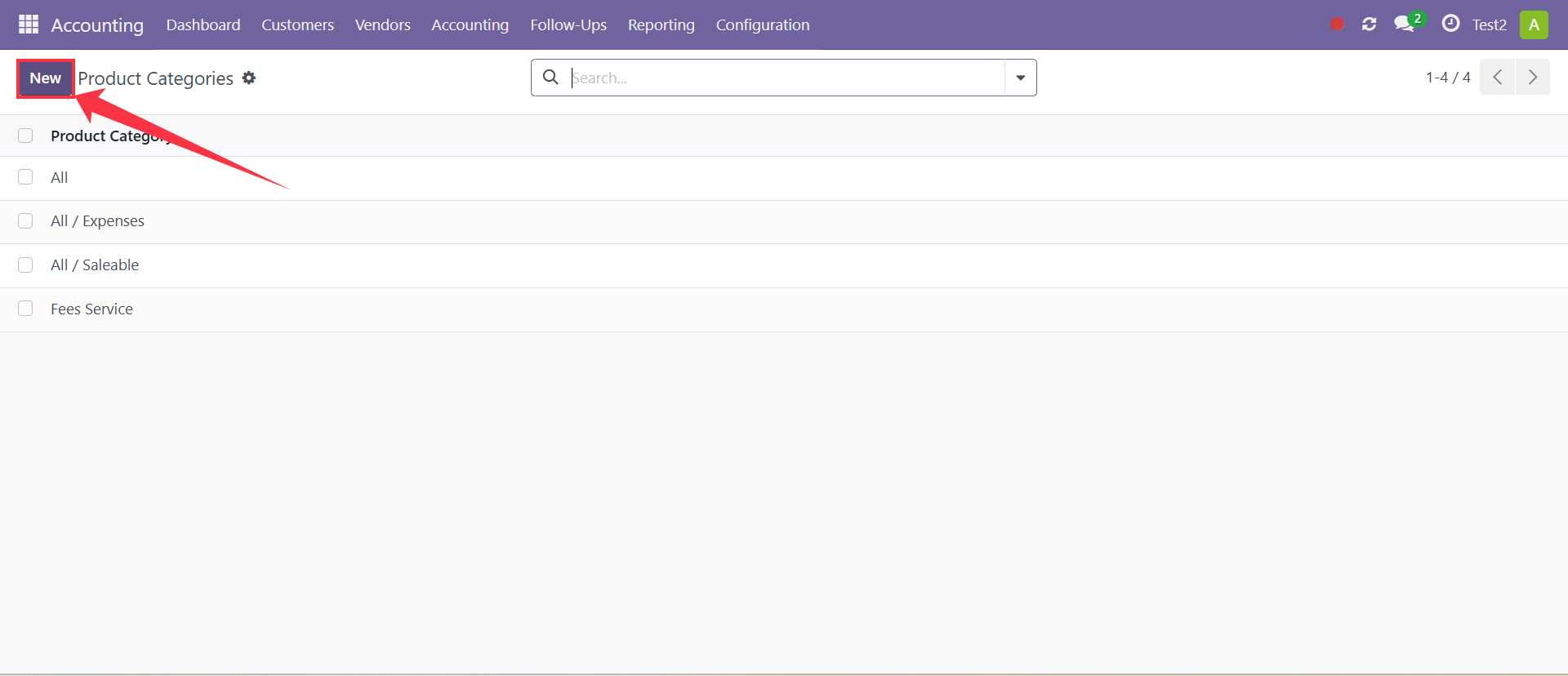
Step 2: Enter Category Information
Enter the required information:
Category Name
Provide a clear and descriptive name for the category.
Examples:
Tuition Fees
Transportation Fees
School Services
Parent Category (Optional)
Select a parent category if you want to create a sub-category.
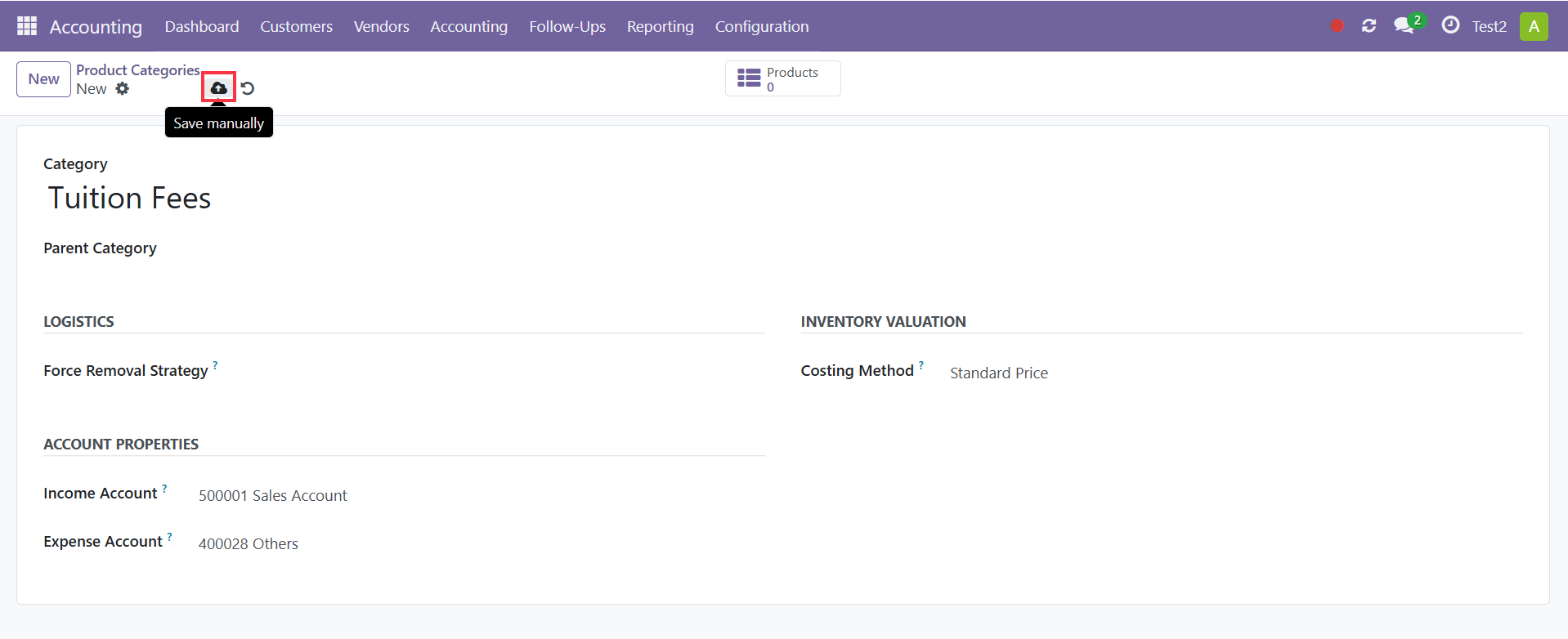
[Insert Screenshot – Category Information]
Step 3: Configure Accounting Information
Configure the accounting settings associated with the category. These settings can automatically apply to products created under this category.
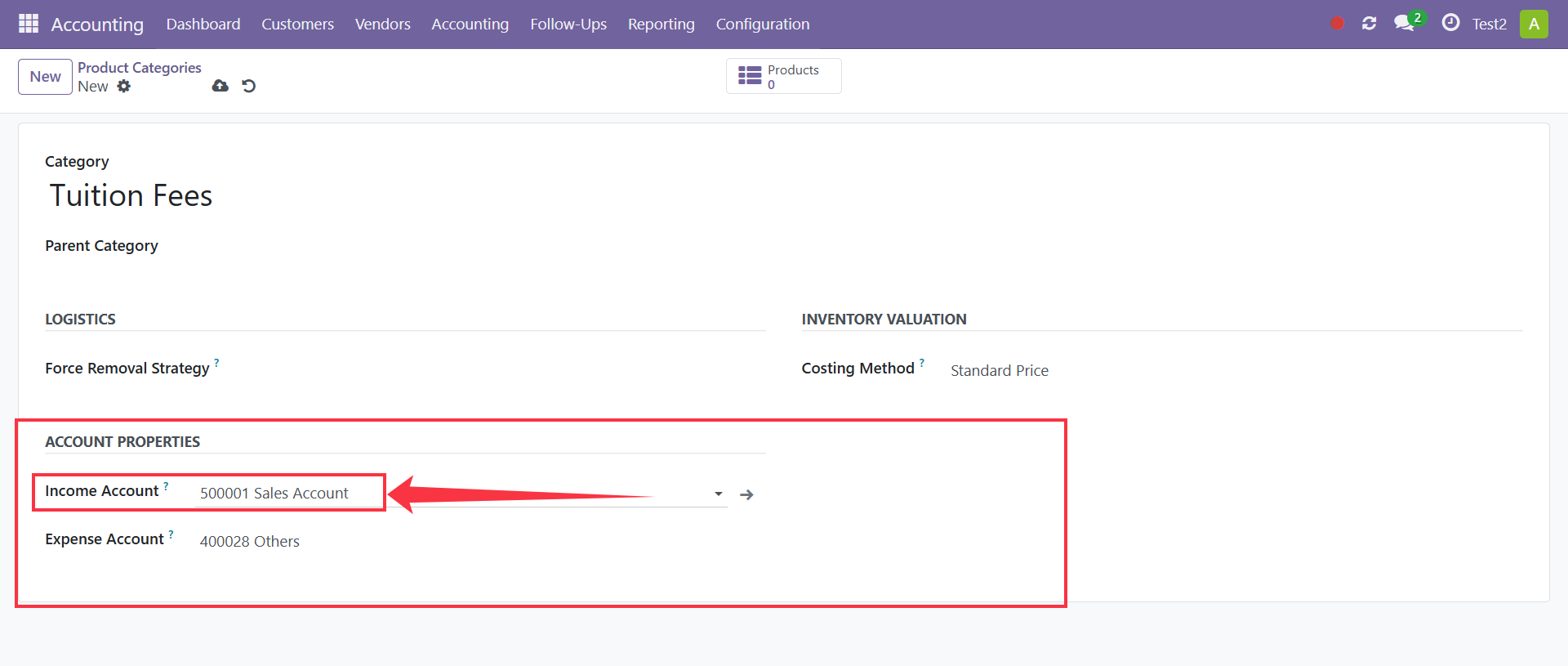
Income Account
Select the income account where revenue generated from products in this category will be recorded.
When an invoice is created using a product assigned to this category, the sales amount will be posted to the selected income account.
Example:
500001 – Sales Account
Expense Account
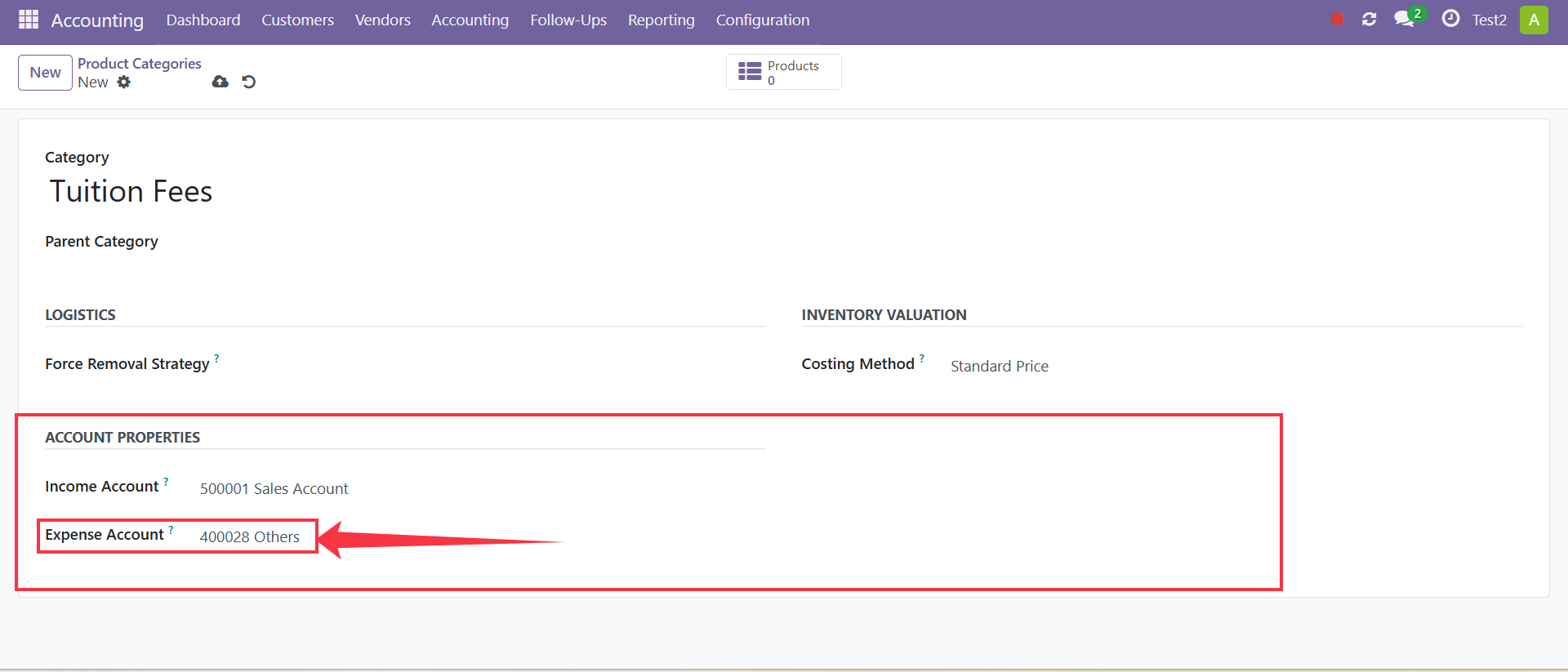
Select the expense account that will be used to record costs associated with products in this category.
This account helps ensure that expenses are tracked and reported correctly in the accounting records.
These settings help maintain consistent accounting configurations across all products assigned to the category.
Step 4: Save the Category
Click Save to create the product category.
The category will now be available when creating new products.
Result
The product category has been successfully created and can now be assigned to products during product creation.
Notes
Use meaningful category names to keep products organized.
Categories help simplify product management and reporting.
Multiple products can be assigned to the same category.
Product categories should be created before creating fee products whenever possible.