
Introduction
Products are used to define the different items and services offered by the organization. In a student fee management process, products typically represent fee types such as Tuition Fees, Transportation Fees, Book Fees, and Activity Fees.
Before creating fee terms or generating student invoices, the required fee products must be configured in the system.
Step 1: Open the Accounting Module
Log in to Odoo 17 and navigate to the Accounting module from the main dashboard.
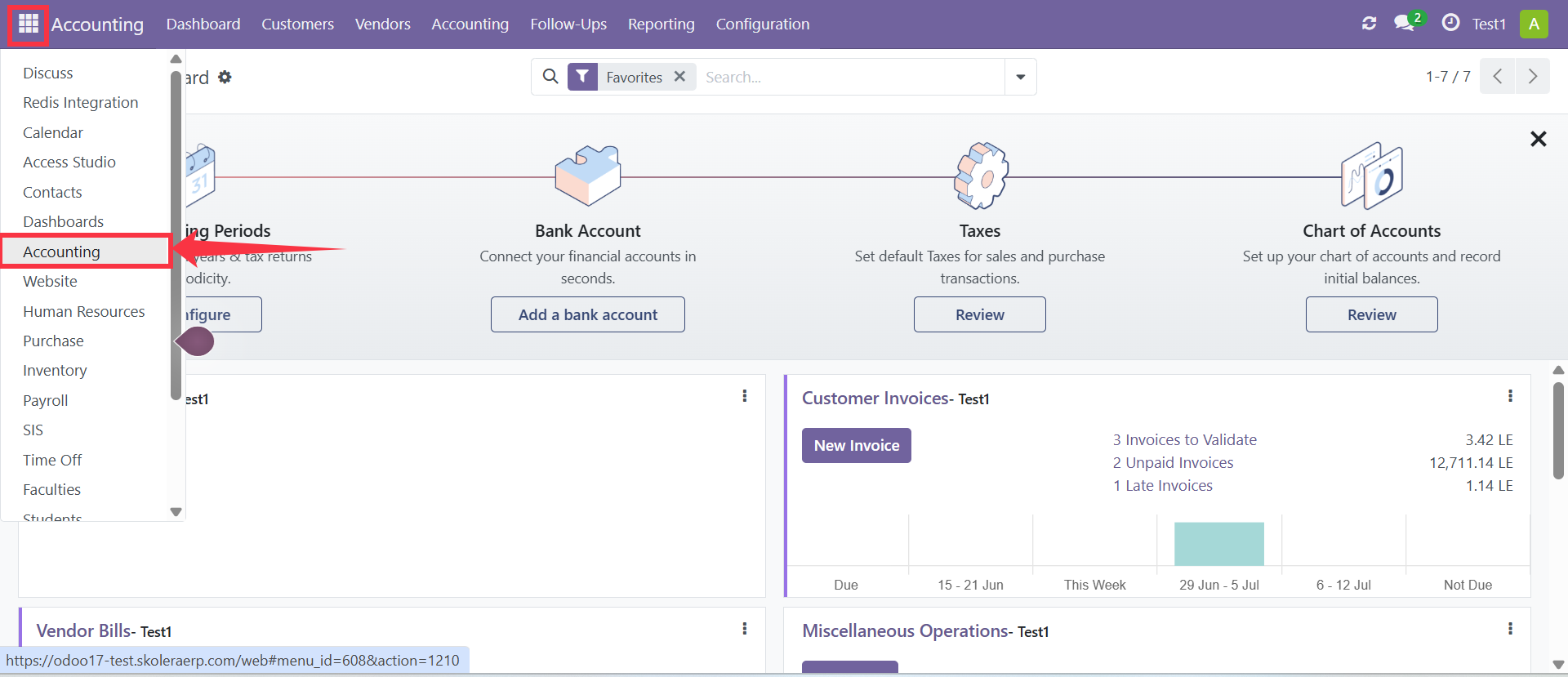
Step 2: Navigate to Products
From the Accounting module, go to:
Customers → Products
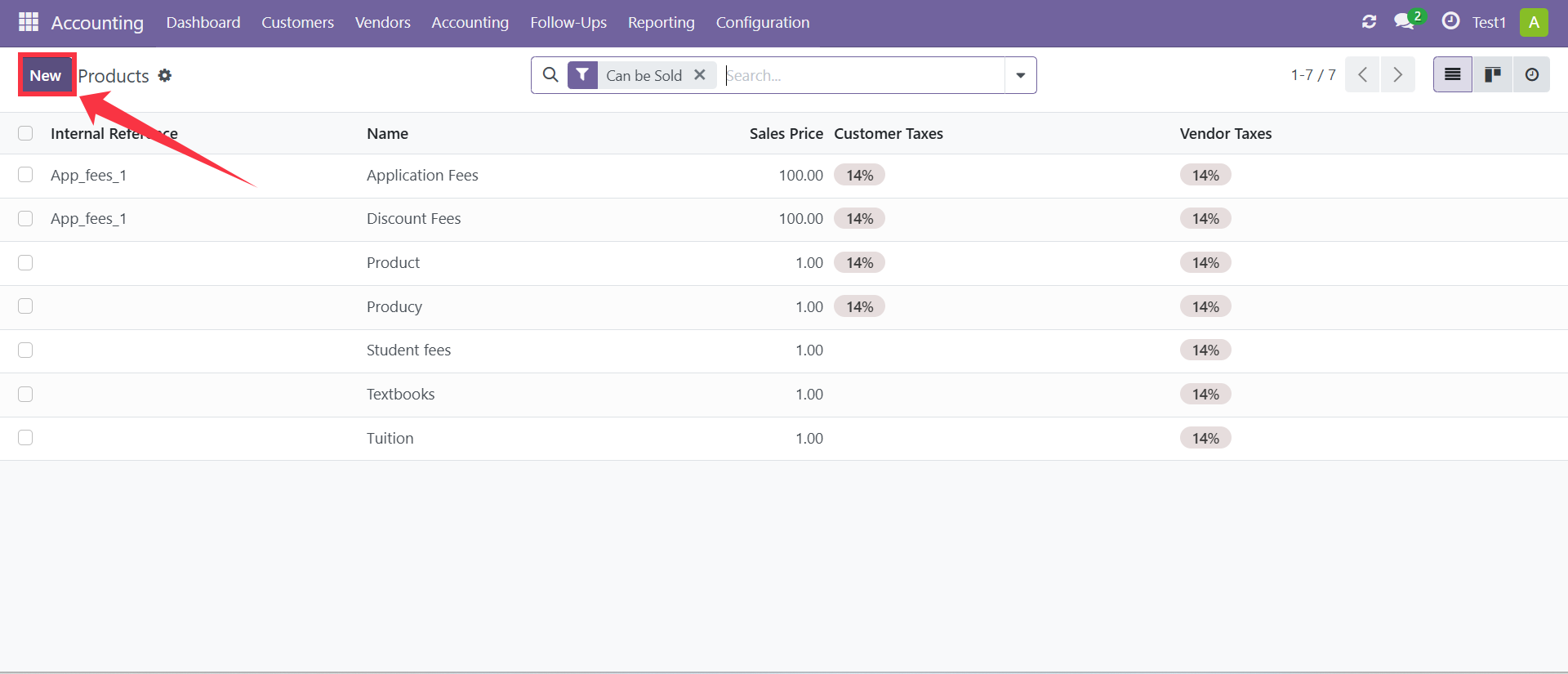
This page displays all existing products available in the system.
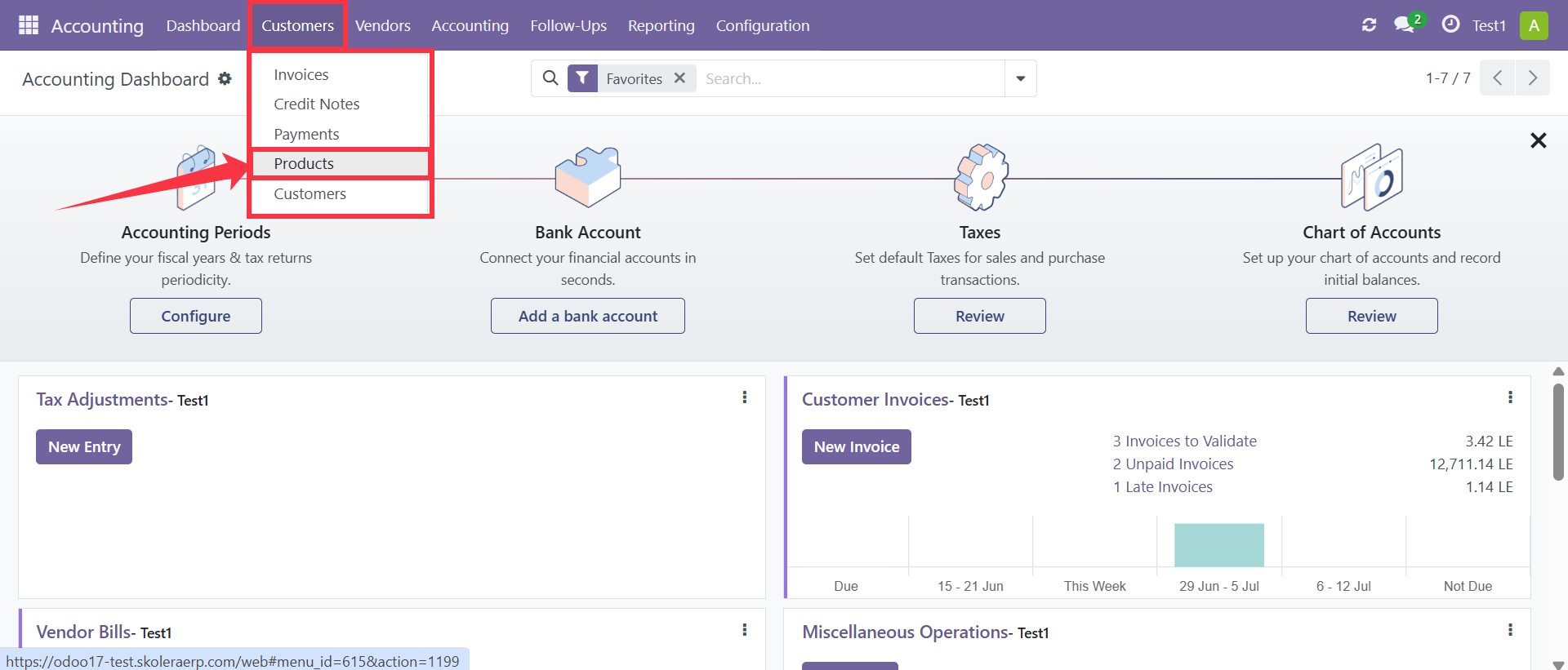
Step 3: Create a New Product
Click the New button to create a new product.
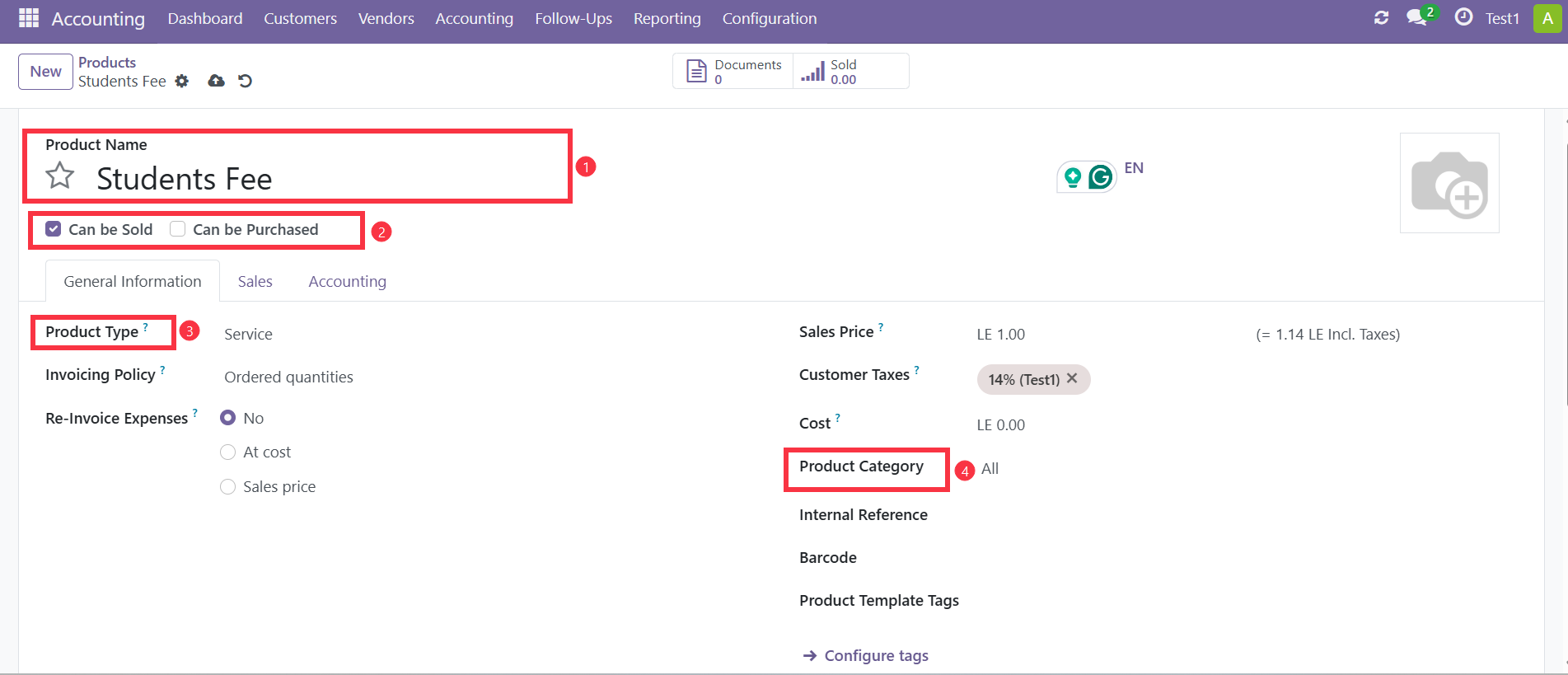
Step 4: Enter Product Information
Complete the required product details.
Product Name
Enter a clear and descriptive name for the fee product.
Examples:
Tuition Fee
Transportation Fee
Books Fee
Activity Fee
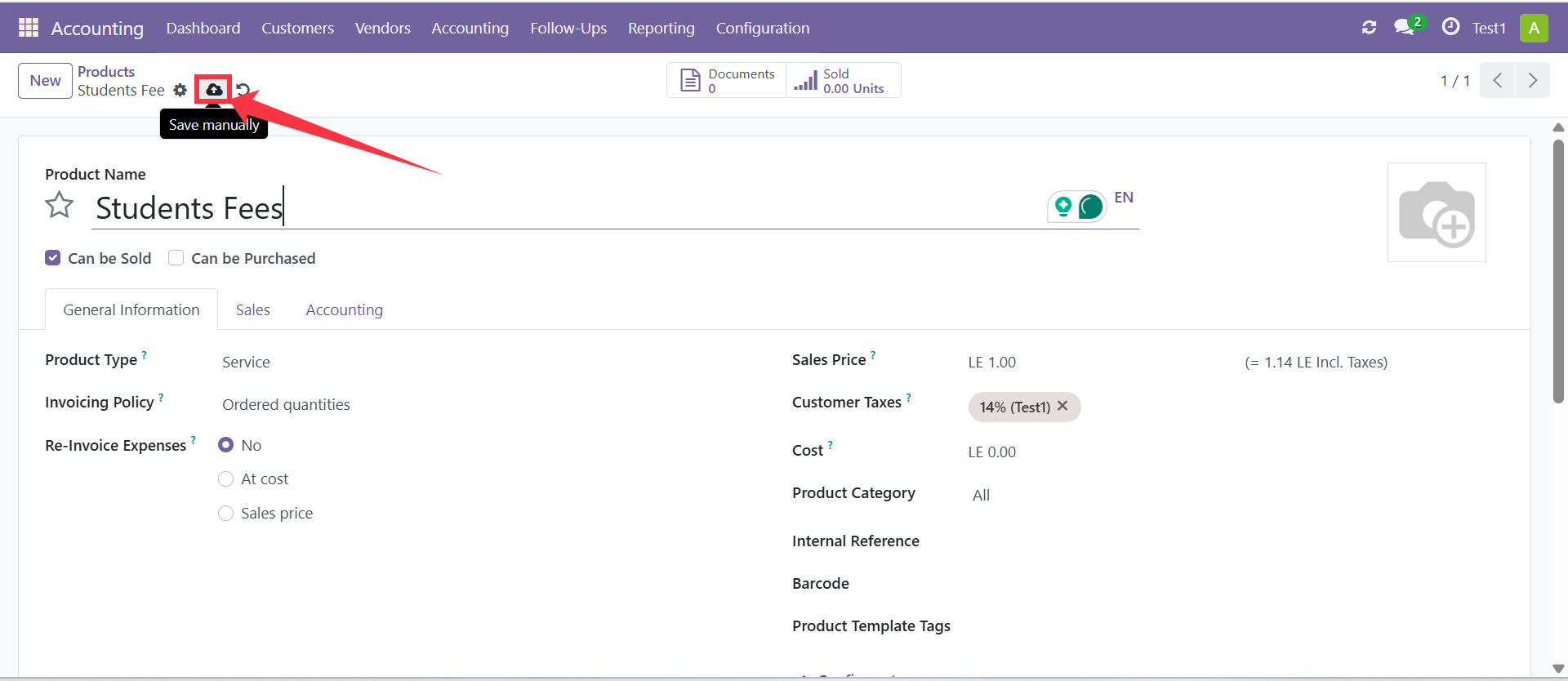
Product Availability
For student fee products, enable Can be Sold to make the product available for invoicing students. The Can be Purchased option should remain disabled since student fees are not purchased from suppliers.
Product Type
Select Service since student fees do not involve physical inventory.
Product CategorySelect the appropriate category based on your organization's setup.
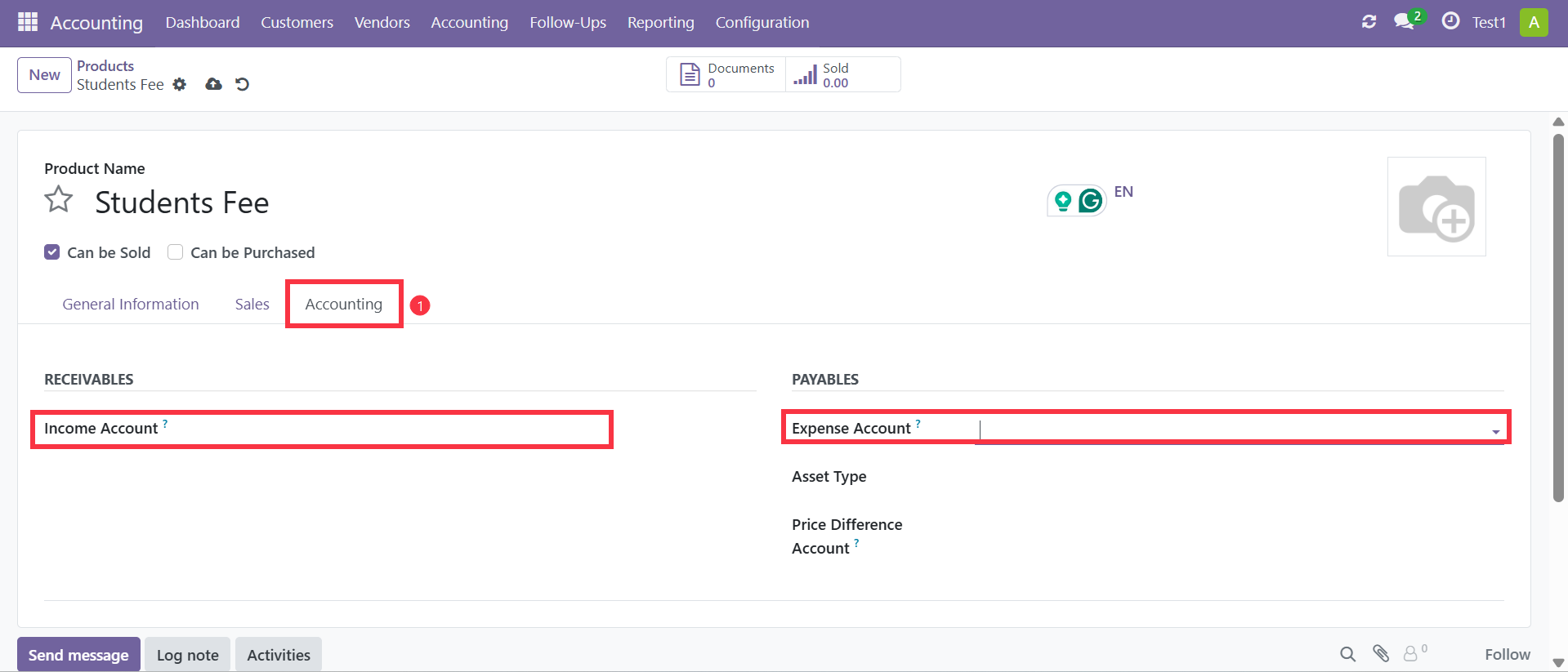
Step 5: Configure Accounting Information
Open the Accounting tab and configure the required accounts.
Income Account
Select the revenue account that should be credited when the fee is invoiced.
Examples:
Tuition Revenue
Transportation Revenue
Activity Revenue
Expense Account
Select the appropriate expense account if required by your accounting configuration.
Step 6: Save the Product
After completing all required fields, click Save.
The product is now available for use when creating fee terms and generating student fee invoices.
Expected Result
The newly created product should appear in the Products list and be available for selection during fee setup and invoice creation.
Notes
Use meaningful product names to simplify fee management.
Create a separate product for each fee type.
Verify that the correct income account is assigned before saving.
Student fee products should generally be configured as Services.