
Introduction
Student Fee Invoices are generated for students based on their assigned fee terms and configured fee structure.
The system allowsenerating invoices for a single student or multiple students at the same time.
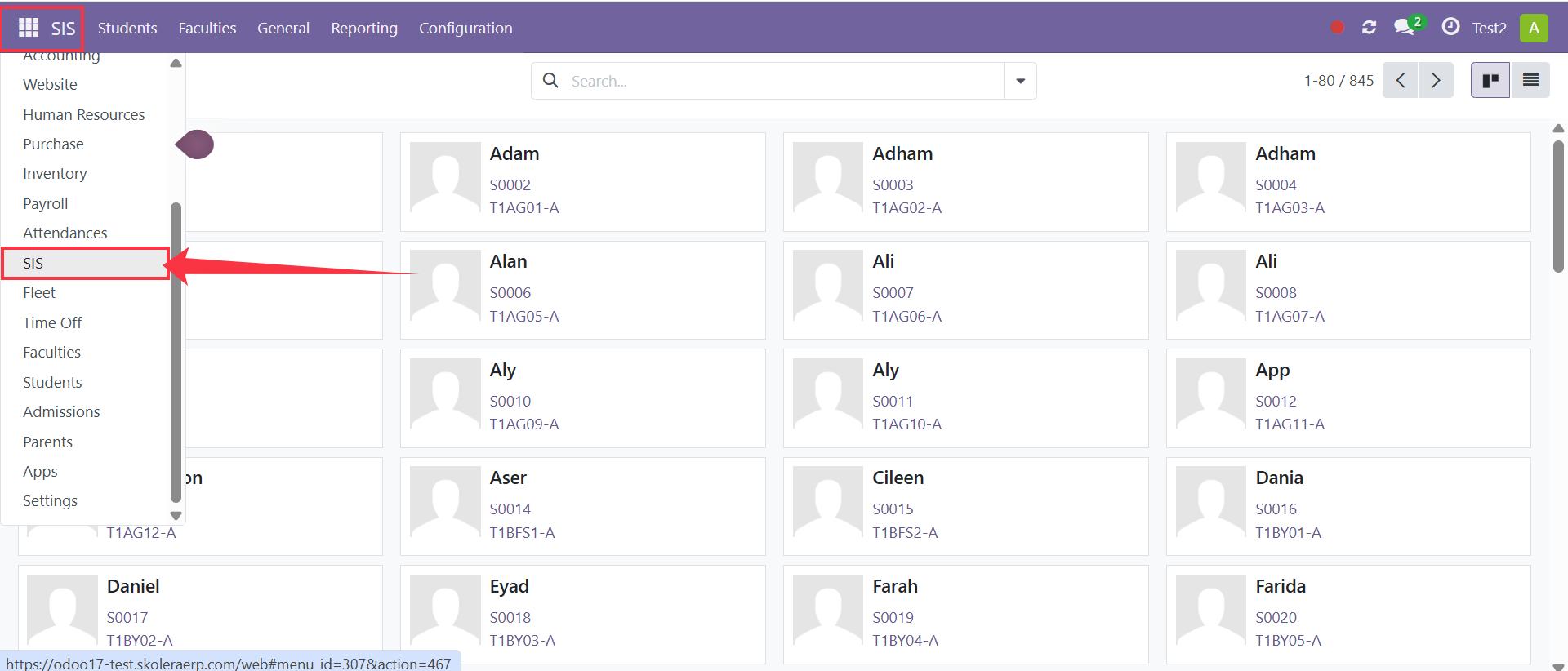
Step 1: Open the Students Menu
Navigate to:
SIS → Students
The students' list will be displayed.
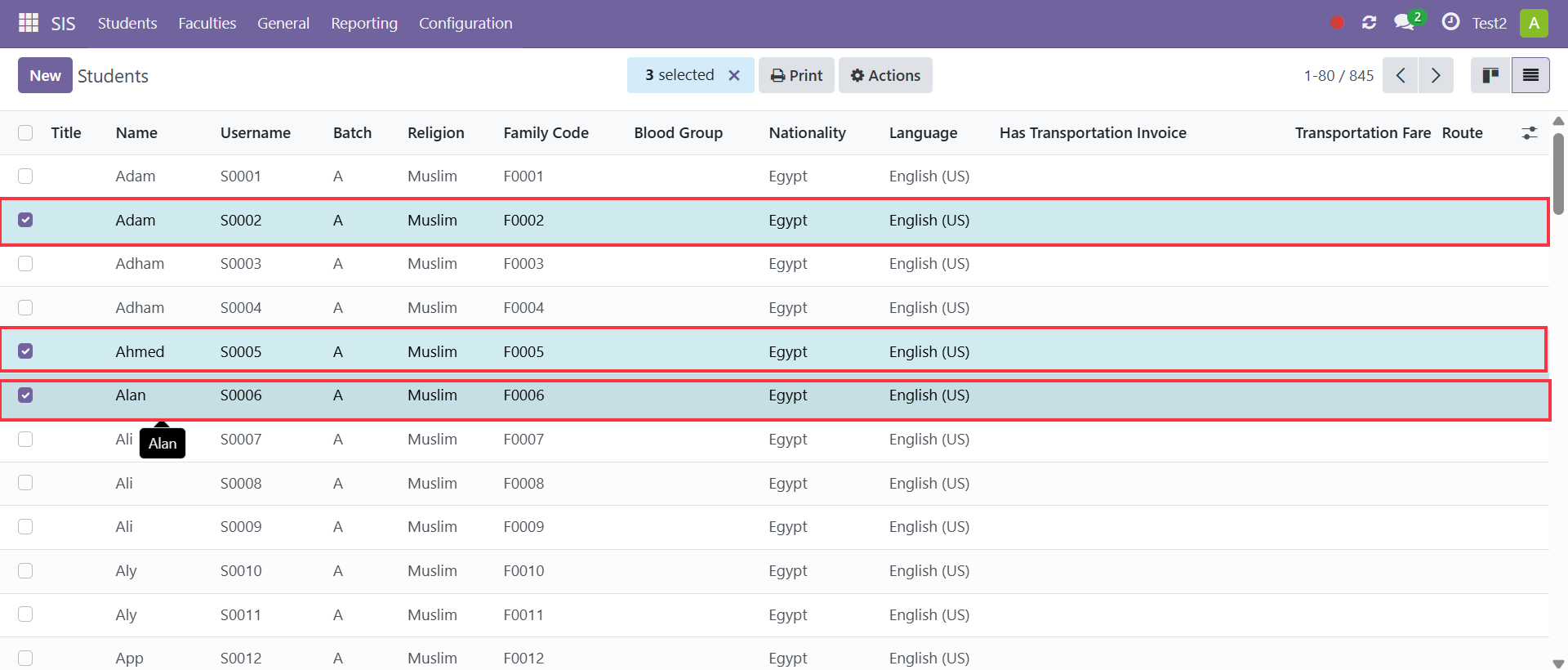
Step 2: Select Student(s)
Select one or more students for whom you want to create fee invoices.
Select one student to generate invoices for a single student.
Select multiple students to generate invoices in bulk.
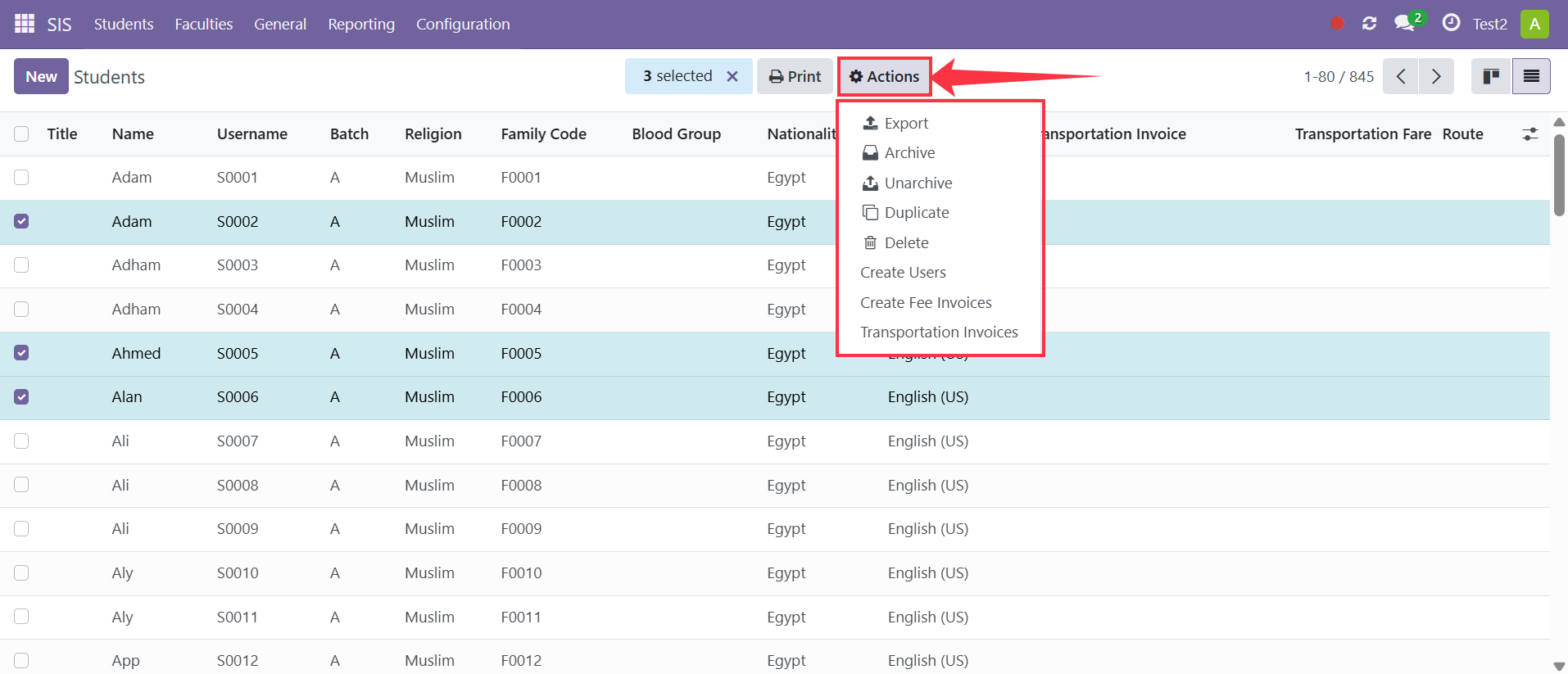
Step 3: Open the Actions Menu
Click Actions from the top menu.
A list of available actions will appear.
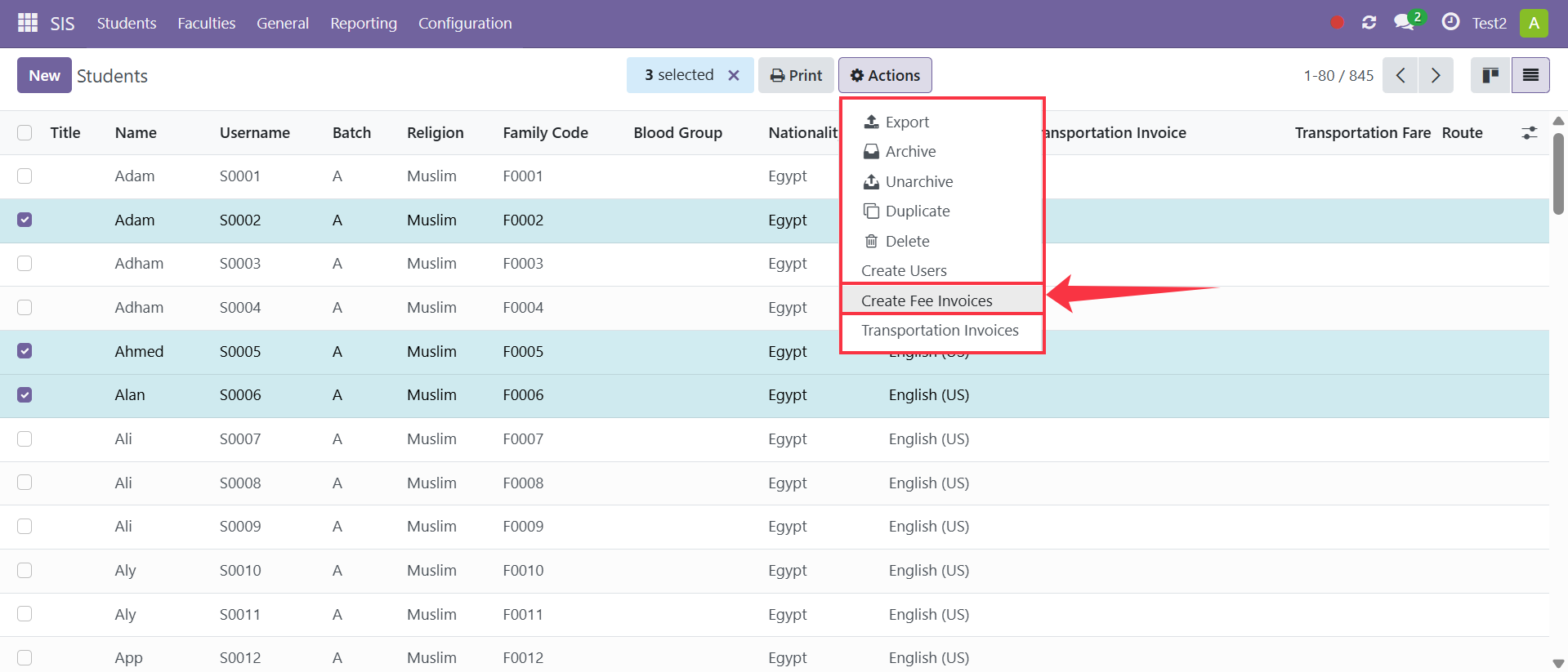
Step 4: Create Fee Invoices
Select Create Fee Invoices.
The system will generate fee invoices based on:
Assigned Fee Terms
Configured Fee Products
Applied Discounts (if any)
Result
Fee invoices will be automatically generated for the selected student(s).
The generated invoices will follow the fee structure, due dates, and discounts configured for each student.
Notes
Fee terms must be assigned before generating invoices.
Discounts will be automatically applied during invoice creation.
Multiple students can be selected to generate invoices in bulk.
The system creates invoices according to each student's assigned fee term.