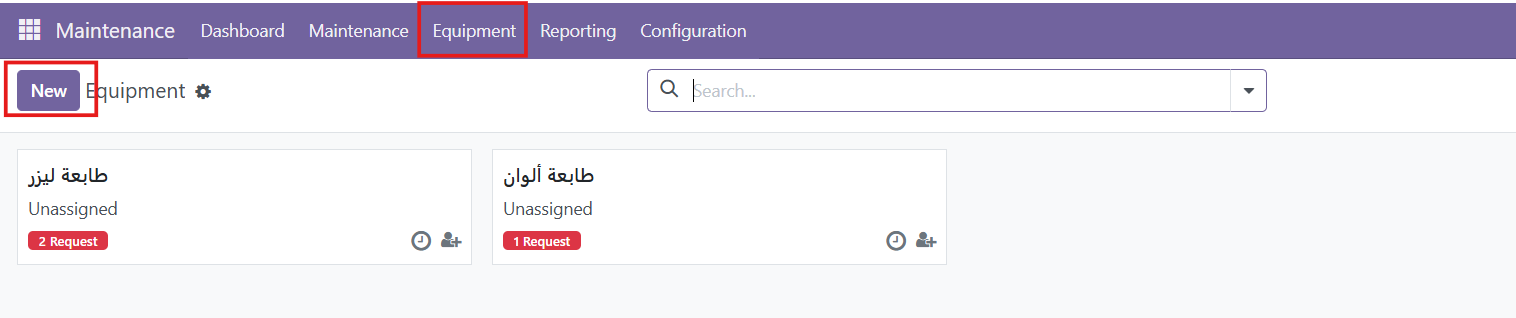
1. Access the Maintenance Module
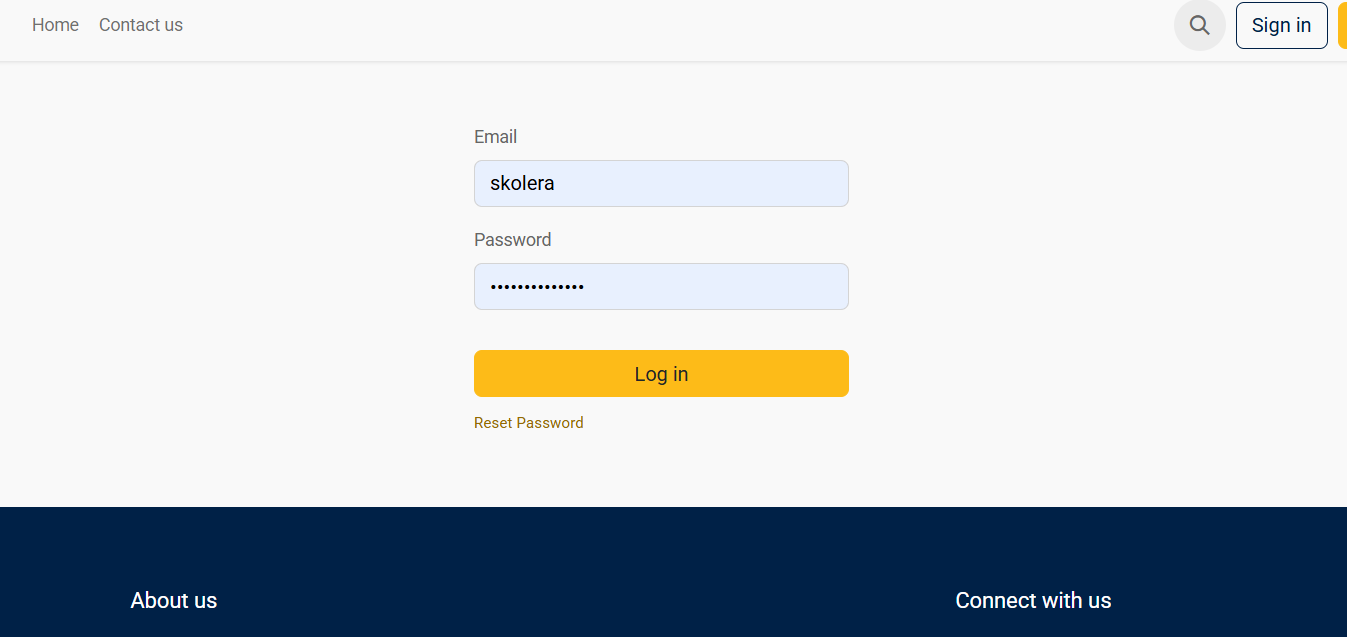
- Log in to the ERP system using your account.
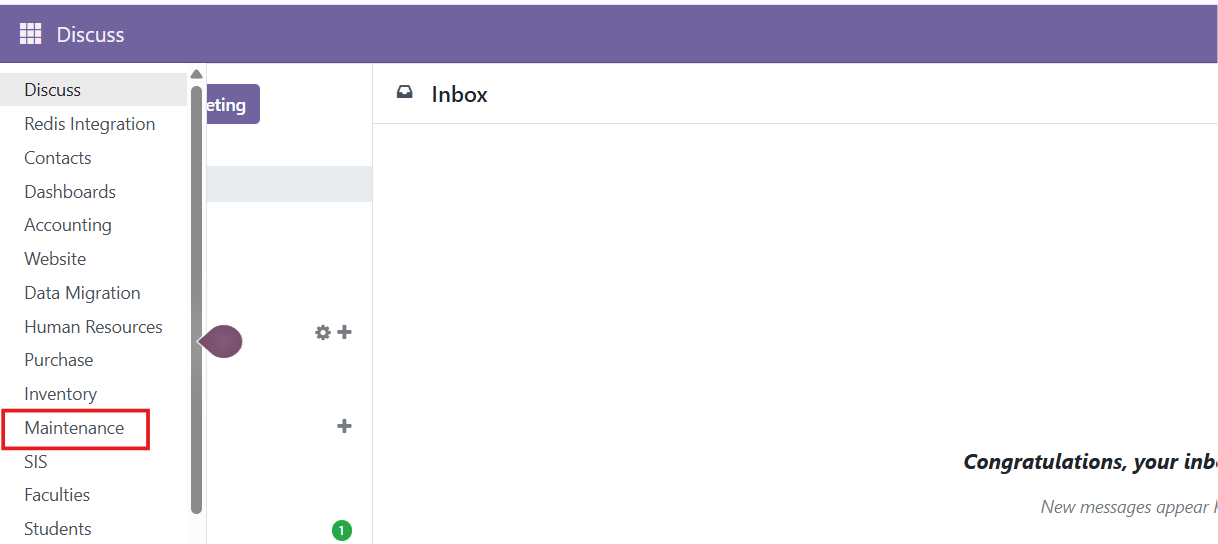
- From the Dashboard, select Maintenance.
2. Create Maintenance Teams
Maintenance Teams are used to organize and manage maintenance activities.
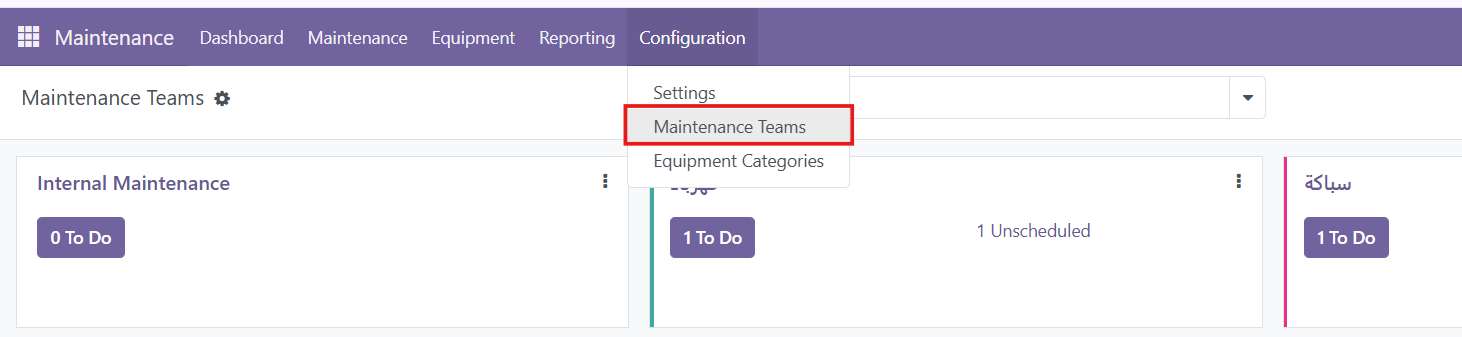
- Go to Configuration → Maintenance Teams.
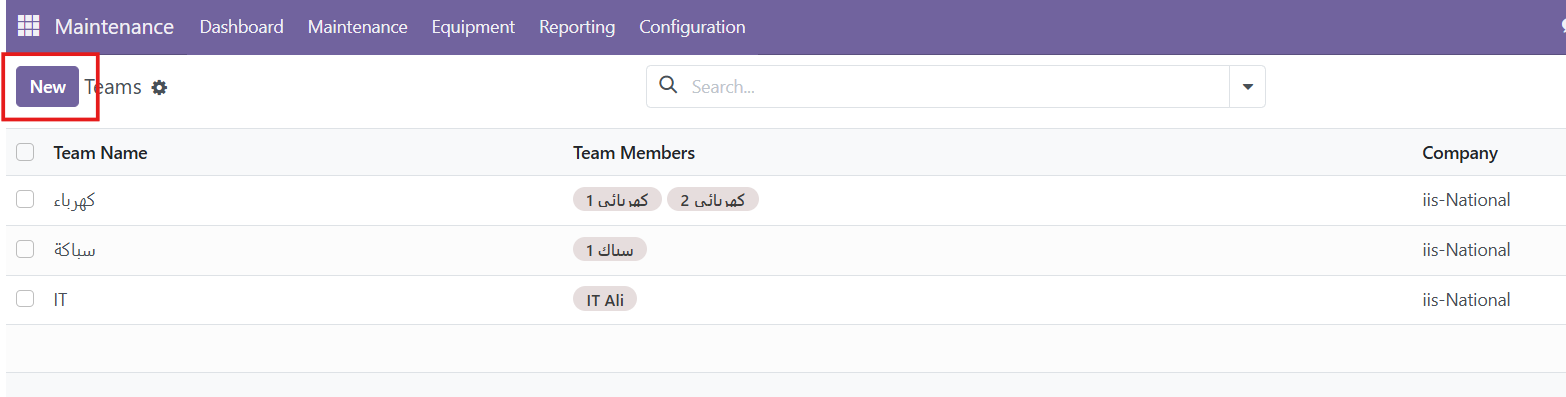
- Click New.
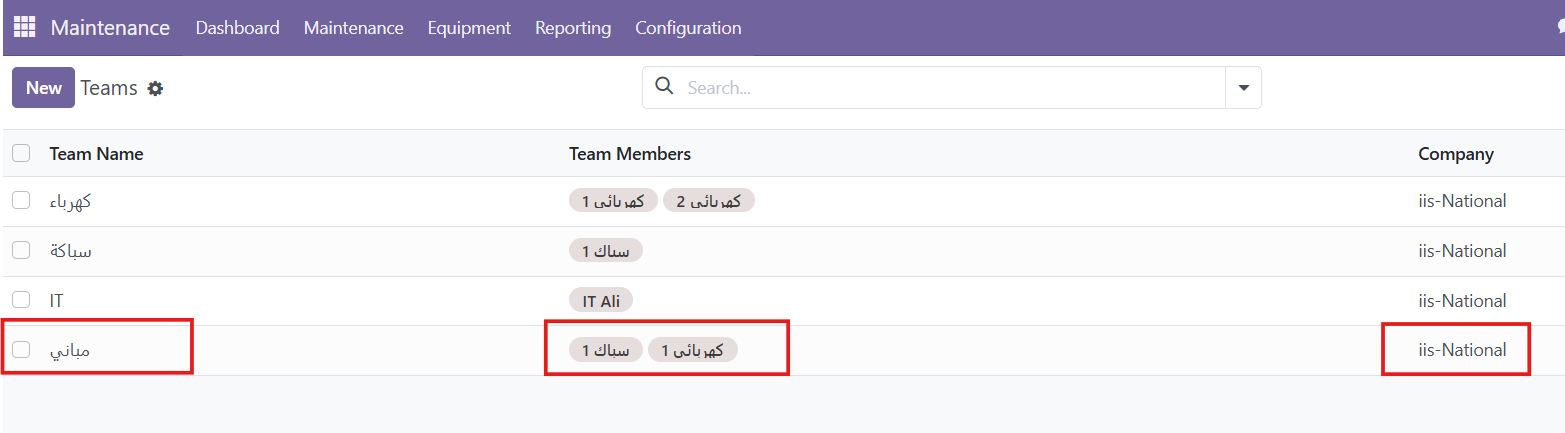
- Enter the Team Name.
- Add the responsible Team Members.
- Add the Section ( School Section)
- Click Save.
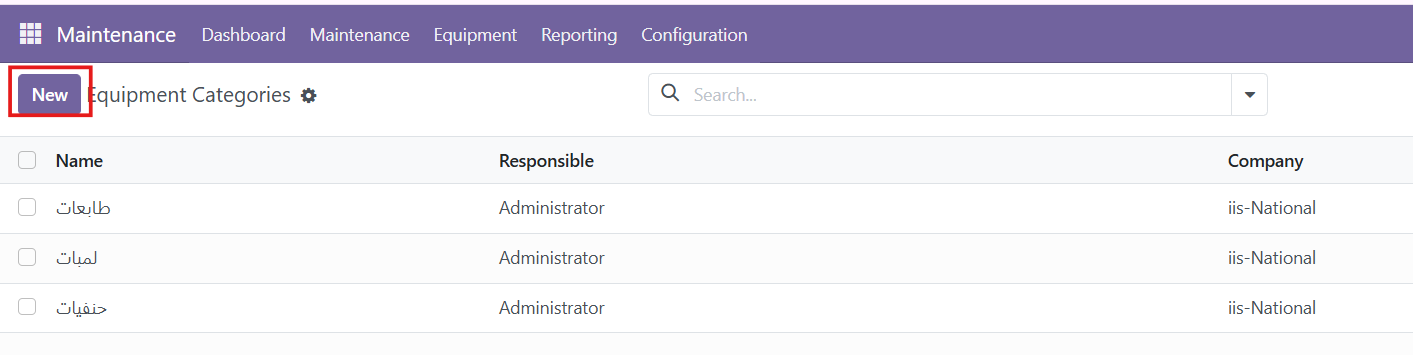
3. Create Equipment Categories
Equipment Categories help organize equipment into groups.
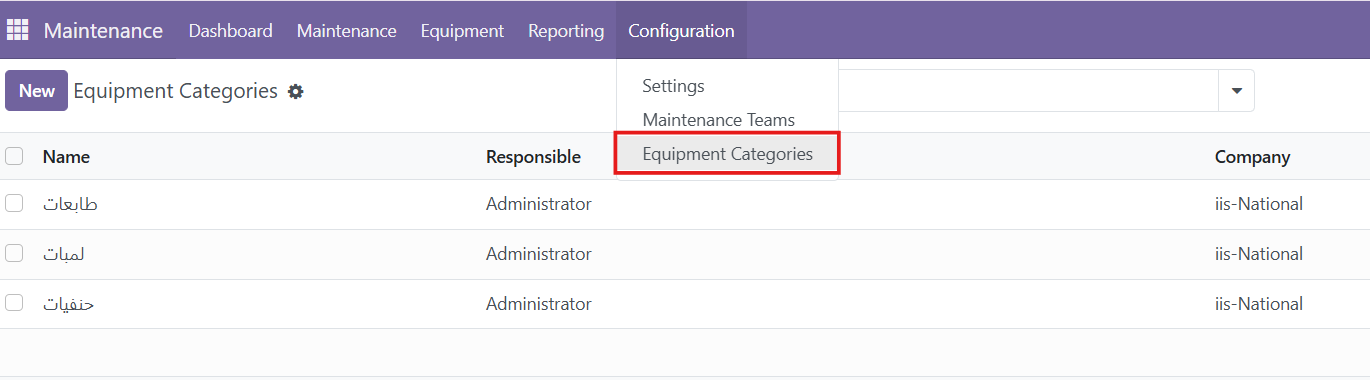
- Go to Configuration → Equipment Categories.
- Click New.
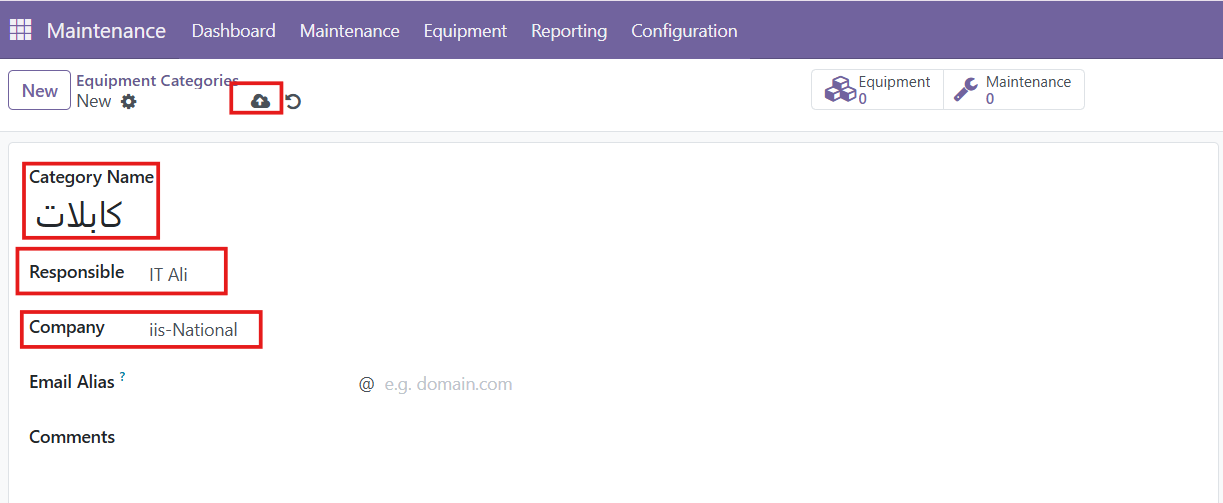
- Enter the Category Name.
- Select the responsible Maintenance Team.
- Add the responsible users or employees, if required.
- Add the Section ( School Section)
- Click Save.
4. Create Equipment
Equipment represents the machines, devices, or assets that require maintenance.
- Go to Maintenance → Equipment.
- Click New.
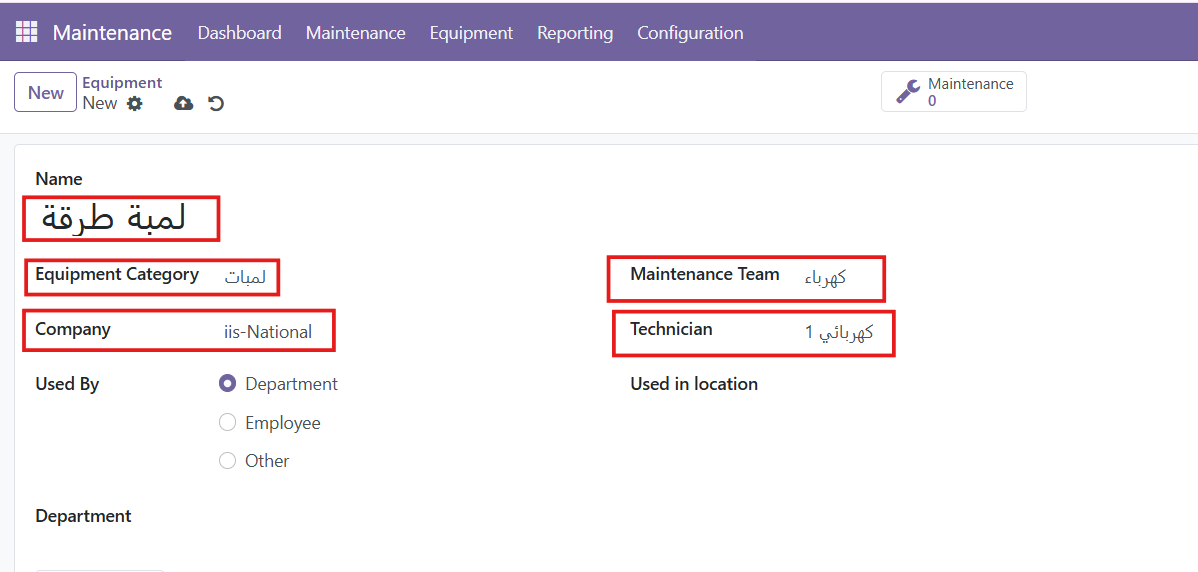
- Enter the Equipment Name.
- Select the Equipment Category.
- Select the responsible Employee or Department, if applicable.
- Select the Maintenance Team.
- Click Save.